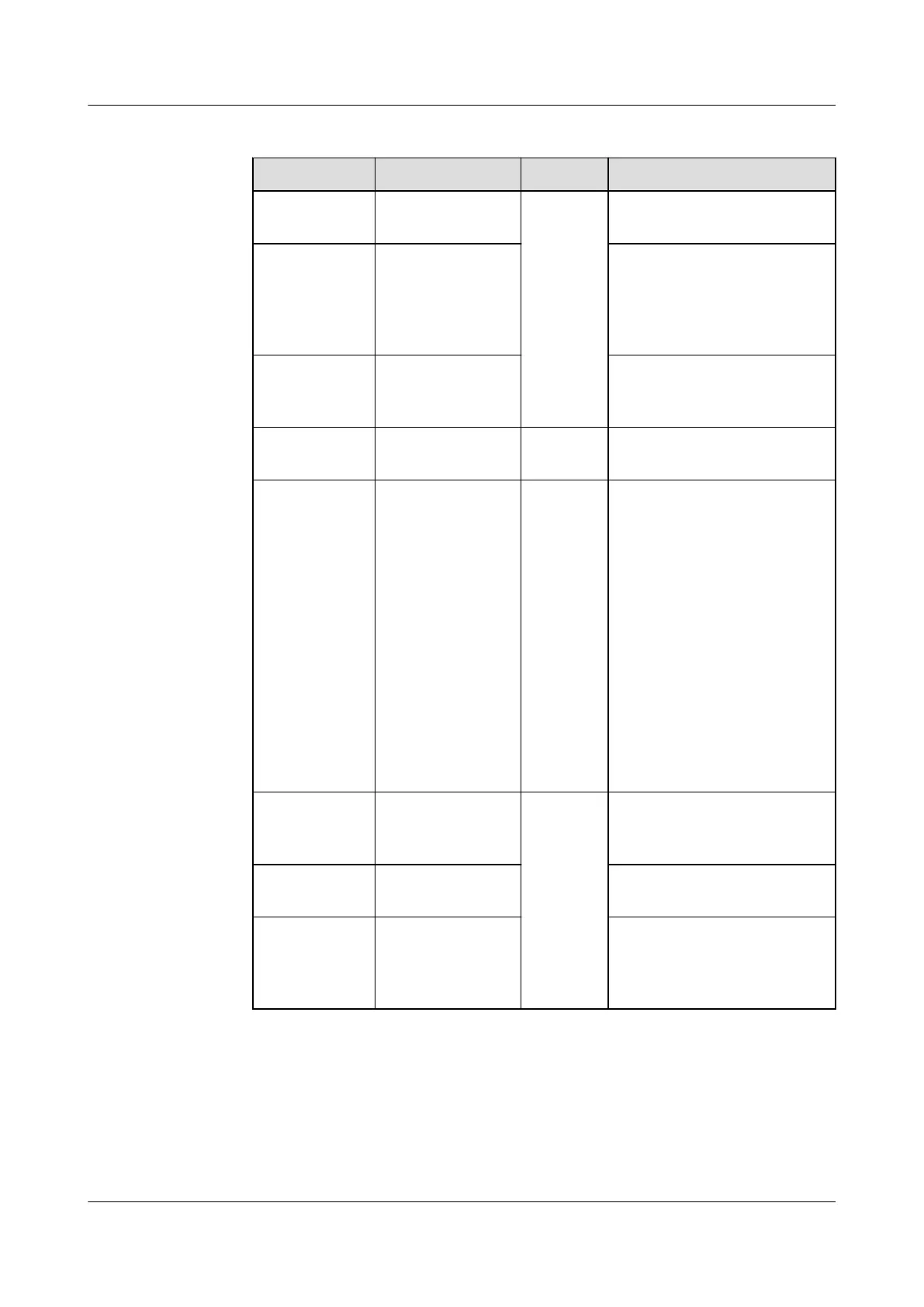
Table 7-2 Indicator description
LED Indicator Status Remarks Description
- O Normal The Smart Dongle is not
secured or not powered on.
Yellow
(blinking
green and red
simultaneousl
y)
Steady on The Smart Dongle is
secured and powered on.
Red Blinking fast (on
for 0.2s and o
for 0.2s)
The parameters for
connecting to the router are
to be set.
Red Steady on Abnorma
l
The Smart Dongle is faulty
and needs to be replaced.
Blinking red
and green
alternately
Blinking slowly
(on for 1s and
o for 1s)
Abnorma
l
No communication with the
inverter:
– Remove and then insert
the Smart Dongle.
– Check whether the
inverter matches the
Smart Dongle.
– Connect the Smart
Dongle to another
inverter.
Check whether the
Smart Dongle is faulty or
the USB port of the
inverter is faulty.
Green Blinking slowly
(on for 0.5s and
o for 0.5s)
Normal Connecting to the router
Green Steady on The management system is
successfully connected.
Green Blinking fast (on
for 0.2s and o
for 0.2s)
The inverter is
communicating with the
management system
through the Smart Dongle.
● 4G Smart Dongle
SUN2000-(5K-12K)-MAP0 Series
User Manual 7 Power-On and Commissioning
Issue 01 (2024-05-13) Copyright © Huawei Digital Power Technologies Co., Ltd. 89












 To Next Page