Procedure
1. Access the home page of .
2. If you are not a registered member of the website, perform 3 to register. If you are a
registered member, go to 4.
3. Click Register and register as prompted. If the registration succeeds, you will receive
your user name and password.
4. Enter the user name, password, and verification code. Then click Login.
5. After login, choose Support > Software > Enterprise Networking > Security >
Firewall & VPN Gateway . In the navigation tree, choose the corresponding version of
V500R001C80SPC100 to display the list of system software and documents. You can
download a file by clicking its file name.
Preparing the Environment for the Upgrade Through CLI
The key to the upgrade through the CLI is how to transfer the version software to CF card 1
of the USG6000. Currently, the following modes are supported:
l FTP mode with the USG6000 as the FTP server
l FTP mode with the USG6000 as the FTP client
l TFTP mode with the USG6000 as the TFTP client
l SFTP mode with the USG6000 as the SFTP server
The following is an example in which the USG6000 functions as an FTP server. This method
is easy because it does not require a third-party FTP server. For details on other modes, see
Appendix C: Uploading and Downloading Files. You are advised to use SFTP to transfer
files to secure data transfer.
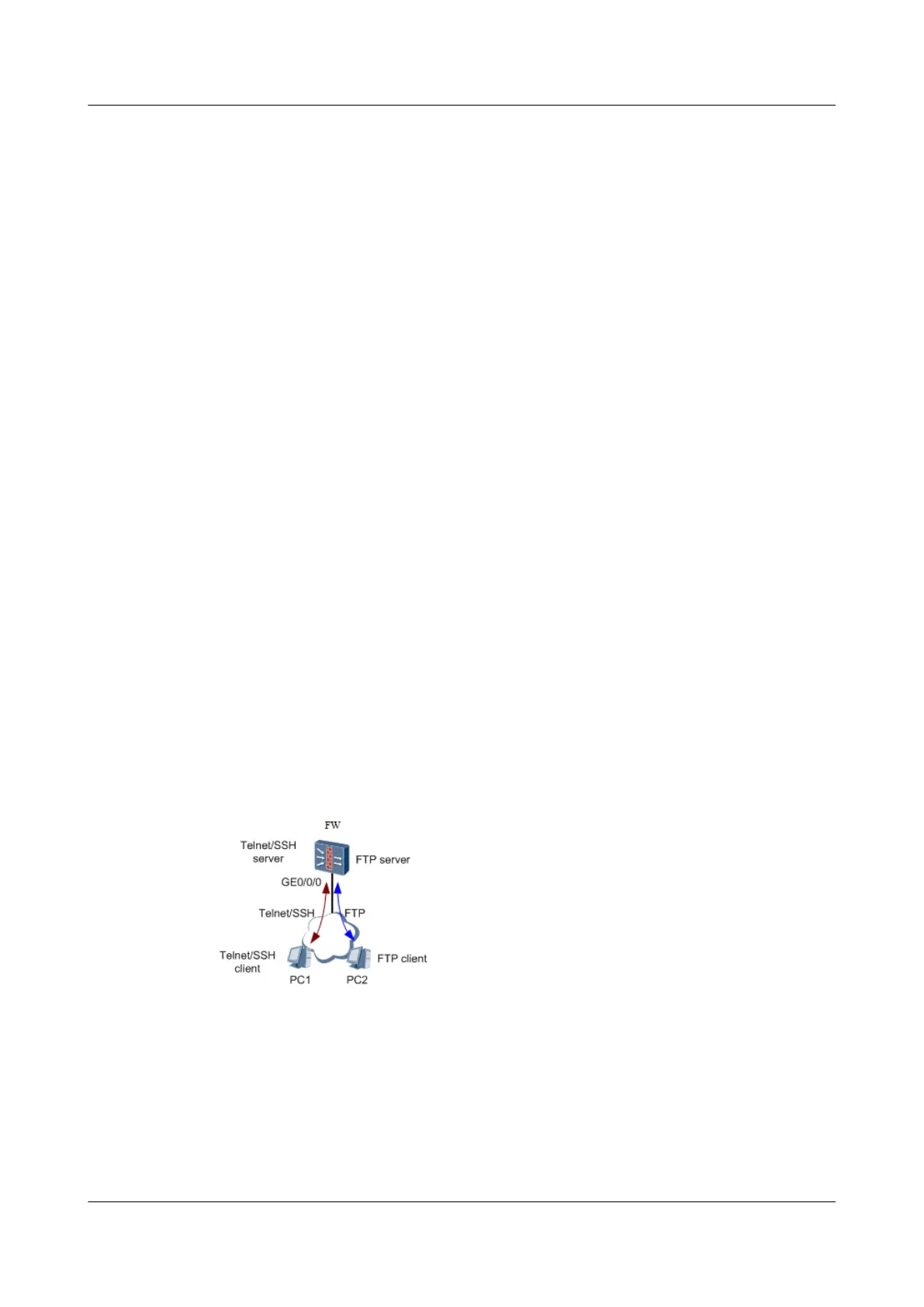
As shown in Figure 1, the USG6000 is configured as the FTP server and version software is
located on PC2 serving as the FTP client. On PC2, log in to the FTP server and upload the
version software to CF card 1 of the USG6000 through FTP.
Figure 1-41 Schematic diagram of the USG6000 serving as the FTP server
Perform the following steps to configure the USG6000 as the FTP server:
Saving and Backing Up Important Data
1. Save the configuration file.
HUAWEI USG6000&USG9500
Upgrade Guide
1 USG6000
Issue 01 (2018-01-16) Huawei Proprietary and Confidential
Copyright © Huawei Technologies Co., Ltd.
61



 To Next Page