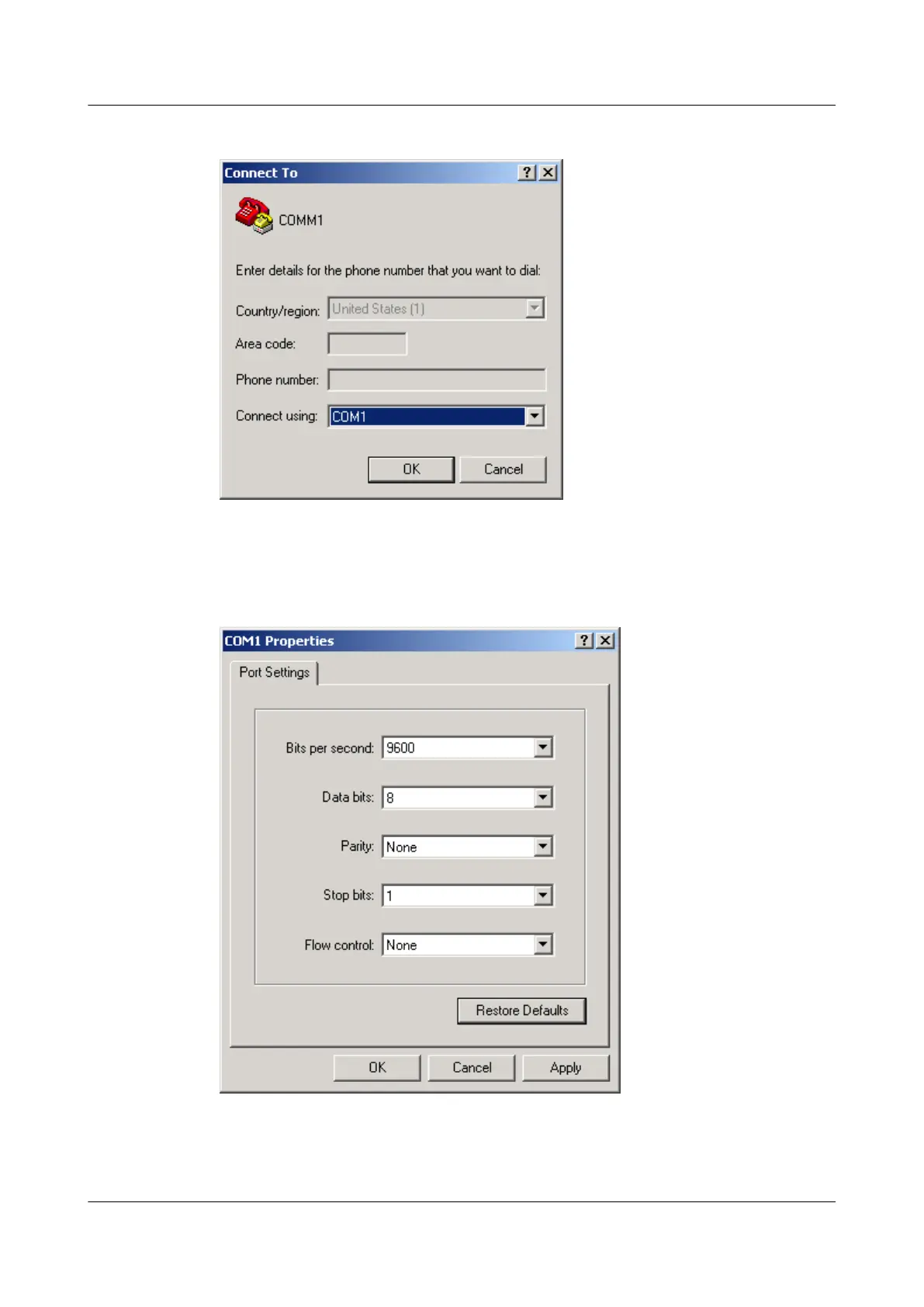
Figure 1-49 Connection to dialog box
Step 3 Click OK. The COM1 Properties dialog box is displayed. Set the communication parameters
of the port, as shown in Figure 4. The communication parameters of COM1 must be the same
as those of the console port on the USG6000.
Figure 1-50 Setting port properties
Step 4 Log in to the NGFW, and enter the CLI.
HUAWEI USG6000&USG9500
Upgrade Guide
1 USG6000
Issue 01 (2018-01-16) Huawei Proprietary and Confidential
Copyright © Huawei Technologies Co., Ltd.
90



 To Next Page