Excelon Operator’s Manual 33
Blocking according to the lens types
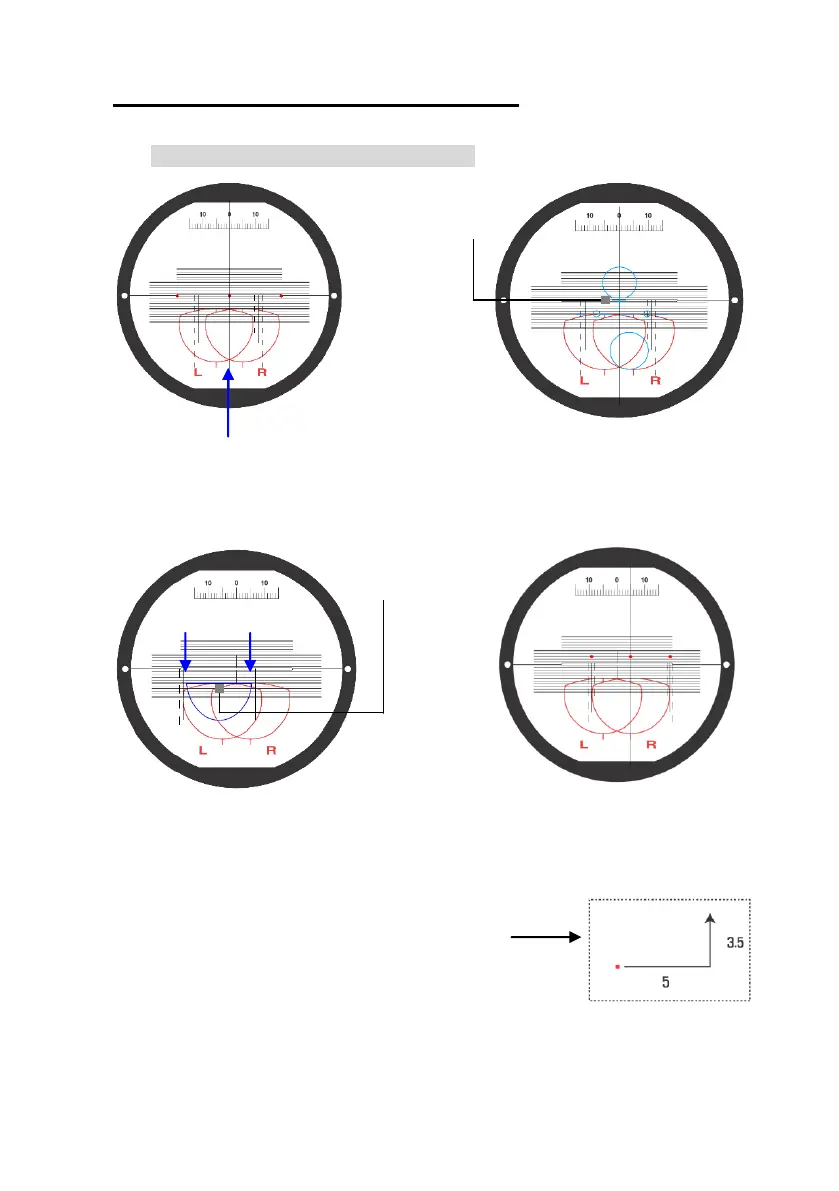
Far Vision
Eye Point
(EYE POINT)
Adjust the Far Vision Eye Point of the
progressive lens to the center of scale
plate.
Adjust the Center Line of Near
Vision to the point 5㎜ below the
center of scale plate. Move the
vertical center line 5㎜ to the
direction of L/R and adjust the
semicircle of near vision to the guide
line of Left/Right.
Adjust the marking point of the lens to the
direction according to the number guided
by the Edger Display.
Adjust the marking point of the lens
to the center of scale plate
Center Line of
Near Vision



 To Next Page