17
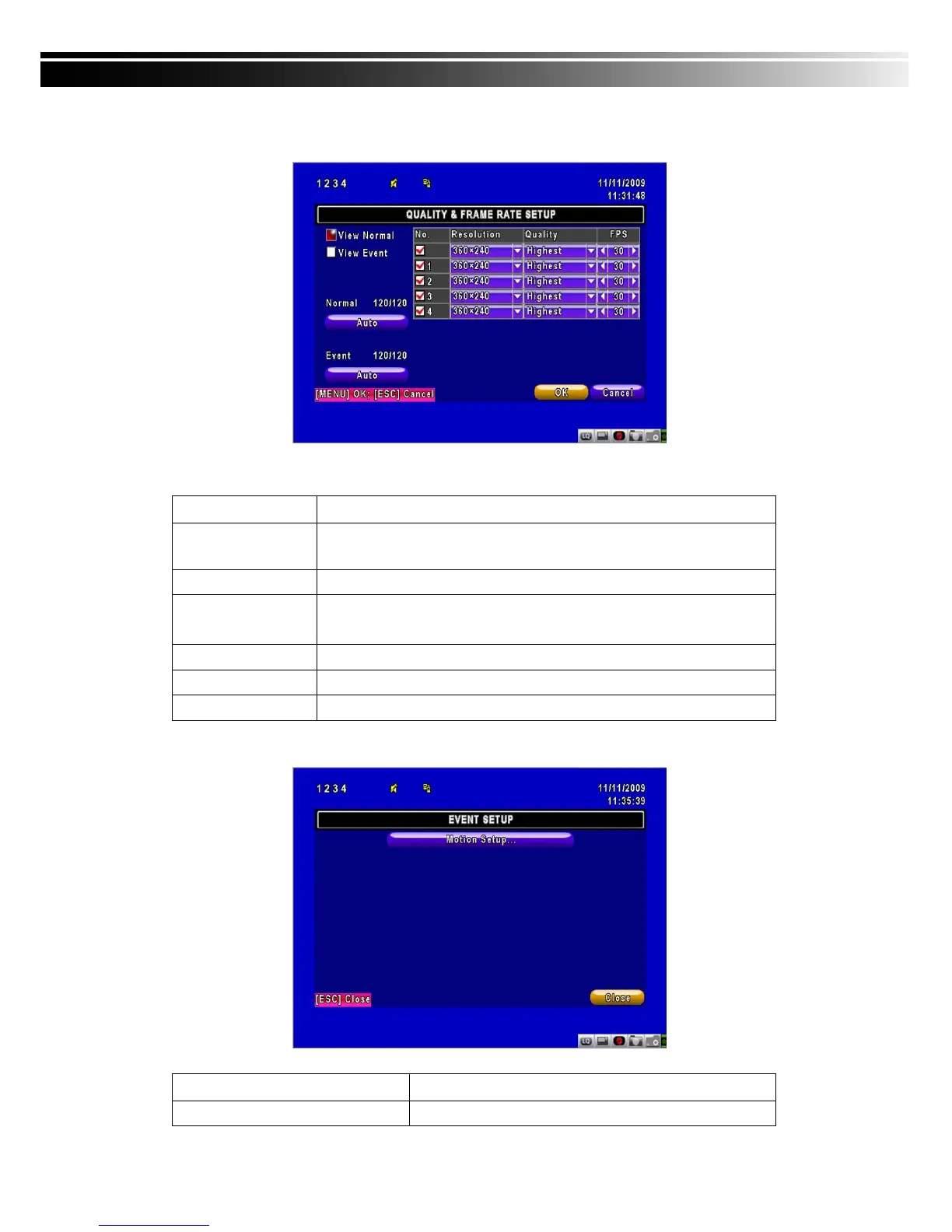
4-1.1 Quality & Frame Rate Setup
Note:4CH DVR will display 4 channels and 8CH DVR will display 8 channels.
Item Description
View Normal /
View Event
Select recording mode
No.
Check/uncheck the box enable/disable selected channel recording
Resolution
Select recording resolution: NTSC:360x240, 720x240, 720x480
PAL:352X288,704X288,704X576
Quality
Select quality: Lowest/ Low/ Normal/ High/ Highest
FPS
You can setup FPS separately for each channel.
Auto
Assign each channel with its maxima accessible fps
4-2 EVENT SETUP
Item Description
Motion Setup
Enter to set up motion detection



 To Next Page