49
8-2.2 Mobile Application Operation
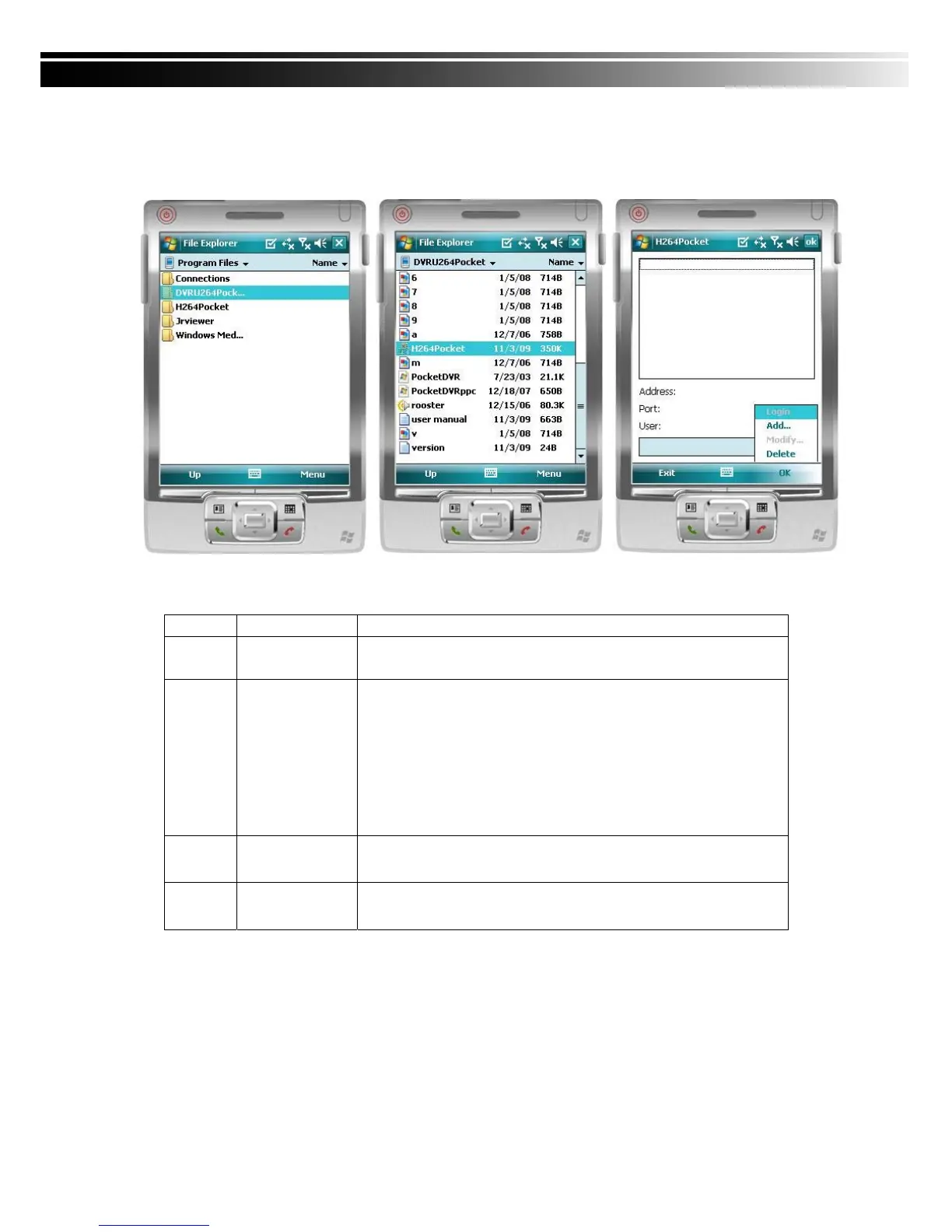
After the installation, enter the Program Files menu in your mobile device to run files named
“Jrviewer” and “H264Pocket”.
This application allows you to remotely logon and monitor DVR. Press “OK” to bring up the
operation menu, see below chart to further information.
Item Function Description
Add Add login DVR
Enter DVR’s name, IP address, Port, Account user, Password
then press “OK”
Login
Logon DVR
‧Choose the DVR that you’d like to log on , then press “OK”
‧ PS. The Live can not be displayed in your mobile
when the recoding is off.
‧PS. Network connectivity will be affected by networking
environment and bandwidth flow. The fee rate will
depend on the telecom company and package fee
you go with.
Modify
Modify Login
DVR
Choose DVR, press “Modify”, and press”OK” to save change.
Delete
Delete Login
DVR
Choose DVR and press ”Delete” to delete the DVR info.



 To Next Page