26
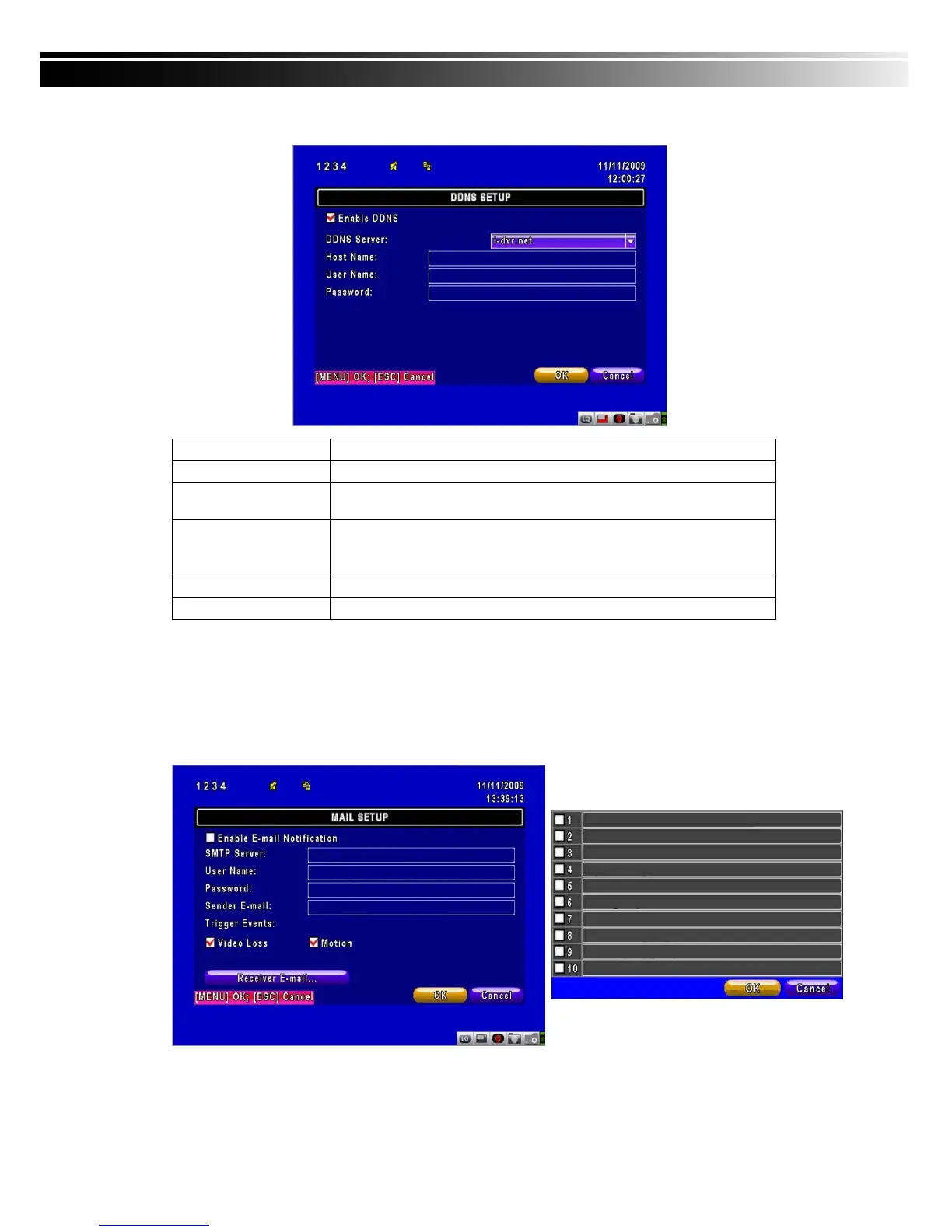
4-6.3 DDNS Setup
Item Description
Enable DDNS Enable/disable DDNS function.
DDNS Server
Enter the registered SMTP Server:
ez-dns、I-DVR.NET* 、DYNDNS.ORG、NO-IP.ORG、3322.ORG
SMTP Server Enter the completed registered SMTP Server. (Including username
+ Server) If the user name is h.264 and you choose i-dvr as your
server, you should enter: h.264.i-dvr.net
User Name Enter user name.
Password Enter password.
* For more detailed I-DVR.NET operation instruction, please refer to appendix I.
4-6.4 Mail Setup
When event occurs (VLOSS, MOTION), email will be sent to the receiver account automatically.



 To Next Page