54
9-2 CMS LOGIN AND ENVIRONMENT
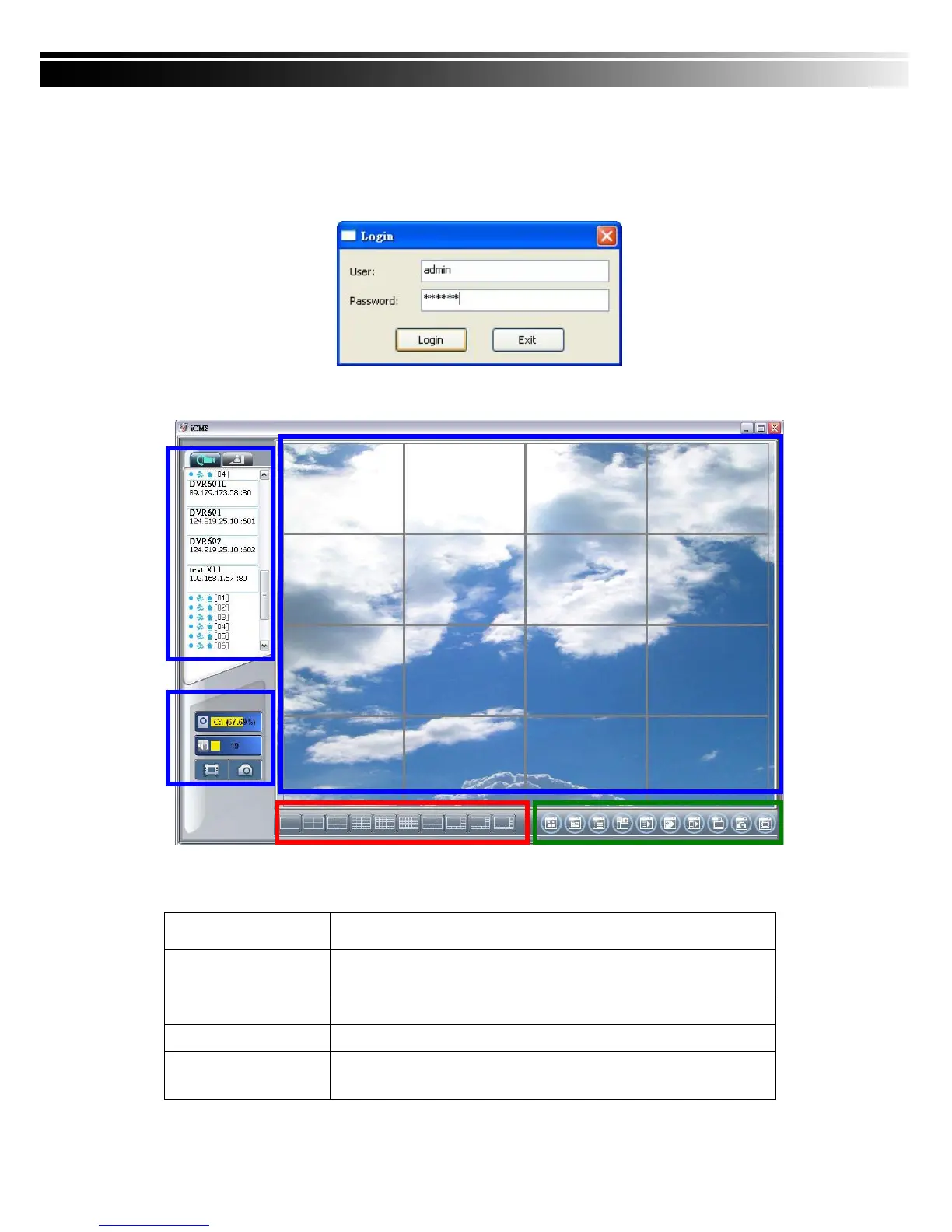
To enter CMS, the administrator’s user name and password are required. The defaults are
‘admin’ and ‘123456’.
After successful login, the following image shows on your screen:
① DVRs, Groups &
Events
Information about DVRs, groups and events.
See “9-3 Information List” for more detail.
② PC information
and control
Information about local PC’s hard disk, volume, recording...etc.
See “9-4 PC Information and Control” for more detail.
③ Main Display
Live image display area. See “9-5 Main Display” for detail.
④ Display Modes
Several choices of display modes supported by CMS.
⑤ Operation Bar
A set of 10 operations are provided by CMS. See “ 9-6 Operation
Bar” for detail.
①
②
③
④ ⑤



 To Next Page