28
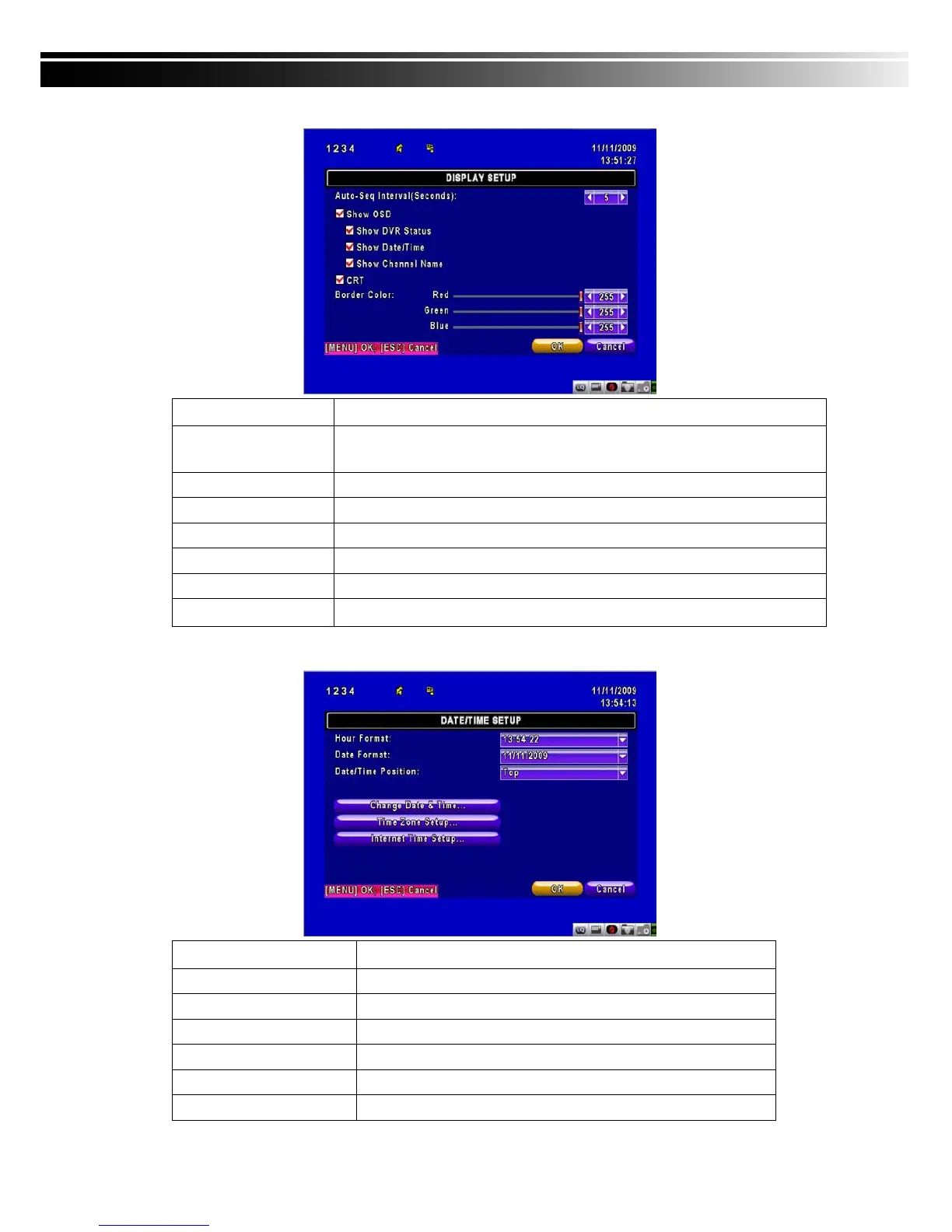
4-7.1 DISPLAY SETUP
Item Description
Auto-Seq Interval
Set up duration time in seconds for the interval between channels under
Auto-Seq mode.
Show OSD
Turn On / Off OSD display
Show DVR Status
Turn On / Off DVR illustration and record status display
Show Date/Time
Turn On / Off date and time display
Show Channel Name
Turn On / Off channel name display
CRT
Deflicker(only for CRT monitor)
Border Color
Set up the color of border in LIVE , PLAYBACK mode.(Red, Green, Blue)
4-7.2 DATE/TIME SETUP
Item Description
Hour Format
12HOURS/ 24HOURS
Date Format
MM-DD-YY/DD-MM-YY/YY-MM-DD
Date/Time Position
Choose the position of Time and Date display
Change Date & Time
Setup time and date of DVR
Time Zone Setup
Set up GMT and Daylight Saving Time.
Internet Time Setup
Setup automatic synchronization with internet server



 To Next Page