29
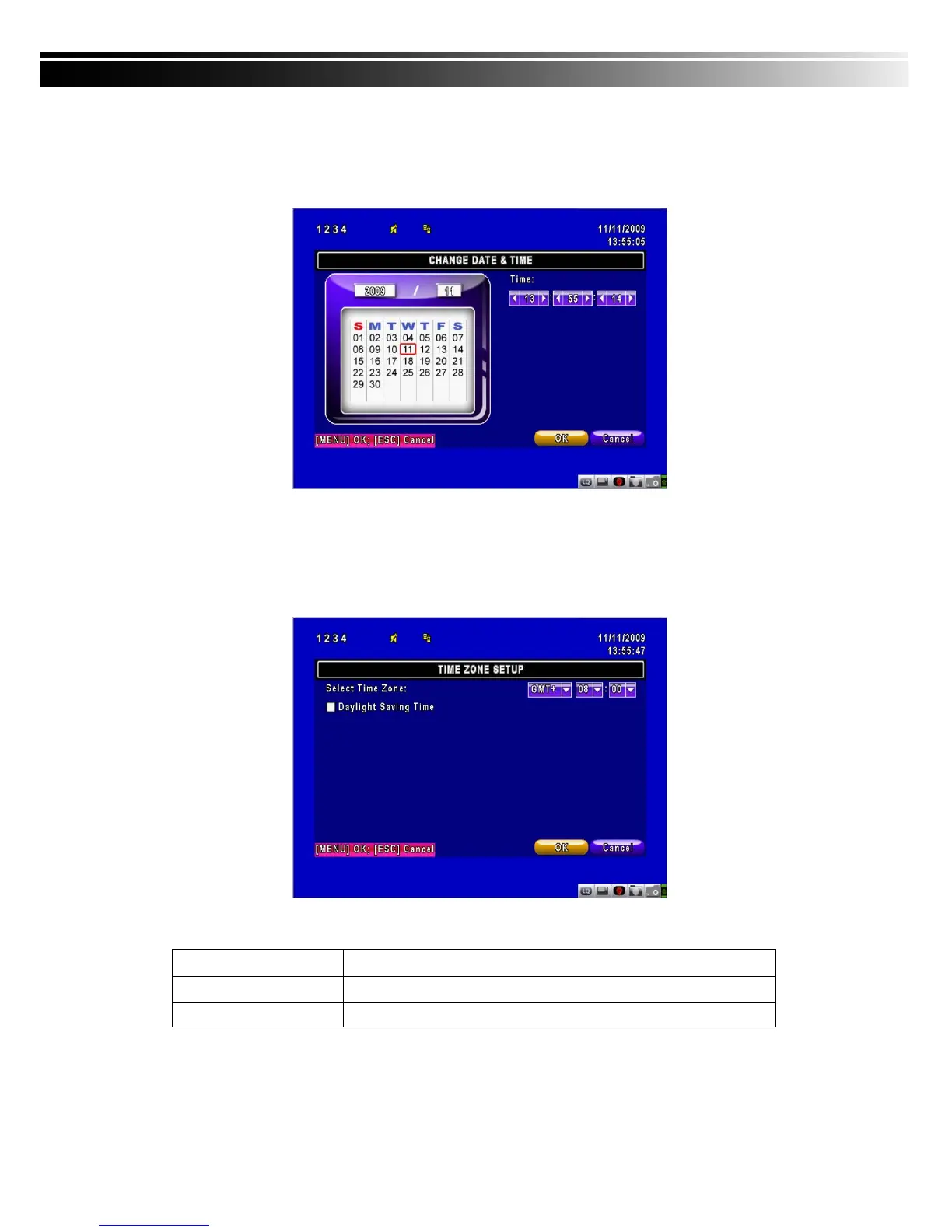
4-7.2.1 CHANGE DATE & TIME
Setup date and time of DVR manually according to user’s local time.
4-7.2.2 TIME ZONE AND DAYLIGHT SAVING TIME SETUP
Set up time zone and activate Daylight Saving Time function according to user’s DVR location.
Item Description
Select Time Zone
Enter to modify GMT from GMT- 13 to GMT+ 13
Daylight Saving Time
Turn on/ off Daylight Saving Time



 To Next Page