37
CHAPTER 6 Rempte Software Installation and Setup
6-1 AP Software Installation and instruction
AP software:「DVR Remote Desktop」can allow you to remotely access and control the DVR
from PC.
p.s. Operation system currently supports Windows XP SP2 and above and Window
s Vista, Windows 7
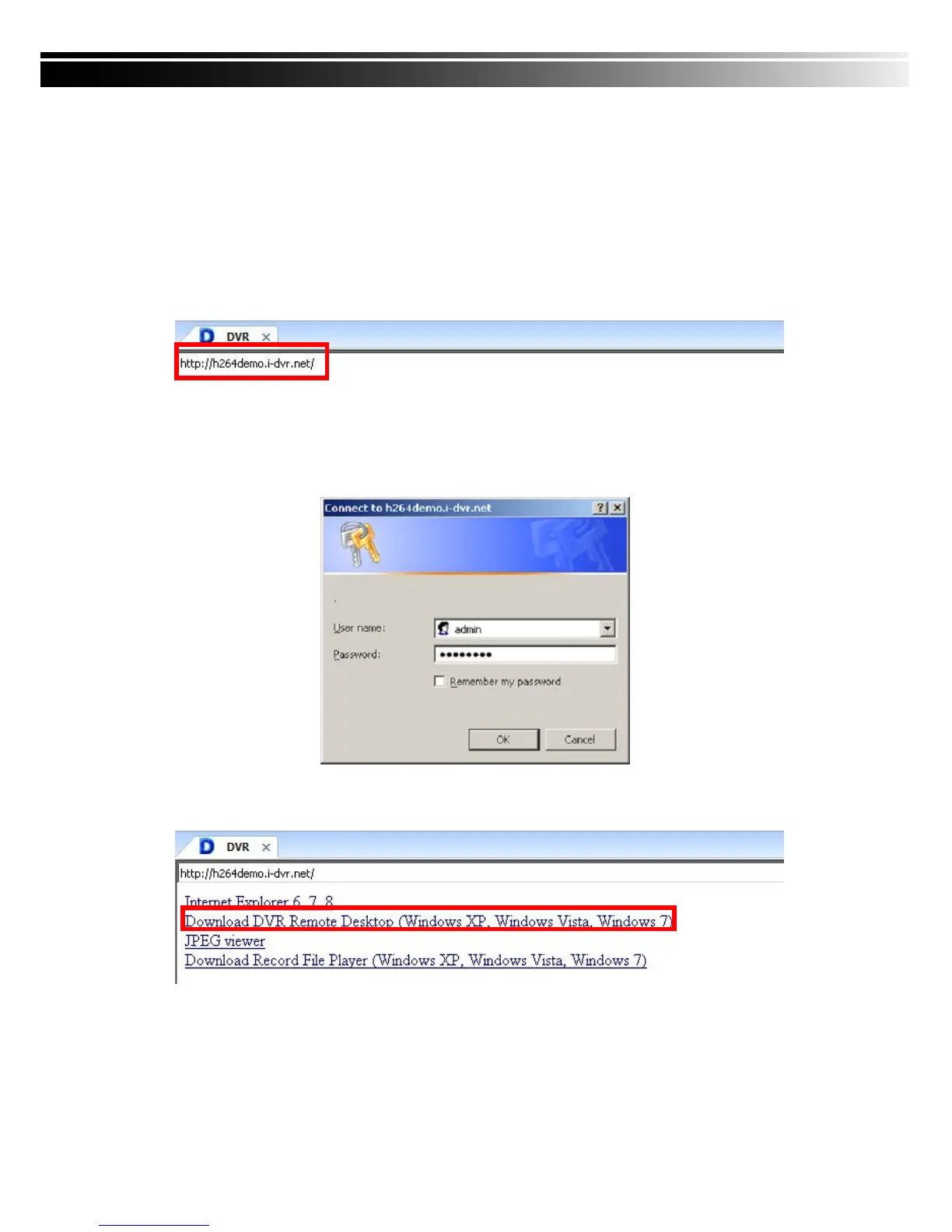
Step One:Enter the IP address of DVR in IE browser
Step Two: Windows as below will show up. Please enter the user name and password. Default
user name and password is admin/123456. Other related setup about user account
and password, please check “4-5 Account Setup. “
Step Three: Click on the link to start downloading the AP software.



 To Next Page