71
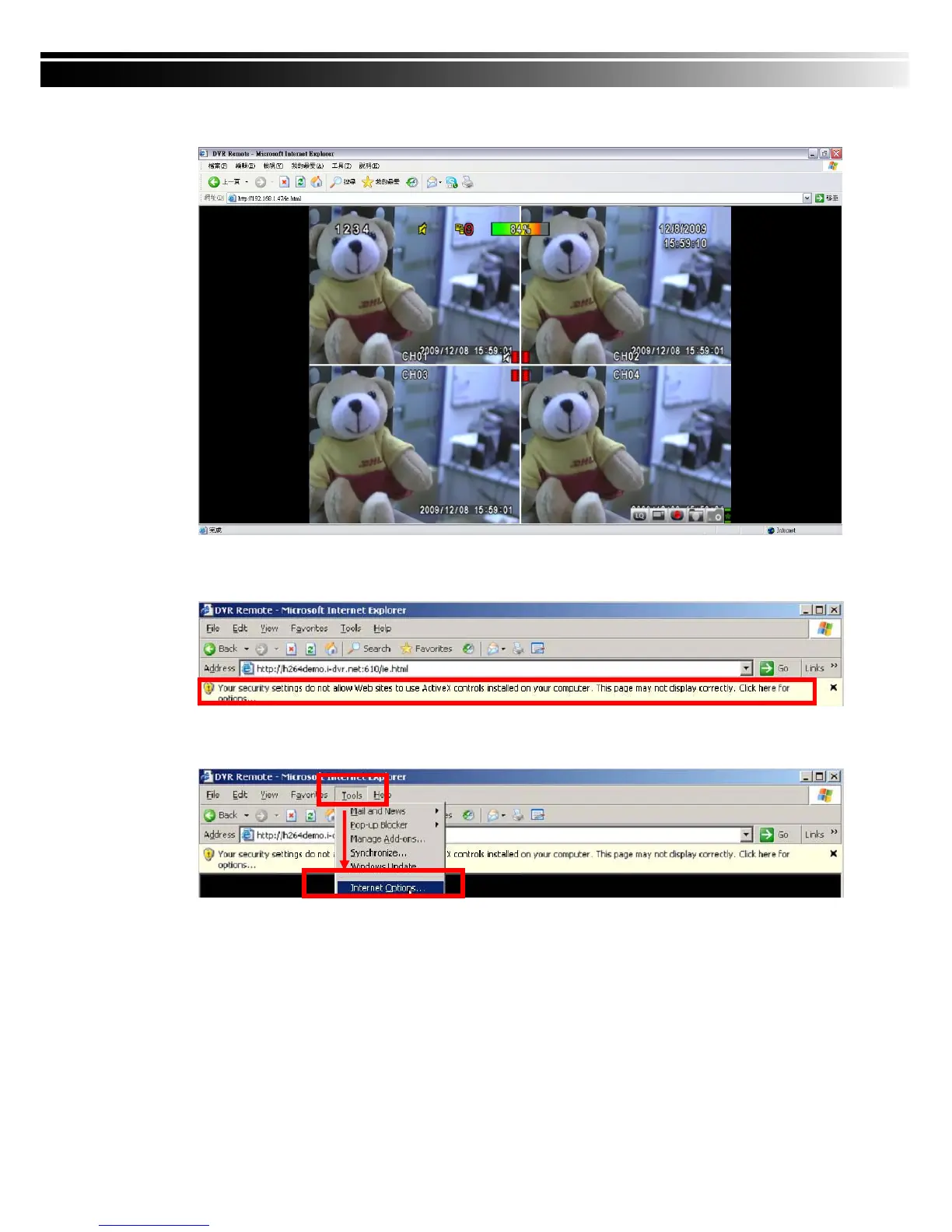
4. After installation, IE remote monitoring image appears.
5. If message, “Your security Settings do not allow web sites to use ActiveX controls installed
on your computer.” pops on when logging in, please follow the next instruction.
6. First select “Tools” on the tool bar and then select “Internet Options”



 To Next Page