4
RECEIVE AND TRANSMIT
4-28
Previous view
Repeater operation (Continued)
Transmit frequency monitor check D
You may be able to directly receive the other party’s
transmitted signal without having to go through a re-
peater. This function helps you to check whether direct
communication can be made, or not.
While receiving, hold down ➥
(R) to see if you
can directly receive the other party’s transmitted sig-
nal.
• While holding down
(R), the duplex direction and
frequency offset are displayed above the function menu.
1750 Hz tone burst D
A 1750 Hz tone is required to access most European
repeaters.
In the FM mode, q
p
ush
(C) one or more times
to select the “M-2” screen (M-2 menu).
Push [PTT] on the microphone to transmit, and then w
touch [TONE](D) during repeater access.
• “1750Hz TONE” appers.
Communicate in the normal way. e
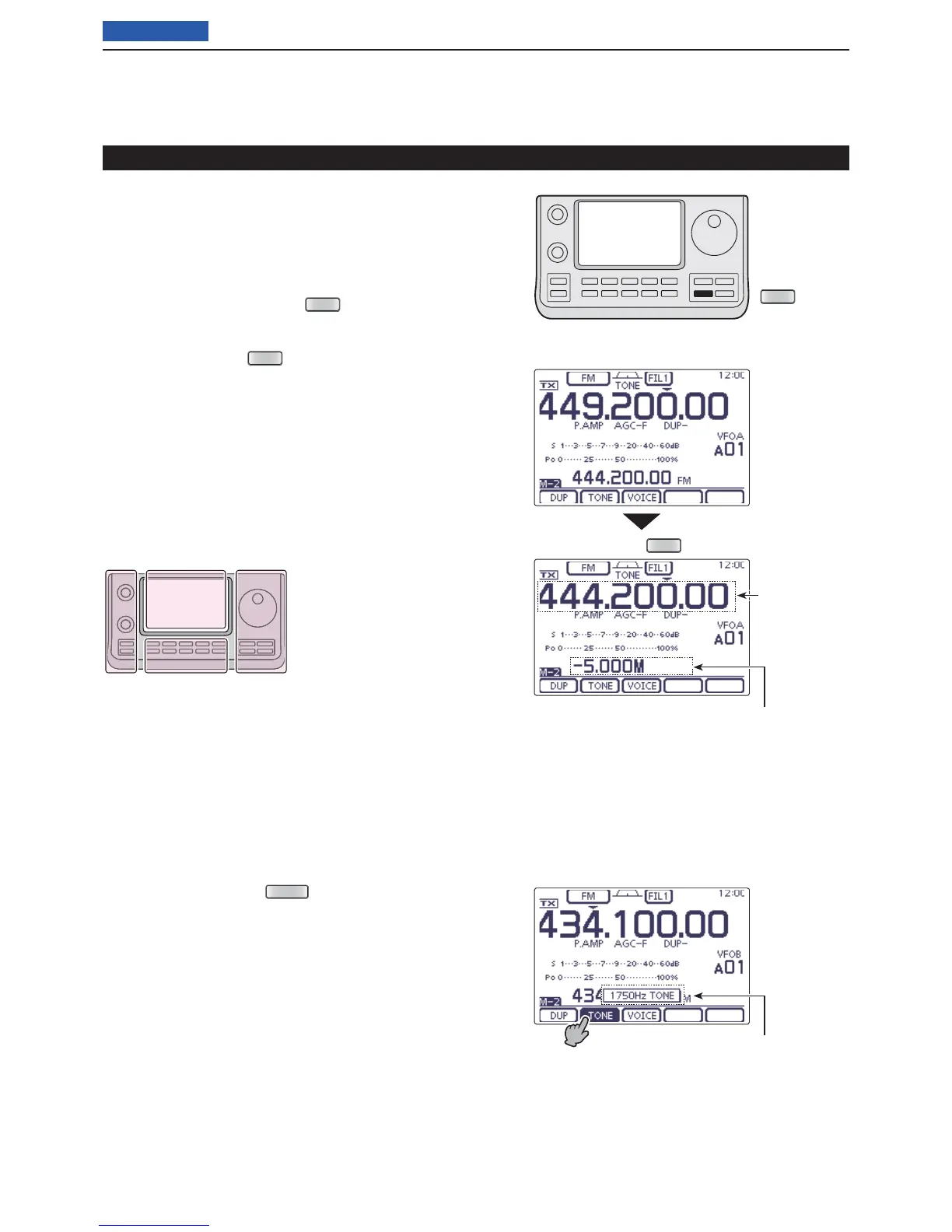
The L, R, C or D in the
instructions indicate the
part of the controller.
L: Left side
R: Right side
C: Center bottom
D: Display (Touch panel)
L
eft
R
ight
C
enter
D
isplay
Hold down
Duplex direction and frequency offset
Popup window appears
Displays the
transmit fre-
quency
• While hold down
• While hold down [PTT]




 To Next Page