iCR 3600
TM
– Service Manual
Solution:
1. Ensure that there is no blockage in the cassette scan path.
2.
If there is no blockage of the scan path, the user may need to reposition the Caterpillar
Brush. Please see Section 8.13 for instructions. If the Caterpillar Brush is worn out,
please contact Technical Support to obtain a replacement brush.
3. If a solution has not been reached, please contact Technical Support.
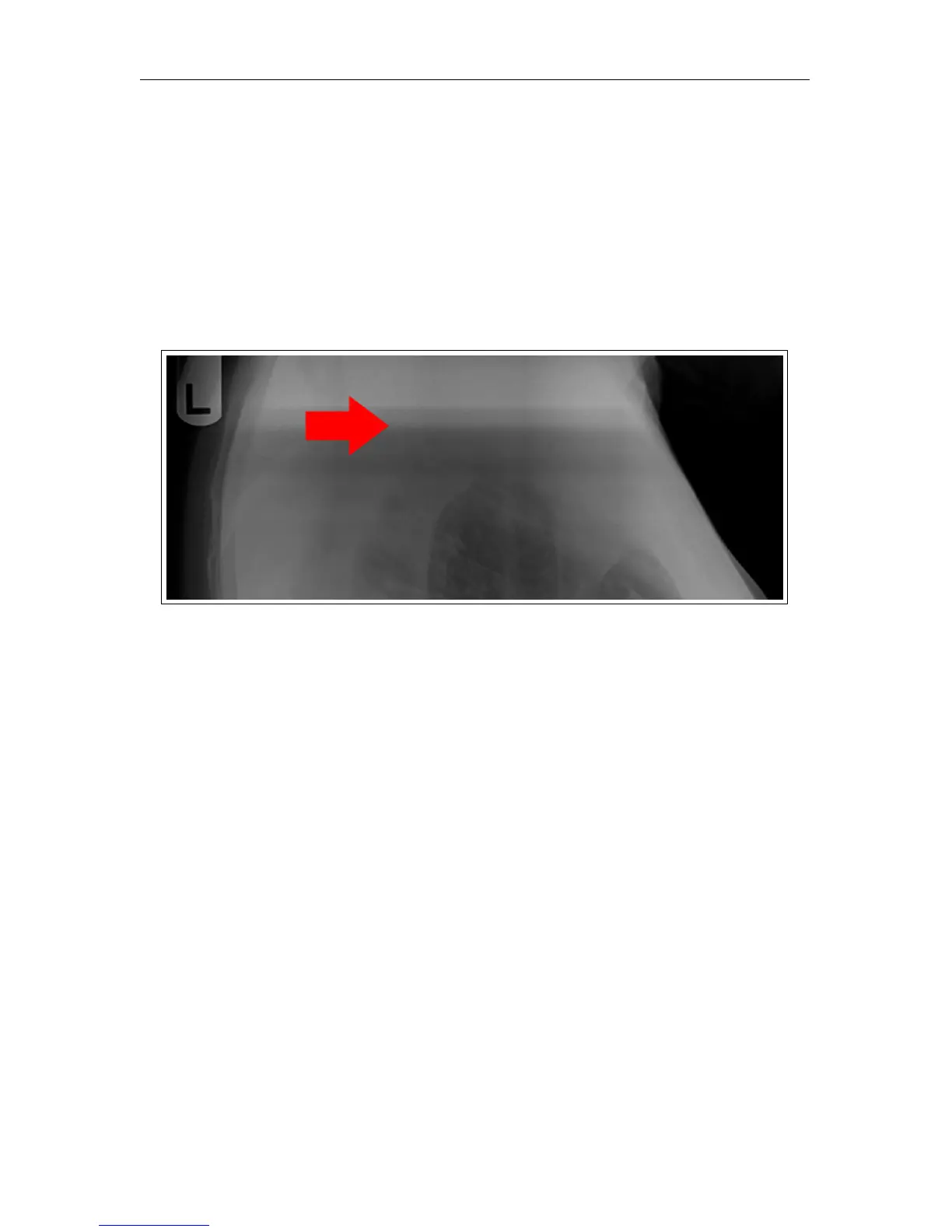
7.3.4 Banding Top/Bottom 17” Length
Symptom: Horizontal line in image.
Cause: Unstable power supply / Excessive ambient light / Bad PMT board / PMT sensor
/ Bad Galvo
Solution:
1.
Ensure that the CR unit is powered via a UPS. Ensure the UPS is not in bypass mode.
2.
Ensure that the ambient room light is no more than 2EV. Turning off or dimming the
room light should be adequate.
3.
Unplug the network cable from the computer, then make a test scan to see if the
banding is eliminated.
c
2007-2009
Confidential and Proprietary
Property of iCRco, Inc.
31 of 61 Document # 3600-02A Rev C
March 22, 2010



 To Next Page