iCR 3600
TM
– Service Manual
removing it from the door.
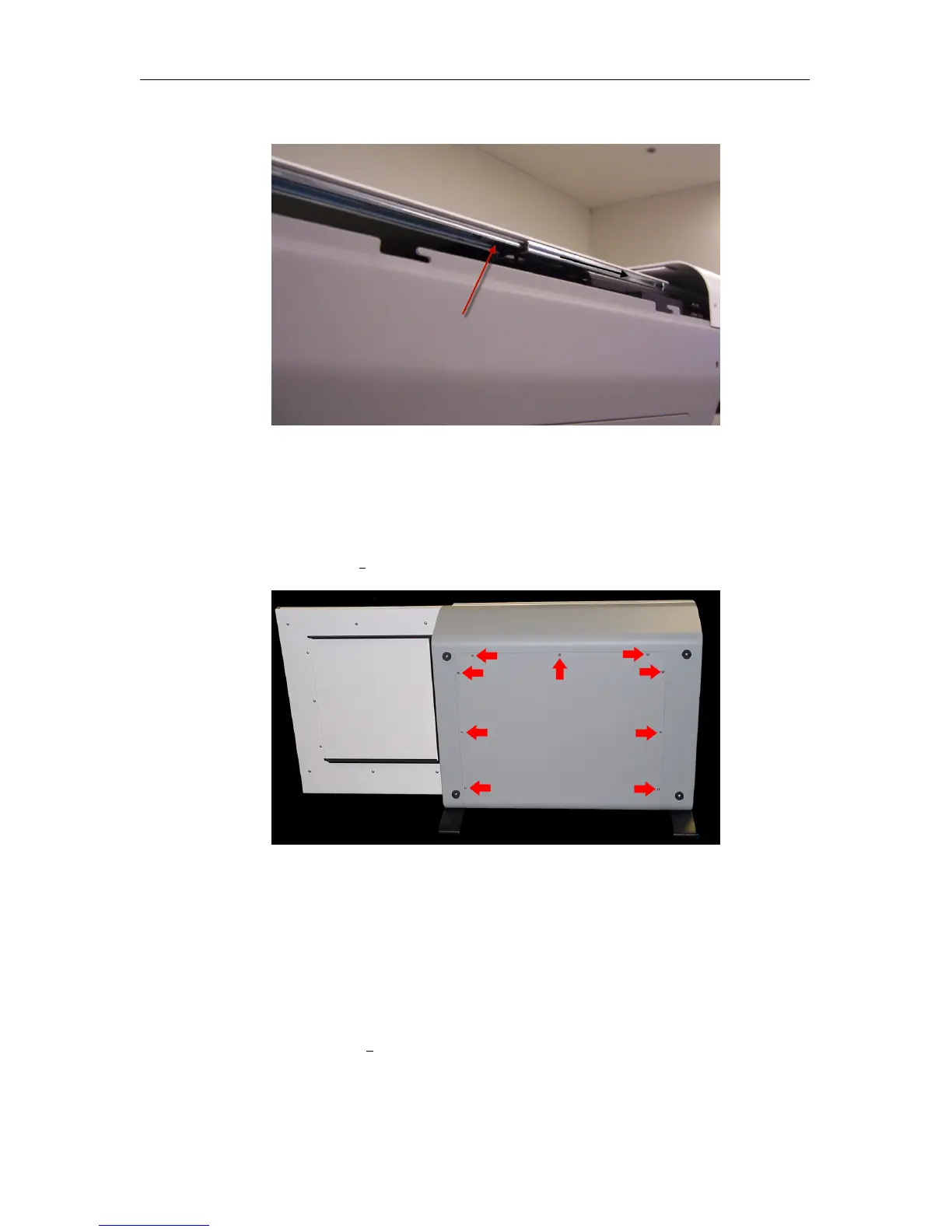
8.2 Removing Back Cover
1. Make sure the CR unit is powered off. Remove the power cord from the unit.
2. Remove nine (9) 6-32 x
3
8
” flathead undercut screws from the back cover.
3. Gently pull the back cover away from the CR unit.
8.3 Accessing the Scan Slot
1. Make sure the CR unit is powered off. Remove the power cord from the unit.
2. Orient the CR unit on its back.
3. Remove four (4) 10-32 x
1
2
” truss head screws from the feet.
c
2007-2009
Confidential and Proprietary
Property of iCRco, Inc.
43 of 61 Document # 3600-02A Rev C
March 22, 2010



 To Next Page