iCR 3600
TM
– Service Manual
8.4 Replacing the PMT Board
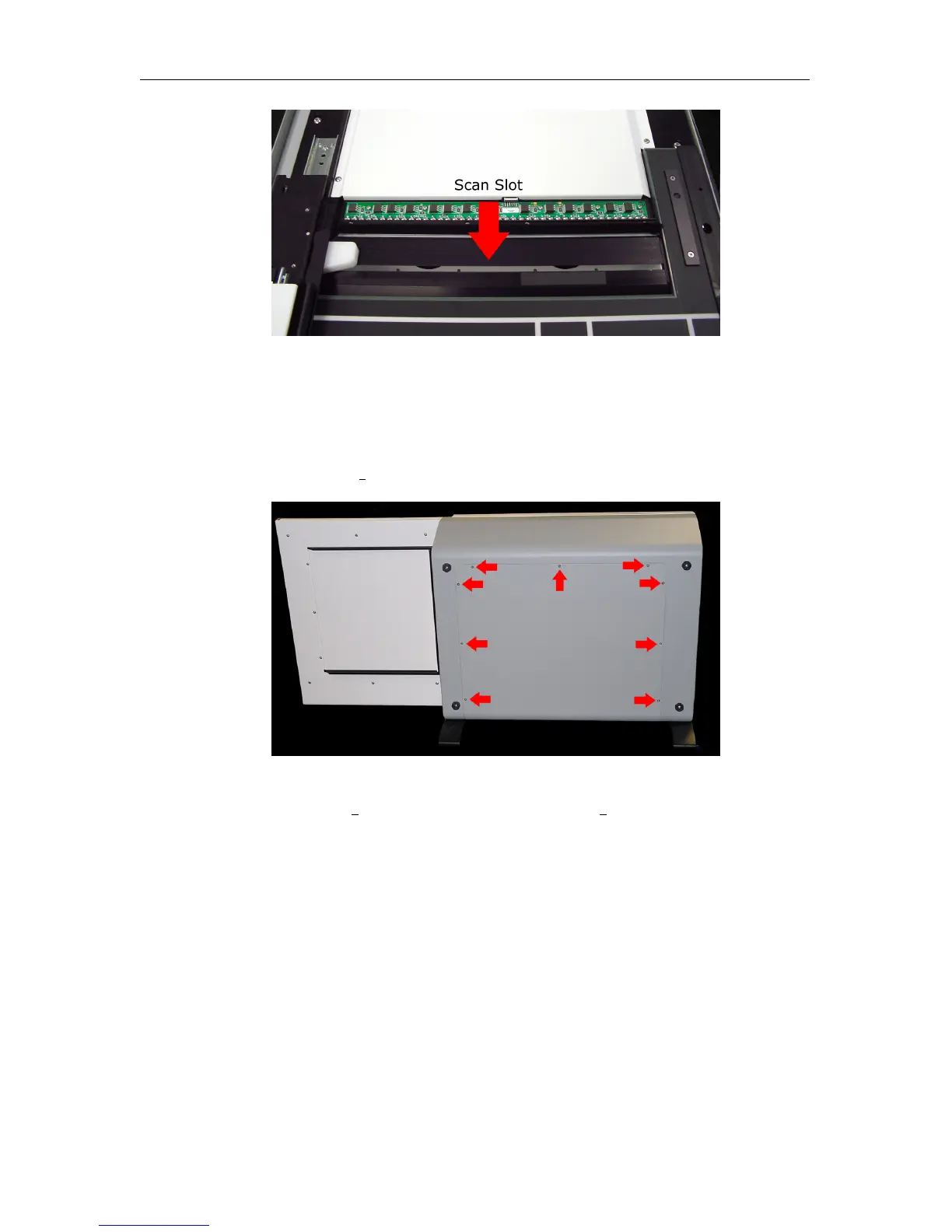
1. Make sure the CR unit is powered off. Remove the power cord from the unit.
2. Remove nine (9) 6-32 x
3
8
” flathead undercut screws from the back cover.
3. Gently pull the back cover away from the CR unit.
4.
Remove two (2) 6-32 x
1
4
” truss head and eight (8) 4-40 x
3
8
” lock washer and panhead
screws from the back optical cover.
c
2007-2009
Confidential and Proprietary
Property of iCRco, Inc.
46 of 61 Document # 3600-02A Rev C
March 22, 2010



 To Next Page