iCR 3600
TM
– Service Manual
Solution: Make an exposure using your current exposure settings. Scan and evaluate the
image. Then, reduce the exposure parameters, expose another plate, then scan and evaluate
the image. Compare the results of both exposures, then adjust the “standard” exposure
accordingly.
7.3.10 Random Imaging Shifting
Symptom: Random Image Shifting.
Cause: Bad USB 2.0 connection.
Solution: Visually inspect the USB 2.0 cable connecting the CR unit to the computer. Make
sure there are no visible cuts, freys or other damage. Move the USB 2.0 cable to a different
USB port on the computer. If the problem persists, try swapping out the USB 2.0 cable for a
new one.
7.4 Hardware Symptoms
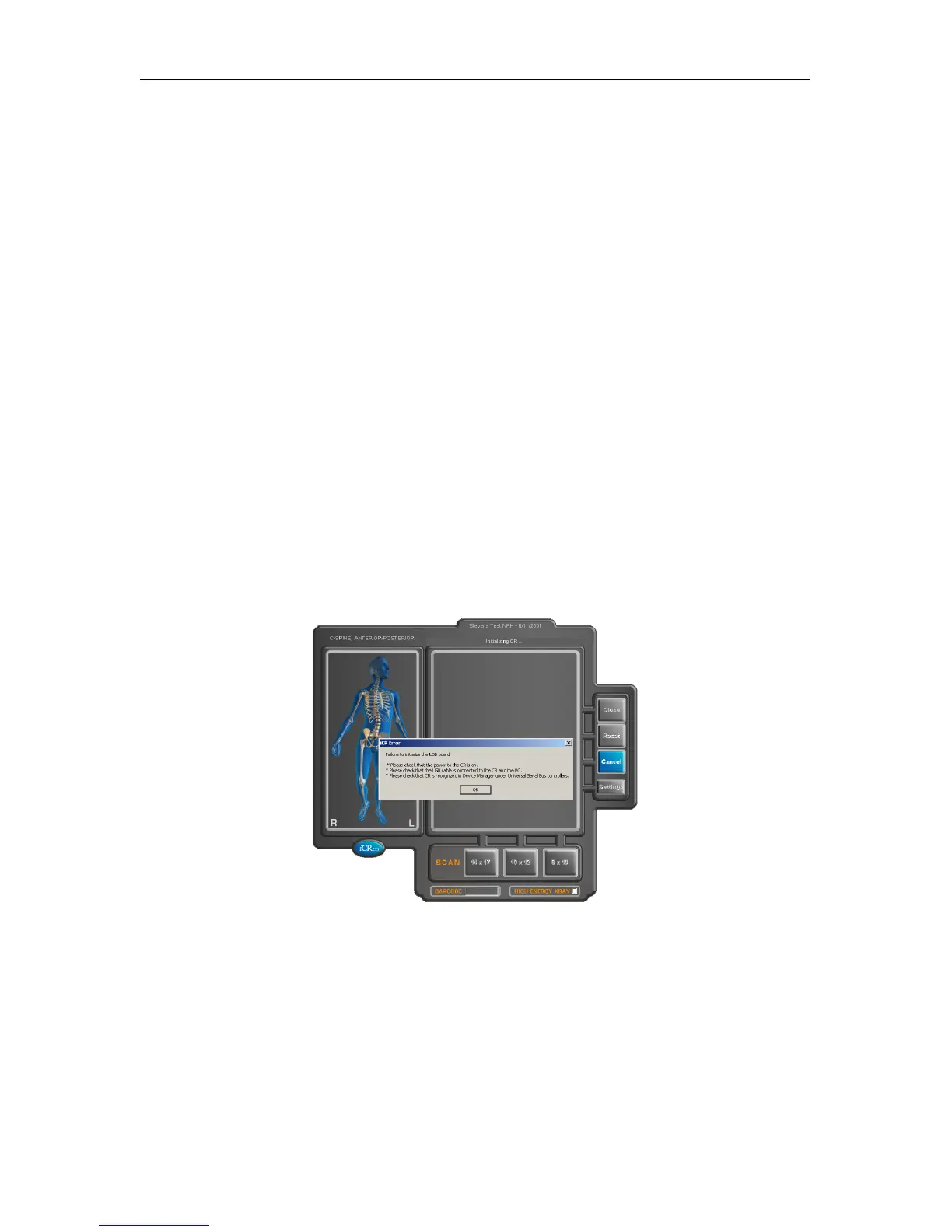
7.4.1 Failure to Initialize USB
The Failure to Initalize USB error can be caused by several issues:
1. Make sure the CR unit is powered on.
2. Make sure the USB cable is firmly connected to both the CR unit and PC.
3.
Visually inspect the USB cable for cuts or freys. The user may want to swap out the
USB cable to ensure its integrity.
c
2007-2009
Confidential and Proprietary
Property of iCRco, Inc.
35 of 61 Document # 3600-02A Rev C
March 22, 2010



 To Next Page