iCR 3600
TM
– Service Manual
s
4. Software Installation
4.1 USB Driver Installation
Installation of USB drivers are automatic with the installation of the
i
CRco software (i.e.,
QPC XSCAN32).
4.2 Installing QPC XSCAN32
QPC XSCAN32 software comes bundled with the CR unit. This software package will
allow the user to interface with the CR unit.
Note
If you have QPC XSCAN32 already installed on your computer and it is running
while you are trying to install the new version, an error will appear in the install process.
Please close QPC XSCAN32 and reinstall the new version.
1.
Insert the media containing the QPC XSCAN32 installer into the computer. Navigate
to the QPC XSCAN32 folder.
2. Launch the QPC XSCAN32 installer by double clicking Setup.exe.
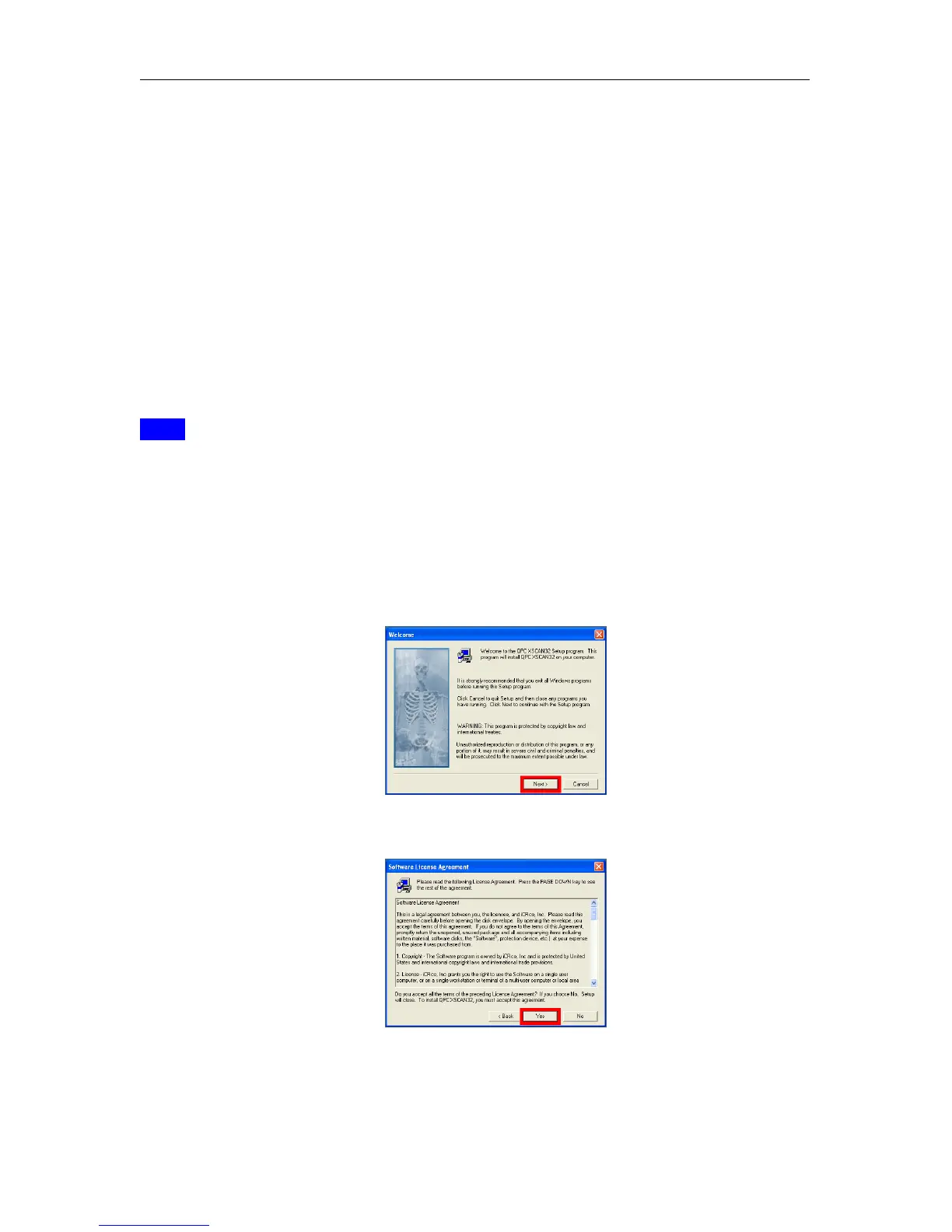
3. Click Next at the welcome screen.
4. Click Yes to agree to the Software License Agreement.
c
2007-2009
Confidential and Proprietary
Property of iCRco, Inc.
10 of 61 Document # 3600-02A Rev C
March 22, 2010



 To Next Page