iCR 3600
TM
– Service Manual
4.
Make sure the CR unit is recognized in the Windows Device Manager. Additionally,
make sure the device drivers are properly installed. To do this:
(a) Go to Start → Control Panel → System → Hardware → Device Manager
(b) In the Device Manager, make sure there are no unrecognized USB devices.
(c)
In the Universal Serial Bus entry, the user should see an entry for the CR unit.
If there is no entry, or there are yellow question marks in the Device Manager,
please re-install the device drivers. If the user does not have the original installa-
tion CD containing the device drivers, please contact Technical Support.
7.4.2 No Motor Movement
Symptom: When initiating a scan from the software interface, no sound is heard from the
CR unit.
Cause: Bad fuses, motor controller, cable, or motor.
Solution:
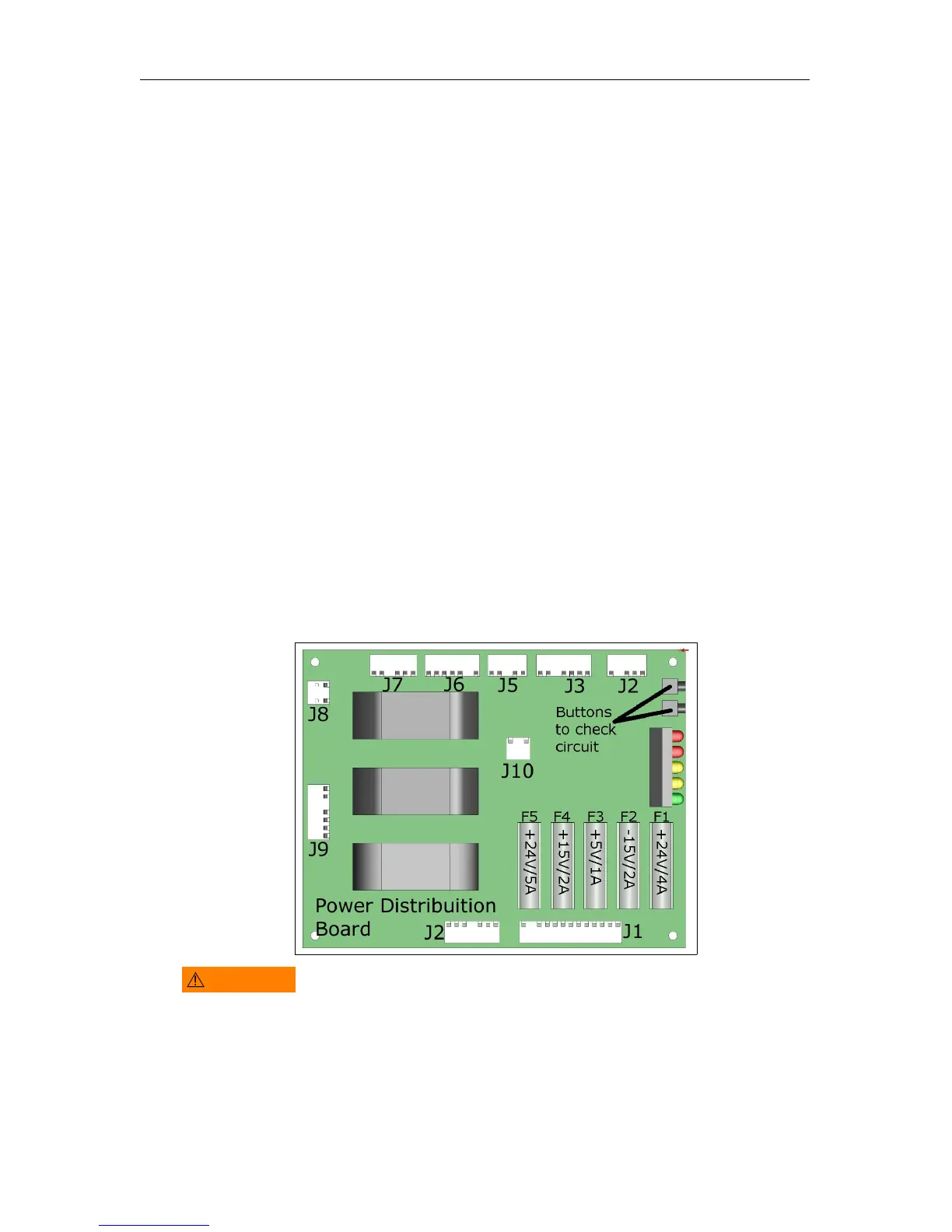
1. Check the fuses as cover in Section 8.12.
2.
If the fuses are not at fault, remove the back cover as covered in Section 8.2, and check
that connectors J1, J2, J3, J4, J5, and J7 are firmly connected to their respective boards.
WARNING
Do
not
operate the unit with the covers removed. Laser & LED lights
may cause harm to the operator.
3.
If the motor controller light is flashing or solid red, then the motor controller board
will need to be replaced.
c
2007-2009
Confidential and Proprietary
Property of iCRco, Inc.
36 of 61 Document # 3600-02A Rev C
March 22, 2010



 To Next Page