10 PRT-KLCD Protege Alphanumeric LCD Keypad User Manual | April 2011
2.4 Keypad Function
The Protege LCD keypad incorporates a backlit silicone membrane keypad. The primary function that each key
performs is shown below, in some cases these may vary based on the function or action being performed.
Key Function
0 - 9 Numerical keys from [0] to [9] are used to enter your User Code to logon to the Protege LCD
Keypad.
When in a scroll display the [1] key scrolls the display up and the [3] key scrolls down. When
controlling devices the [1] key turns the device on, [2] key turns the device off and the [3] key
will latch the device in the on state.
ARM The [ARM] key is used to start the arming process for an Area/Partition.
DISARM The [DISARM] key is used to silence alarms, disarm the Area/Partition and cancel an arming
sequence.
MENU The [MENU] key is used to access the menu and can be followed by menu shortcut
selection key(s), the numerical key representing the menu item.
STAY ARMING The [STAY] key is used to start the stay arming (see page 25) process for an Area/Partition.
FORCE ARMING The [FORCE] key is used to force arm (see page 26) an Area/Partition.
MEMORY The [MEMORY] key provides a shortcut to the memory view menu from the area control
screen, to perform a text search action or a jump function from a programming list selection
entry.
BYPASS The [BYPASS] key can be pressed when a zone is breached during an arming process to
bypass the displayed zone.
CLEAR The [CLEAR] key will log off the user currently logged on the keypad. When pressed while
not logged in the display will be refreshed.
ENTER The [ENTER] key is used to confirm an action on the keypad, acknowledge memory and
alarm information and move to the next programming screen.
FUNCTION The [FUNCTION] key can be programmed to unlock a door.
The arrow keys are used to scroll the menu, move the focus of a program window to the
next screen and move the cursor when programming or editing values.
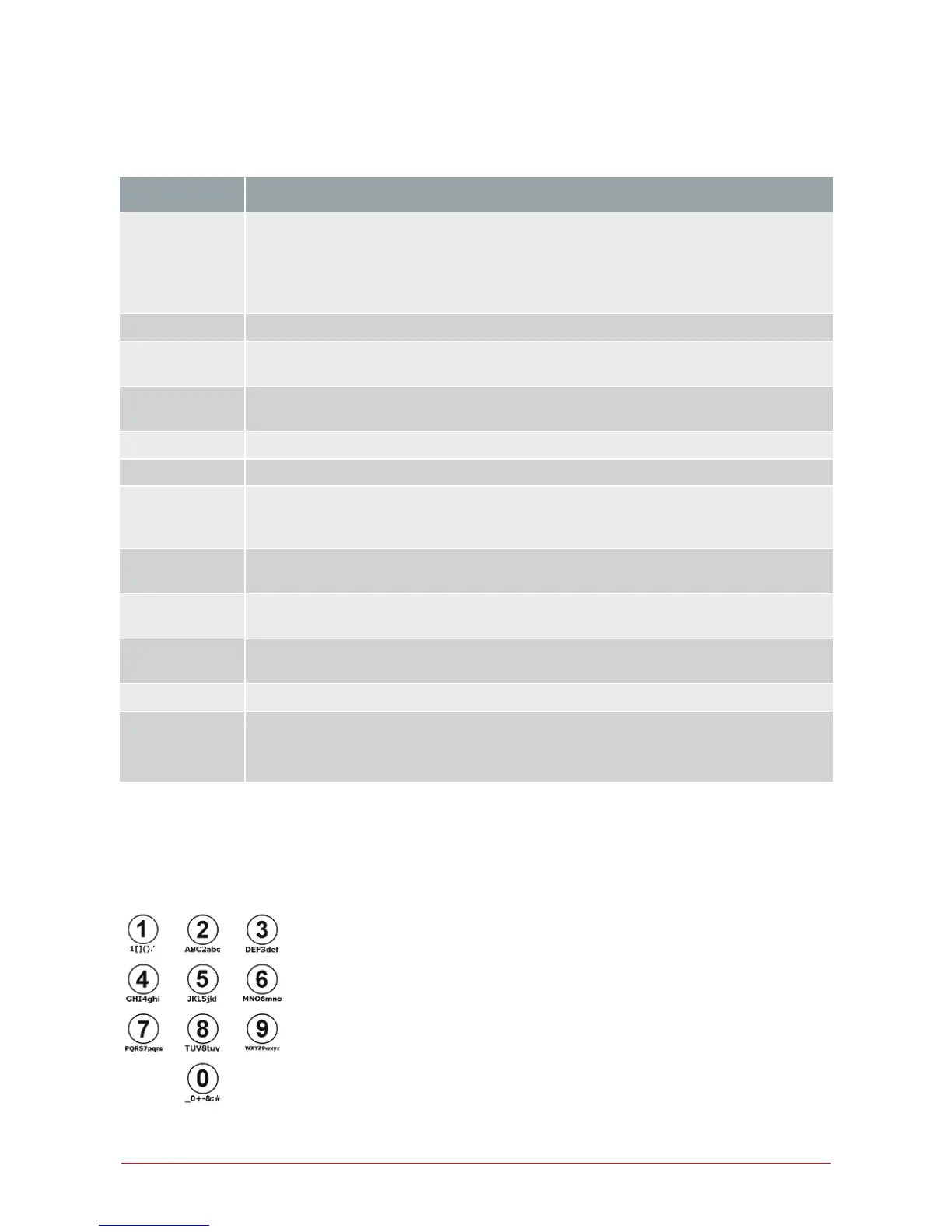
2.5 Text Entry
The Protege LCD keypad can be used to program text names for objects in the system (Users, Zones, Areas and
Doors). To program the text value the numerical keys operate similar to the text entry on a telephone.



 To Next Page