8 PRT-KLCD Protege Alphanumeric LCD Keypad User Manual | April 2011
2 Operation
The following section provides you with information on how to use the Protege LCD Keypad.
When the text [USER CODE] is shown this indicates that you are required to logon with your user code.
The default Master Code to gain access to your system is [123456] followed by the [ENTER] key. This
code MUST be changed.
Many of the features and options must be enabled by the installation company or security professional.
2.1 Indicator Lights
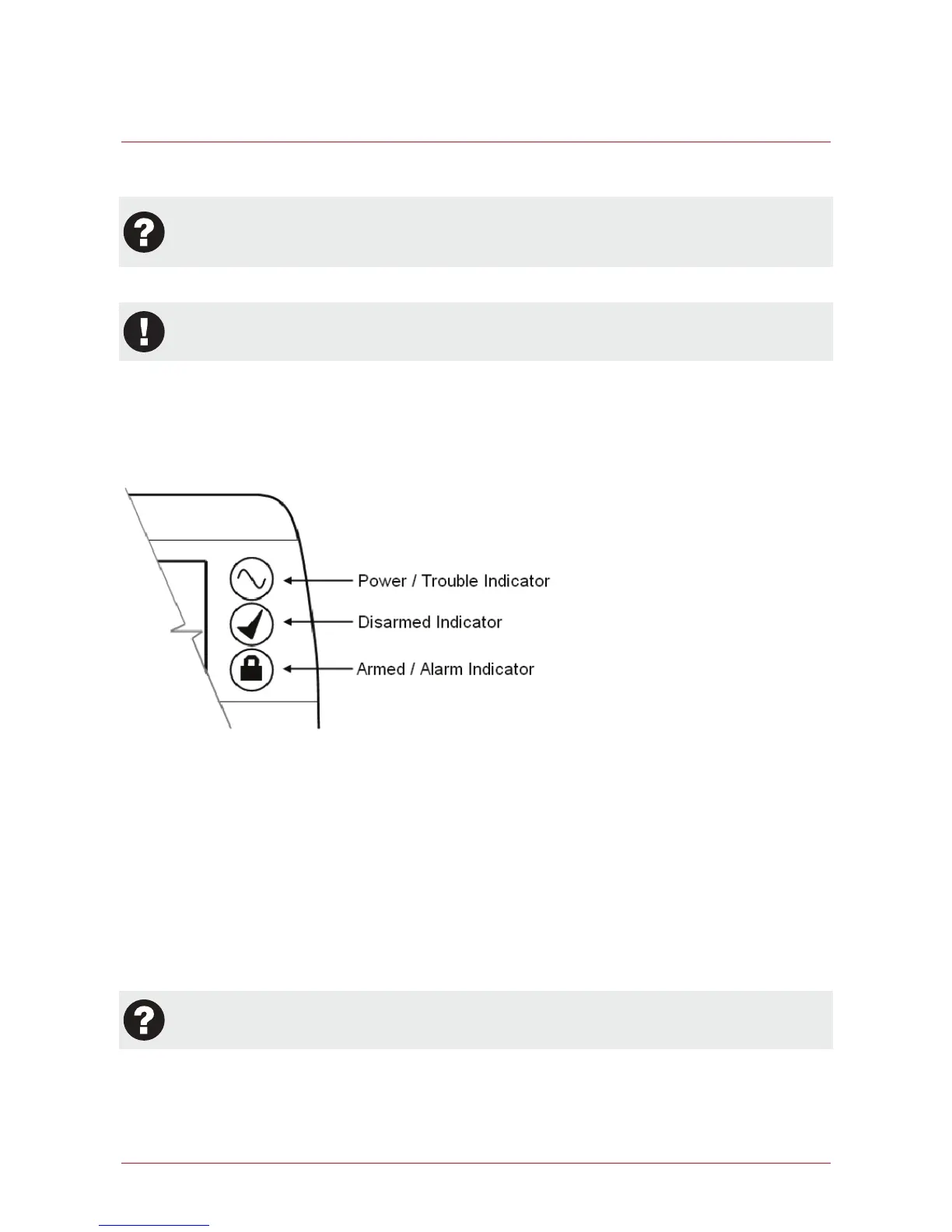
The Protege LCD keypad features three status indicator lights showing the condition of the Protege Security
System.
Power / Trouble Indicator
When FLASHING, indicates that there is a trouble condition present. When ON, the system is powered and
operating normally. If there is a complete power failure this indicator will be OFF.
Disarmed Indicator
Indicates when the system is disarmed. When ON, the system is disarmed, enter your user code to arm.
Armed / Alarm Indicator
When FLASHING the system is in alarm and you need to enter your user code to silence the alarm. When ON,
the system is armed, enter your user code to disarm.
Indication of the system status and the operation of the indicators are programmable and may not
function as above. Verify the operation with your installation company or security professional.



 To Next Page