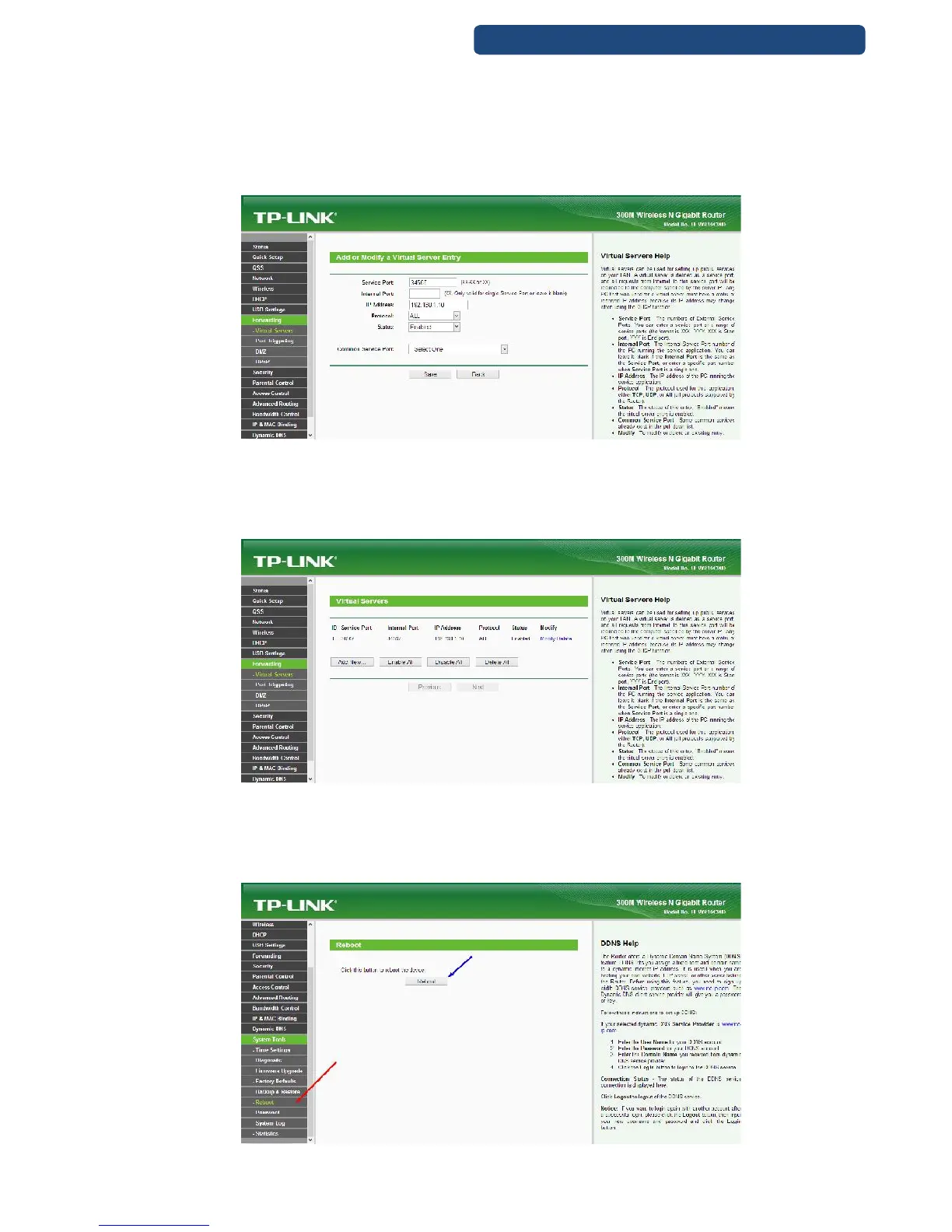
Step 3. Write the right settings.
[Service Port] default port: 34567
[IP Address] IP addresses for the camera (pl: 192.168.168.10)
[Protocol] ALL-TCP-UDP
[Status] set to Enable
Do not change the Common Service Port!
81. picture Virtual server settings
Lépés5: A Virtual Servers oldalon láthatjuk is, hogy melyik portot aktiváltuk az adott kamerára.
Step 4. Click on the Save option, and the settings for the first device is finished.
82. picture Virtual server settings
If you have more devices, repeat these steps to every one (make sure that you use the right IP
addresses for the devices)
Step 5. Reboot the router. (System Tools-Reboot option)
83. picture Router reboot



 To Next Page