233
ifm System Manual ecomatmobile BasicDisplay (CR0451) V01
LED, buzzer, visualisation Manage visualisation
11.2.1 BASICDISPLAY_INIT
9310
Unit type = function (FUN)
Contained in the library: ifm_CRRnnnn_Init_Vxxyyzz.LIB
Available for the following devices:
- BasicDisplay: CR0451
Symbol in CoDeSys:
BASICDISPLAY_INIT
Description
9312
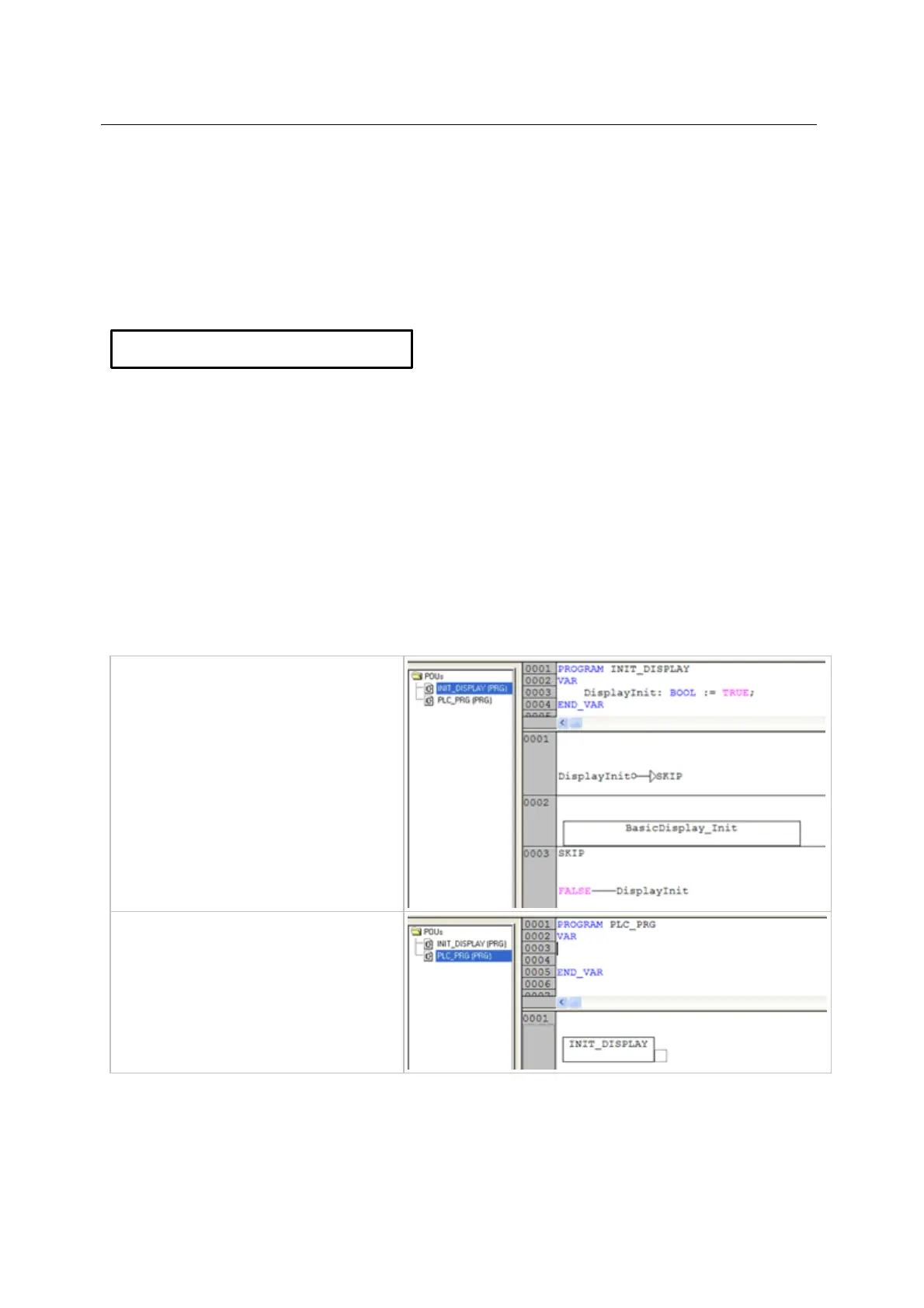
The function BASICDISPLAY_INIT initialises the screen of the BasicDisplay in the first PLC cycle.
Without this initialisation the screen remains dark.
The function requires no parameter setting.
► Call the function only in the first PLC cycle!
Then skip the call.
the following example
Example: BASICDISPLAY_INIT
9314
► Generate the program (PRG)
INIT_DISPLAY.
► Call the function (FUN)
BASICDISPLAY_INIT so that it is
only executed in the first PLC cycle.
► Call the program INIT_DISPLAY in
the program PLC_PRG (together
with the other initialisations, if any).



 To Next Page