36
ifm System Manual ecomatmobile BasicDisplay (CR0451) V01
Configurations First steps
5.3.2 Create PLC program
7433
For this project we first create the visualisation and only then the PLC program.
► For the actual programming you go to programming (PLC_PRG) via the tab [POUs]:
Only some networks are necessary for an executable program. You only need the function
BASICDISPLAY_INIT (→ page 233
) from the library ifm_CRnnnn_Vxxyyzz.LIB to be able to use
important device functions.
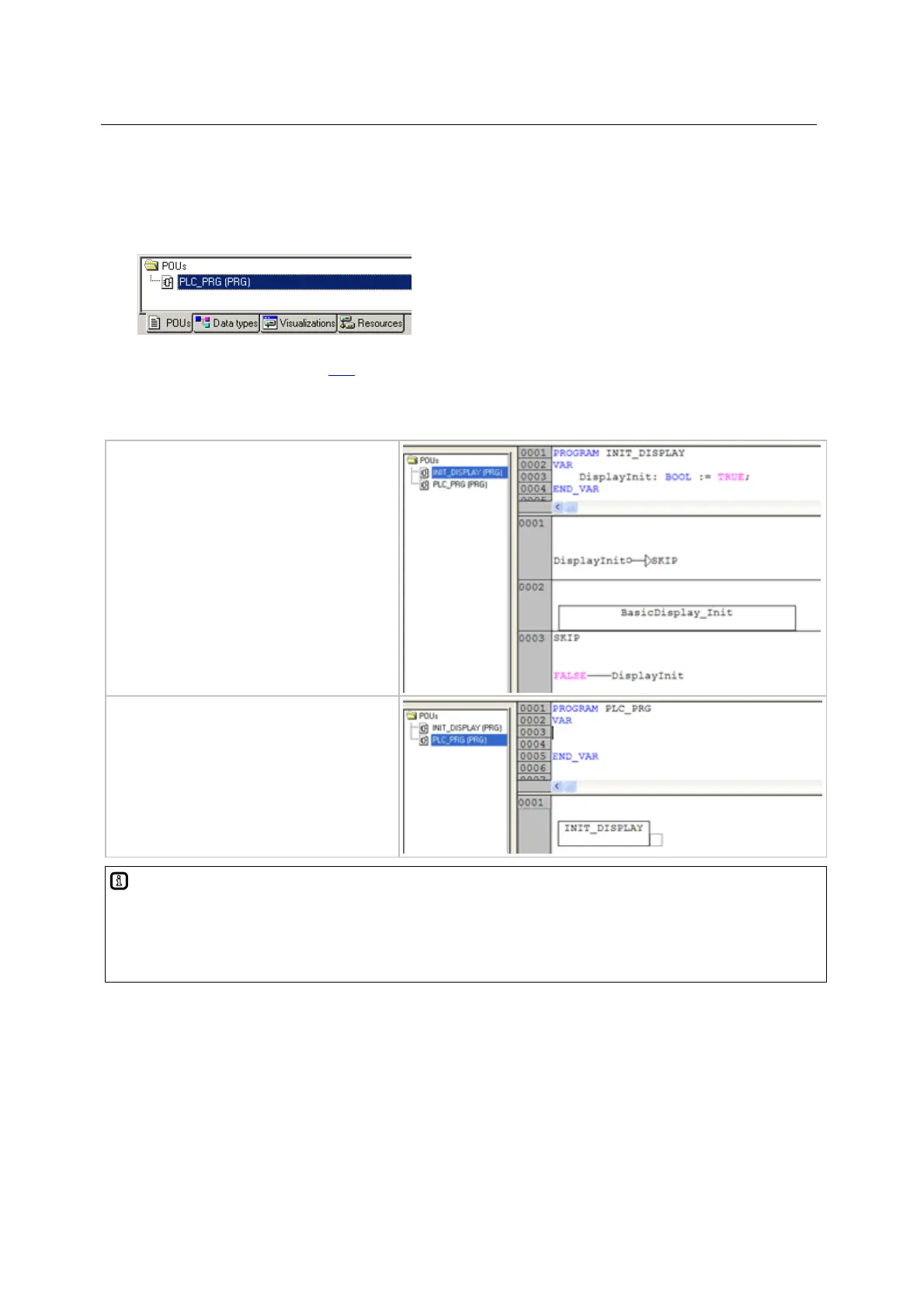
Example:
9314
► Generate the program (PRG)
INIT_DISPLAY.
► Call the function (FUN)
BASICDISPLAY_INIT so that it is
only executed in the first PLC cycle.
► Call the program INIT_DISPLAY in
the program PLC_PRG (together
with the other initialisations, if any).
Info
You can find all important system variables for the device, e.g. key F1 here:
under the tab [Resources] at the top of the list:
— library ifm_CRnnnn_Vxxyyzz.LIB
—— global variables <R>



 To Next Page