34
ifm System Manual ecomatmobile BasicDisplay (CR0451) V01
Configurations First steps
5.3 First steps
Create visualisation......................................................................................................................34
Create PLC program ....................................................................................................................36
3044
► Setup the target (→ page 18)).
► Activate PLC configuration (→ page 17
)).
5.3.1 Create visualisation
3100
For this project we first create the visualisation and only then the PLC program.
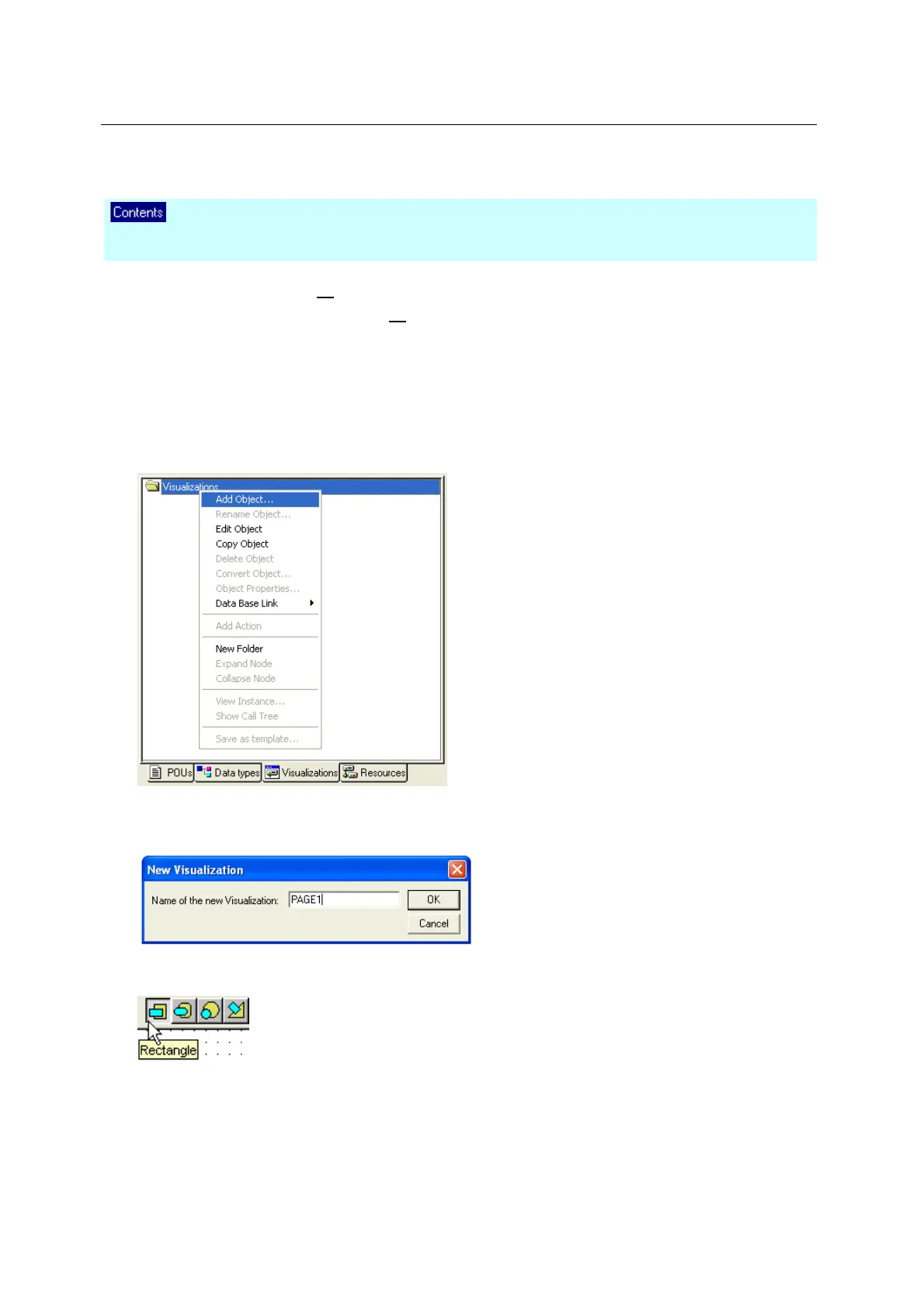
► Click on the tab [Visualizations] in CoDeSys:
► Beside the folder symbol right-click on [Visualizations] followed by a click on [Add Object ...]:
> The window [New Visualization] appears.
► After [Name of the new Visualization] enter the name of the first image in capital letters (!) (max. 8
characters, no space!):
► Confirm with [OK].
> CoDeSys opens the drawing field for this visualisation:
The field corresponds to the size of the LCD display.
For handling the visualisation editor
CoDeSys online help or
CoDeSys programming manual ecomatmobile DVD "Software, tools and documentation"



 To Next Page