35
ifm System Manual ecomatmobile BasicDisplay (CR0451) V01
Configurations First steps
To complete the test program we now create a simple visualisation.
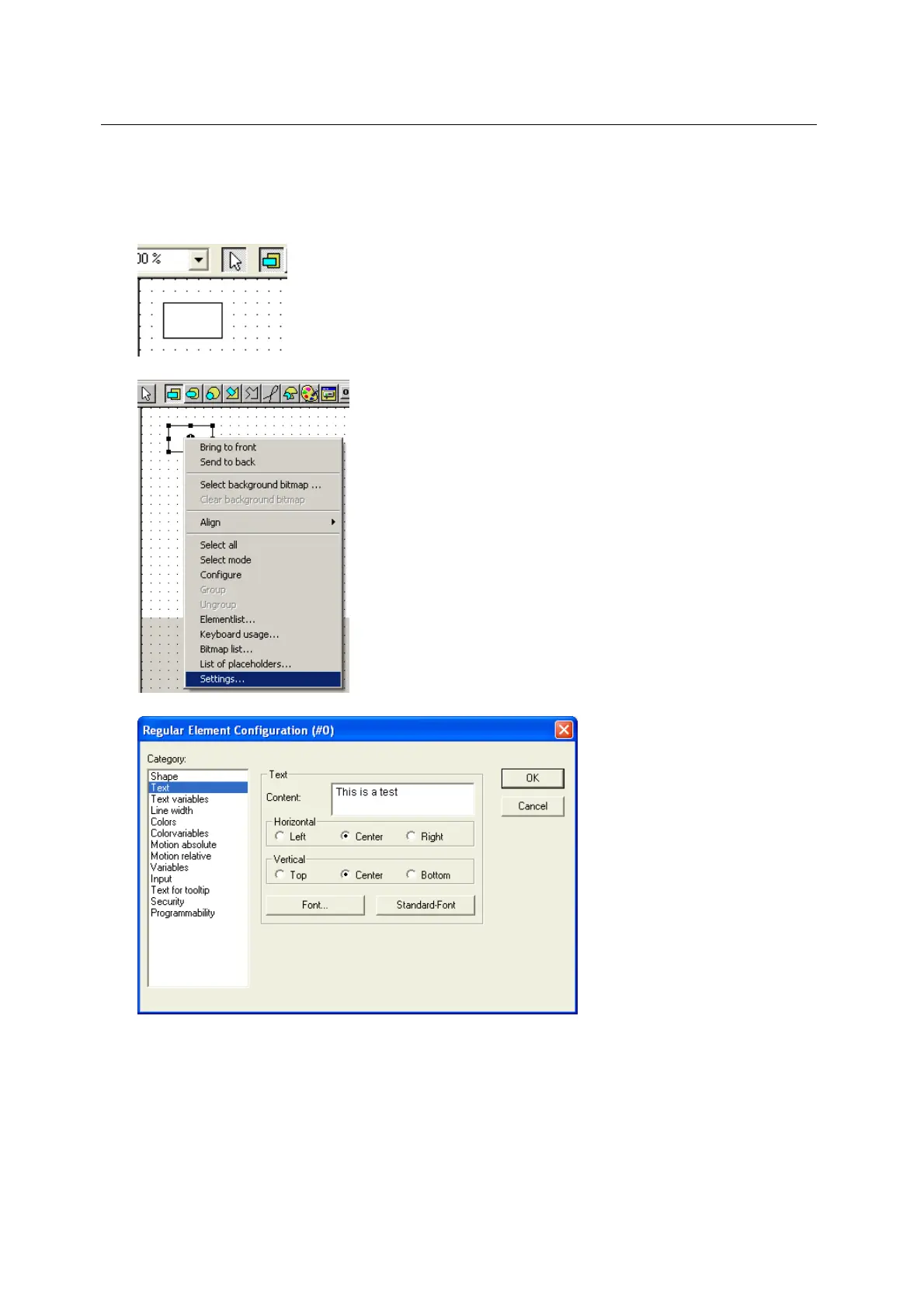
► Select the symbol "rectangle".
► Indicate to a point on the drawing area which is the start point of a rectangle.
Press the left mouse button and keep it pressed to drag out a rectangle in any direction.
Release the mouse button at the end point of the rectangle:
► Right-click on the rectangle to open the context menu and select [Configure ...]:
> The window [Regular Element Configuration (#0)] appears:
► In the field [Category] select the entry [Text].
► Enter a display text in the field [Text] > [Content] ( upper screenshot).
► Confirm the entry with [OK].
► Save the project with [Ins]+[s] from time to time!



 To Next Page