ifm Programming Manual ecomatController/60-1 (CR711S) Operating System V2.5.0.n 2017-12-19
Programming Objects of a PLC application
Objects of a PLC application ............................................................................................................... 77
Create PLC application ....................................................................................................................... 78
Use ifm function libraries ..................................................................................................................... 81
Use IO mapping ................................................................................................................................... 83
Use RawCAN (CAN Layer 2) .............................................................................................................. 87
Use CANopen ...................................................................................................................................... 89
Use SAE J1939 ................................................................................................................................... 90
14603
>
8.1 Objects of a PLC application
22915
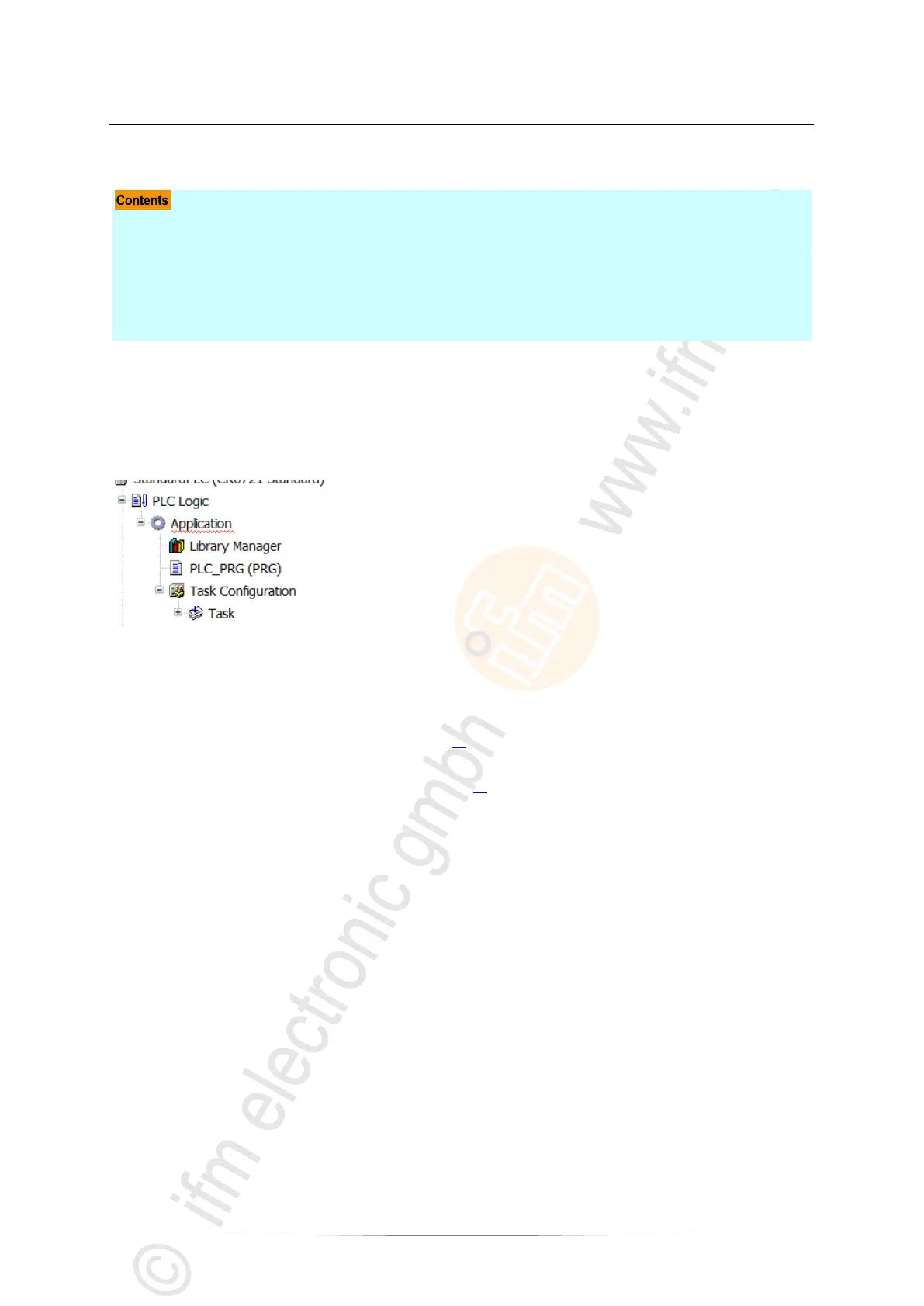
All objects of a PLC application are listed as sub-elements of the node [Application] in the device tree.
In the basic configuration, a PLC application contains the following objects:
Container for objects of a PLC applications
Provides access to the standard and device-specific function libraries:
→ Use ifm function libraries
Provides access to the editor of the PLC application
→ Create PLC application (→ p. 78)
Provides access to the settings of the task processing:
→ Configure task processing (→ p. 80)
If necessary, the user can add further objects to the PLC application.


 To Next Page