11
Switch on the power on the back of the machine.
Note:
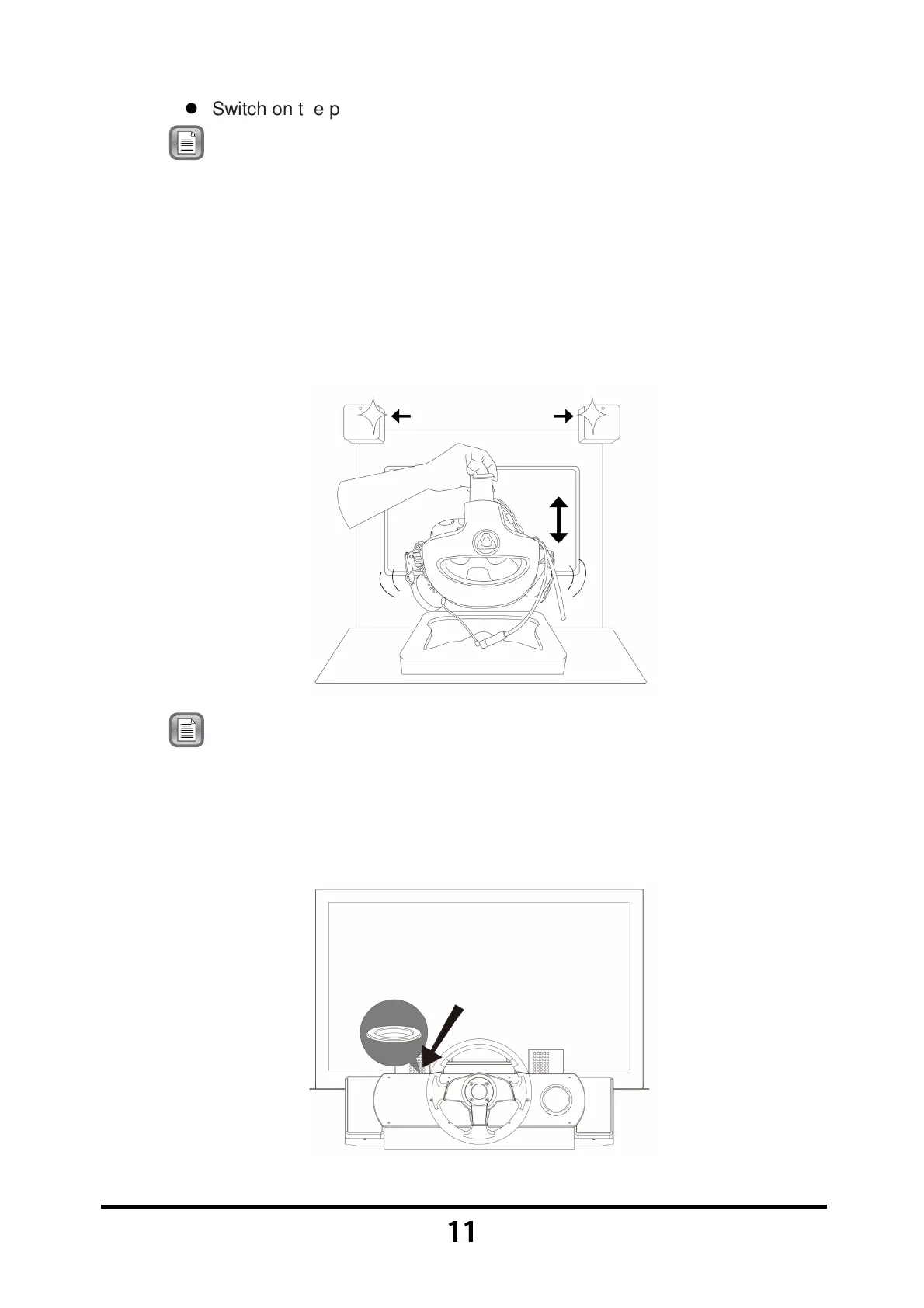
During machine startup, if the screen shows
【
【【
【
HMD Detecting
】
】】
】 in
red letters, please pick up the VR headset from the headset stand
and shake it gently. Once the screen shows 【
【【
【Keep press
Calibrate View to continue】
】】
】 in red letters, place the VR headset
back into the headset stand, then press and hold the 【
【【
【
Calibrate
View
】
】】
】 button on either side of the cabinet until the VR headset
calibration process is completed. If the steps listed above are
ineffective, please restart the machine.
Note: During machine startup, if the screen shows 【
【【
【
Emergency button
has been activated
】
】】
】
in red letters, please press the
【
【【
【
Emergency
Stop
】
】】
】 button again next to the headset stand to cancel the
Emergency Stop function and complete the motion platform
calibration process.
Turning Off the Machine



 To Next Page