47
3.4.4 Country
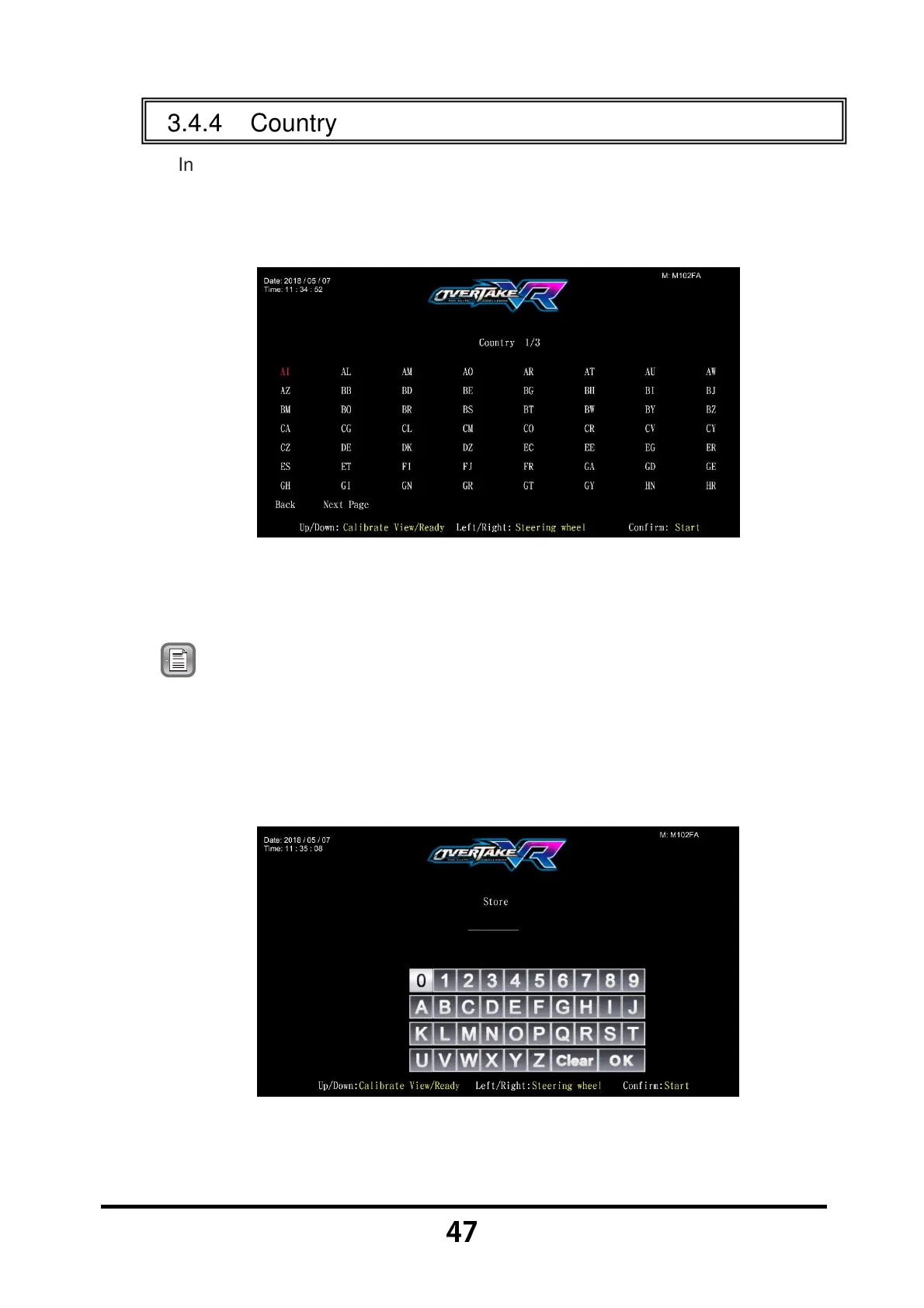
In the page of 【Country】, you can set your current location.
Enter 【Operator Settings】→【2.System settings】→【2-4.Country】,
and the screen will display as below:
Use the 【Calibrate View】 button, 【ready】 button, 【Steering wheel】
functions to move the cursor, and the item where the cursor is pointed to
will appear in red.
Note: Move the cursor to 【Back】 to return to 【System settings】.
Choose 【Next Page】 to continue browsing countries not listed on
the first page.
When the country has been choose then press the 【Start】 button to set
up the name of your store, and the screen will display as below:
Move the cursor, and press the 【Start】 button to confirm the letter you
want to input.



 To Next Page