13
1.3 Quick Installation
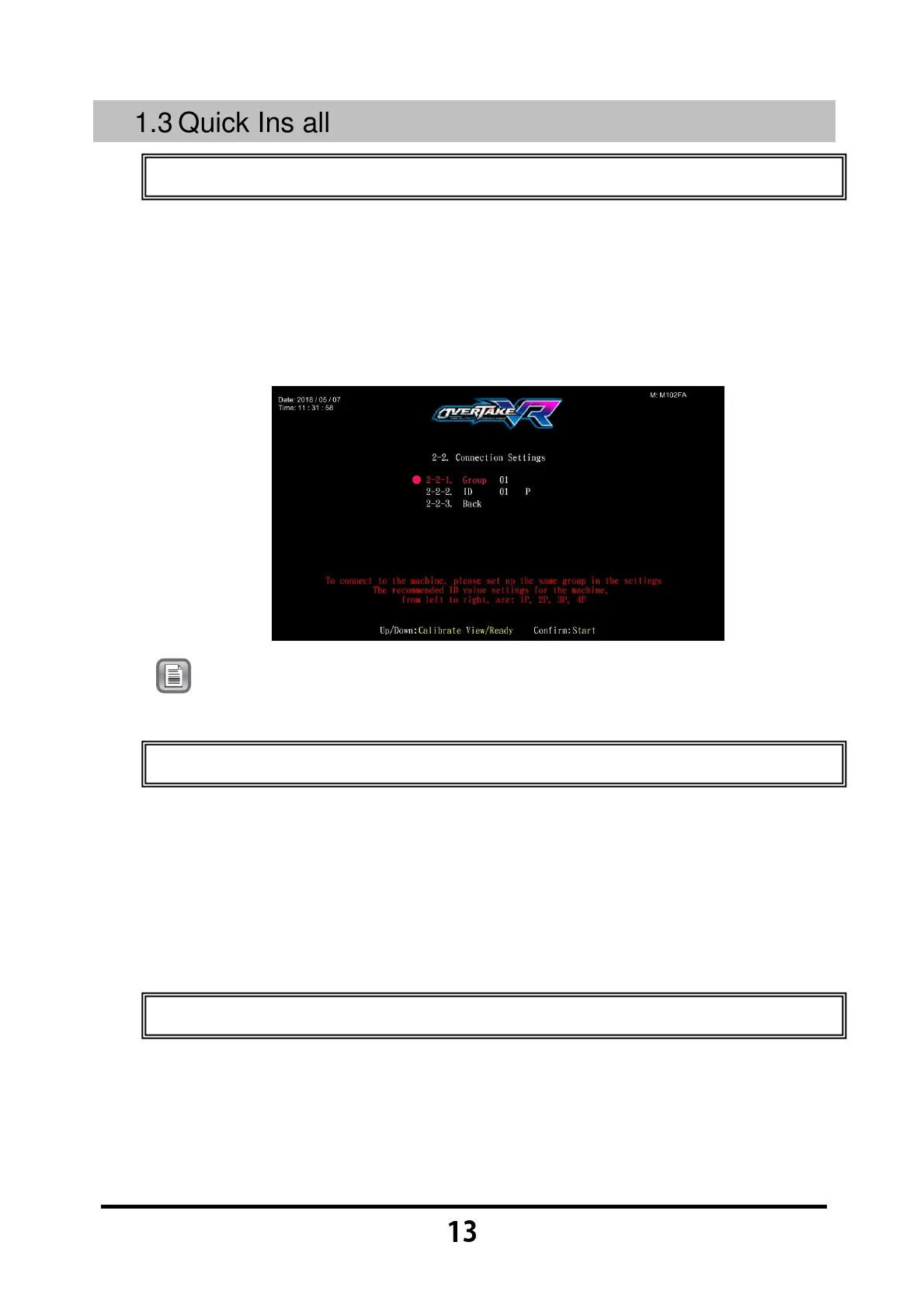
1.3.1 Connection settings
You can enter 【
【【
【Connection settings】
】】
】 to set up the group number and ID of
the cabinet.
Enter 【
【【
【Operator settings】
】】
】→【
【【
【2.System settings】
】】
】→【
【【
【2-2.Connection
settings】
】】
】, and appoint all cabinets in connection into the same group, but
provide each cabinet a different ID.
Note:
The connection ID of cabinets suggested from left to right in
sequence: 1P, 2P, 3P, 4P.
1.3.2 I/O Adjustment
Enter 【
【【
【Operator settings】
】】
】→【
【【
【2.System settings】
】】
】→【
【【
【2-3.I/O
Adjustment】
】】
】 to run adjustment.
After selecting 【
【【
【I/O Adjustment】
】】
】, it will be adjusted from top to bottom in
the following order: turn the steering wheel to the left end, center the
steering wheel, turn the steering wheel to the right end, release the
throttle, step on the throttle, release the brake and step on the brake.
1.3.3 Setting other related items
Setting other related items (recommended):
Enter 【
【【
【Operator settings】
】】
】→【
【【
【2.System settings】
】】
】→【
【【
【2-1Time
settings】
】】
】, and set the cabinets to be connected to be the same time.
Enter 【
【【
【Operator settings】
】】
】→【
【【
【2.System settings】
】】
】→【
【【
【2-4Country】
】】
】



 To Next Page