32
3.3.2 Connection test
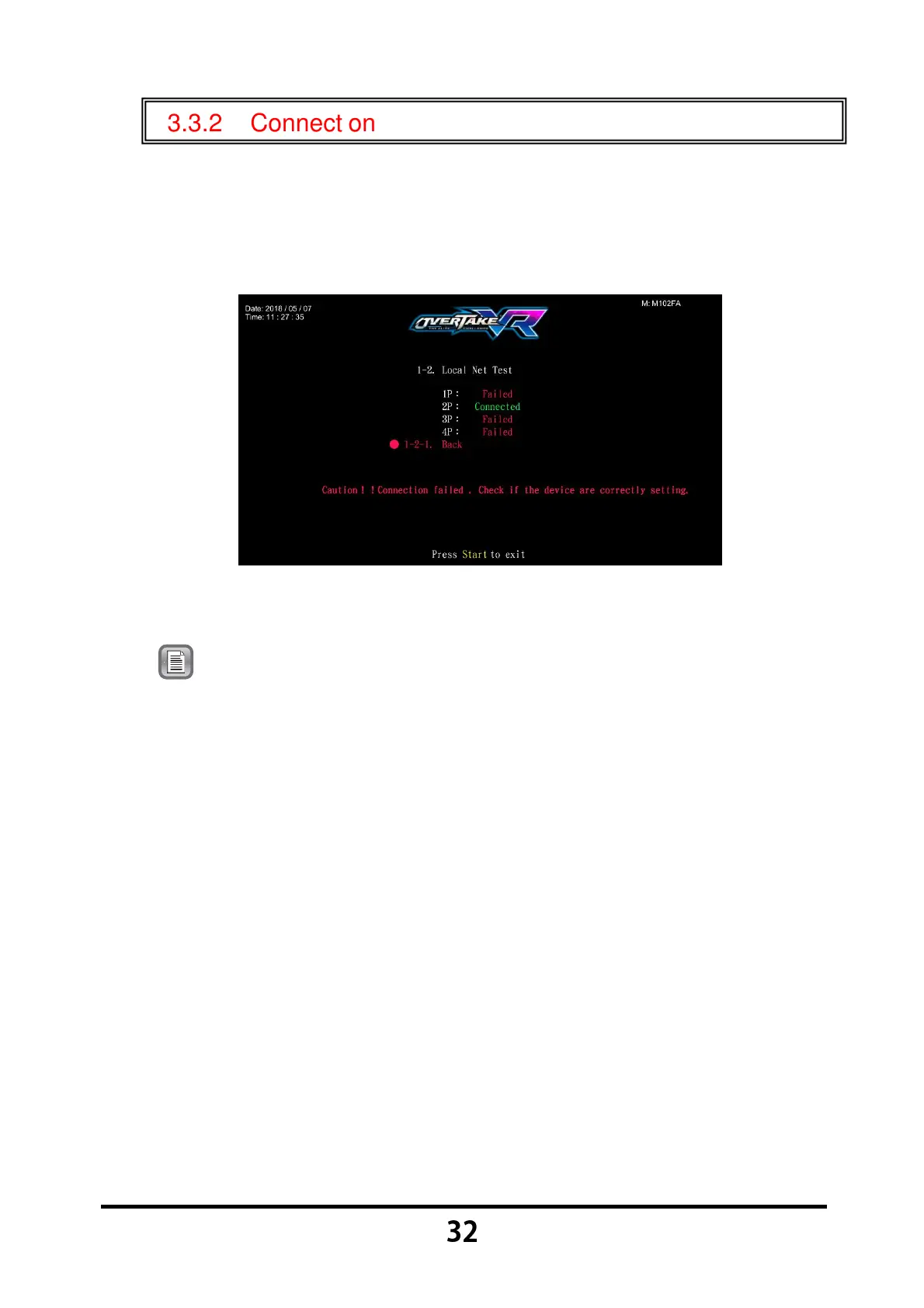
In the page of 【Connection test】, you can test whether each cabinet of the
same group is normally connected.
Enter 【Operator Settings】→【1.Hardware test】→【1-2.Connection
test】 and the screen will display as below:
Possible connection status includes: connection succeeded,
connection failed.
Note: If only two cabinets are connected (such as 1P and 2P), the system
will still display connection failed for 3P and 4P, then you can simply
ignore this message.
Move the cursor to 【1-2-1.Back】, and press the 【Start】 button to return
to 【Hardware test】.



 To Next Page