34
Accelerator Step on the throttle
When the throttle is release the
corresponding status and value will be
0, and when being stepped on it, the
value will be around 1.
Brake Step on the brake
When the brake is release the
corresponding status and value will be
0, and when being stepped on it, the
value will be around 1
After testing is completed, long press
the 【Start】 button for 5 seconds to
leave this page, and return to 【Hardware test】menu.
Note:
If the values of the throttle, brake and steering wheel are abnormal,
enter 【2-3.I/O adjustment】 to make adjustments.
3.3.4 Force feedback test
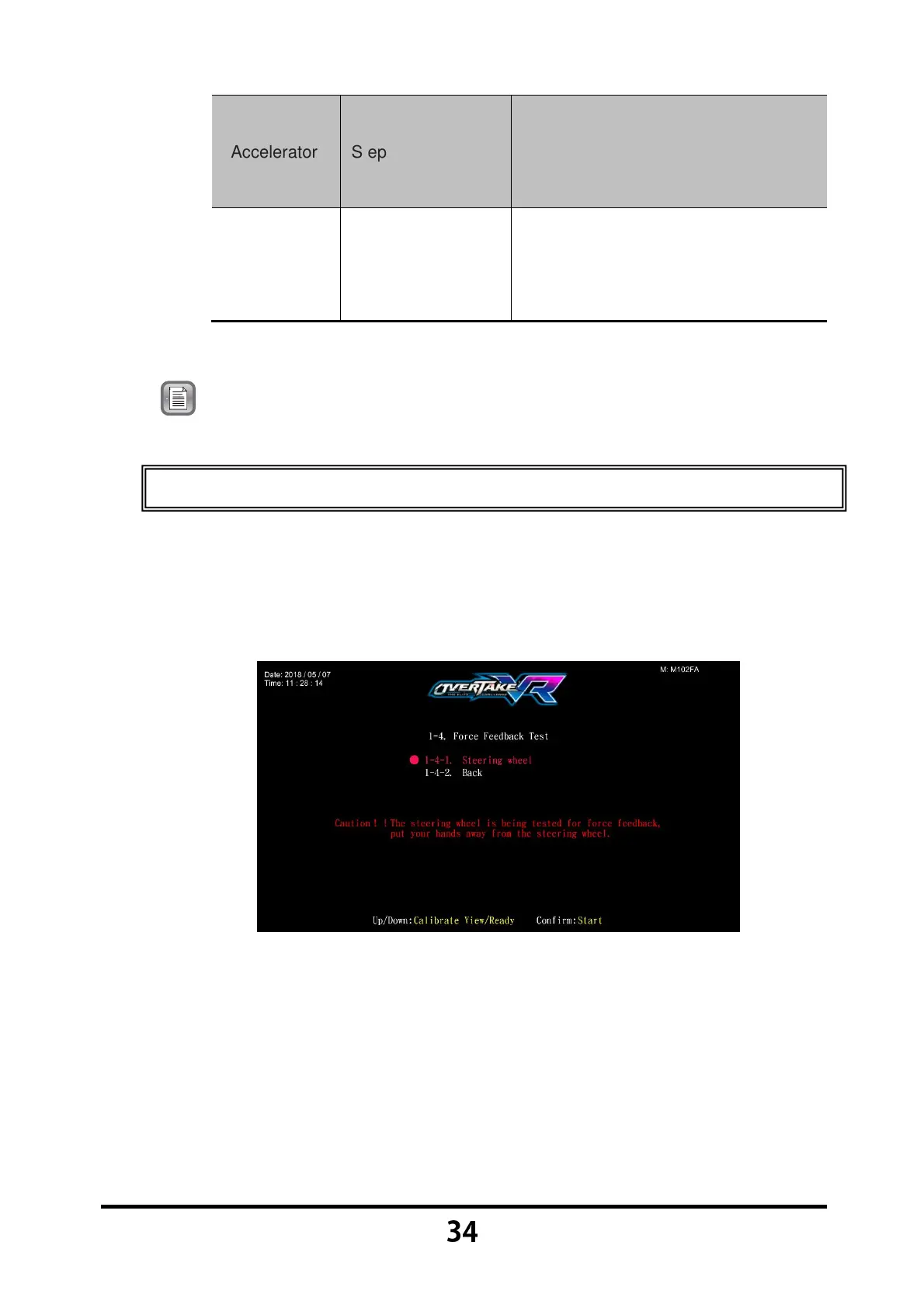
In the page of 【Force feedback test】, you can test whether the force
feedback is normally functioning or not.
Enter 【Operator Settings】→【1.Hardware test】→【1-4.Force feedback
test】, and the screen will display as below:
Press the 【Start】 button to run testing.
While testing, press the 【Start】 button one more time to discontinue the
testing process.
Move the cursor to 【1-4-2.Back】 and press the 【Start】 button to return
to 【Hardware test】.



 To Next Page