The StellarMate Plus Manual
109 / 341
To connect to StellarMate through Direct Ethernet, follow the video tutorial on
this page.
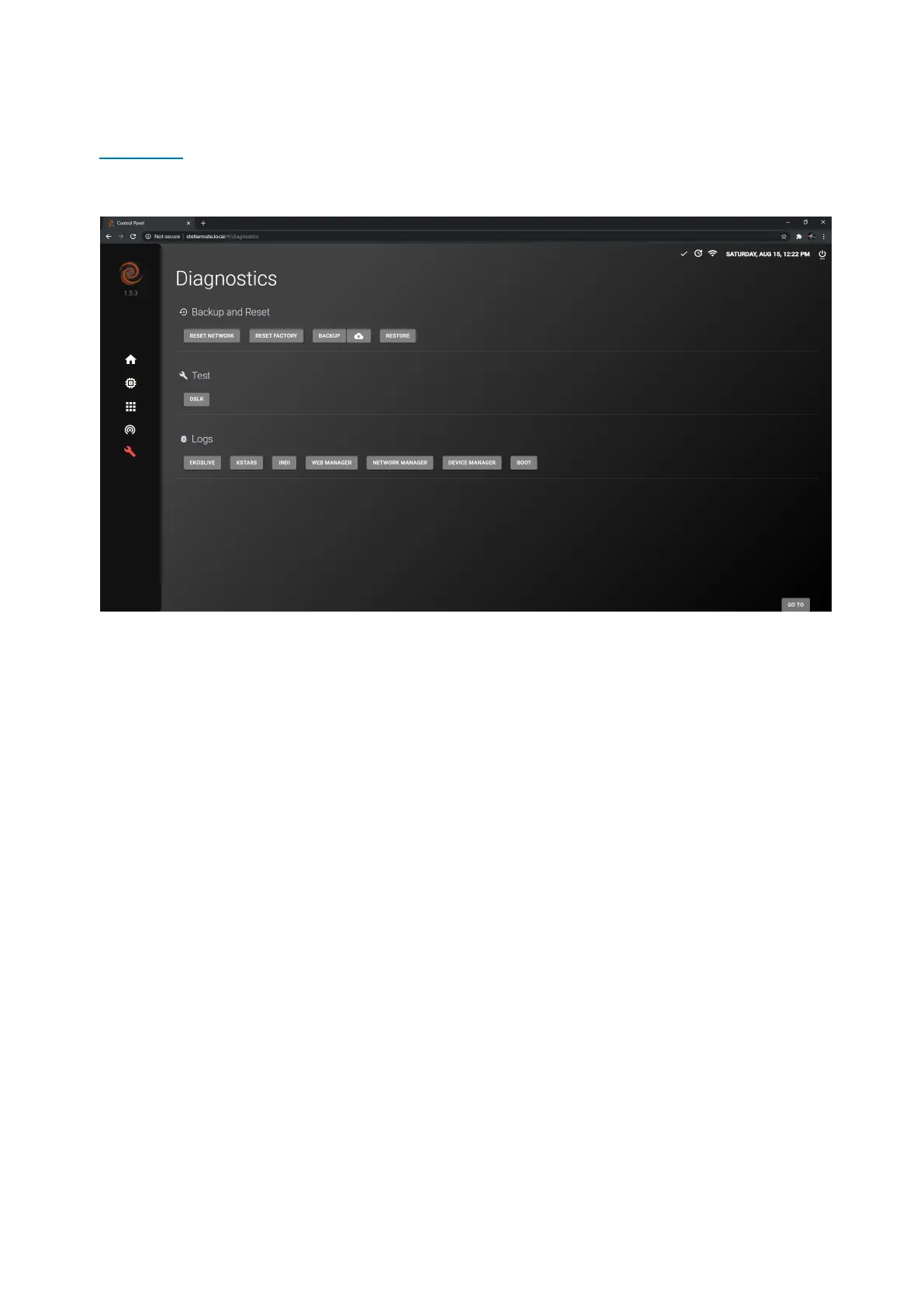
15.6 Diagnostics
The Diagnostics page contains Backup and Reset functions as well as many
important information to help StellarMate developers fix any issues that
StellarMate users face.
Backup and Reset
This section provides the user with the ability to:
· Reset Network: In case you face any persistent problems with the network
settings, you can reset all network settings to default by clicking on
the Network Reset button. Any WiFi networks or manual network settings will
now be discarded. StellarMate must be restart for this change to take effect.
· Reset Factory: In case StellarMate is experiencing unresolved instablities, it is
possible to restore it to Factory Settings by click on the the Factory
Reset button. After the confirmation dialog, you need to enter StellarMate
password (default: smate). The controller name is reset to stellarmate. It must
be restarted afterwards.
· Backup: StellarMate settings can be backed up to a file to help in restoring
any settings when either flashing a new StellarMate OS or in case in
restoration of damaged SD card. The settings include all KStars and INDI
settings which includes the profiles and driver-specific options. This creates a
backup compressed file that can be used later to restore your StellarMate
configuration.



 To Next Page