The StellarMate Plus Manual
157 / 341
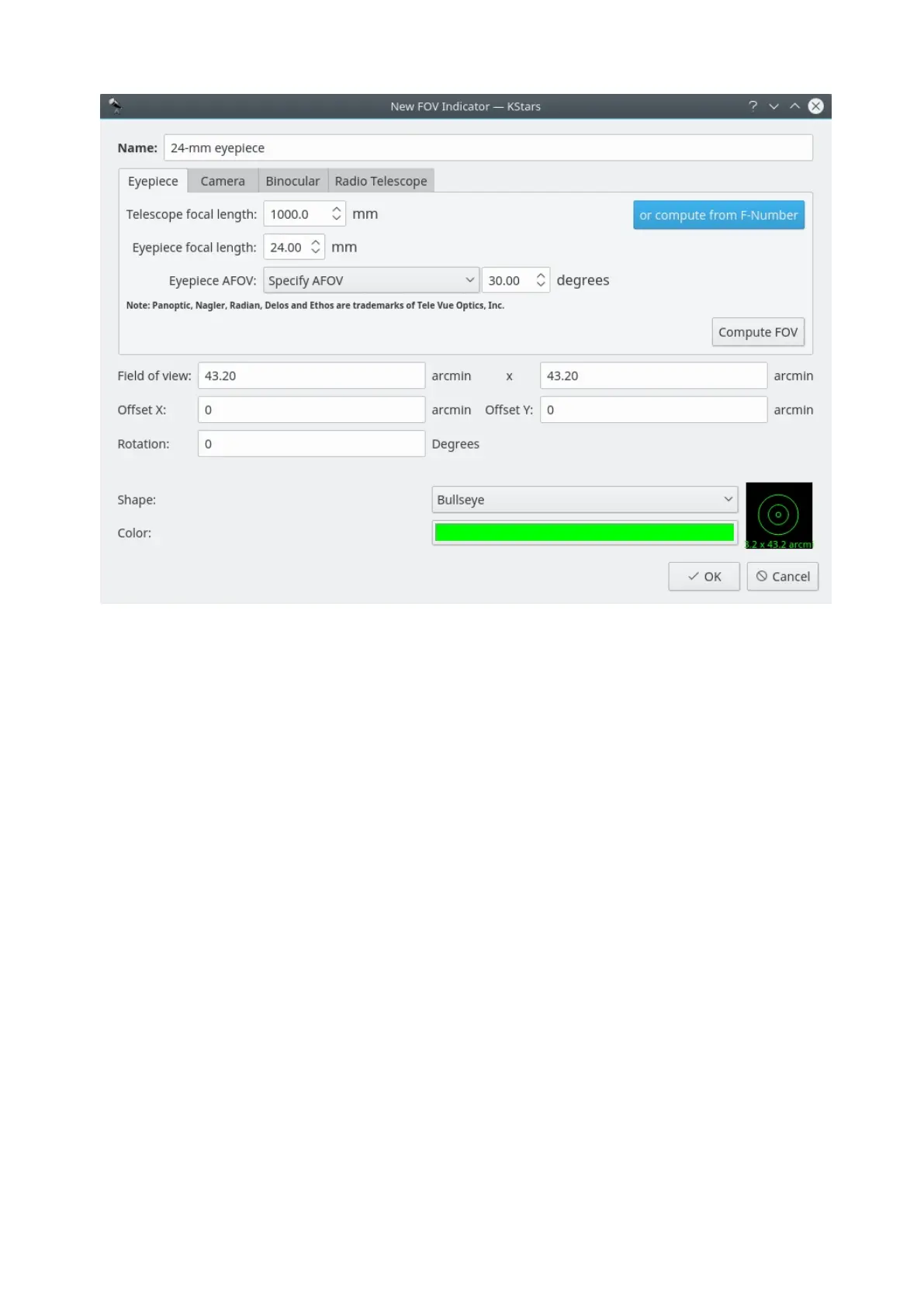
This window lets you modify the four properties that define a FOV symbol: name,
size, shape, and color. The angular size for the symbol can either be entered
directly in the Field of View edit box, or you can use the Eyepiece/Camera Tabs
to calculate the field-of-view angle, given parameters of your telescope/eyepiece
or telescope/camera setup. The five available shapes are: Square, Circle,
Crosshairs, Bullseye and Semitransparent circle. Once you have specified all four
parameters, press Ok, and the symbol will appear in the list of defined symbols. It
will also be available from the Settings →FOV Symbolsmenu.
18.2.15 HiPS Progressive Overlay
KStars provides support for HiPS: Hierarchical Progressive Surveys. HiPS
provides multi-resolution progressive surveys to be overlayed directly in client
applications. It provides an immersive experience as you can explore the night
sky dynamically. With over 200+ surveys across the whole electromagnetic
spectrum from radio, infrared, visual, to even gamma rays, the user can pan and
zoom progressively deeper into the data visually.
It can be enabled from the HiPS All Sky Overlay submenu in the View menu.
Under the submenu, a list of enabled surveys are listed. Click on the survey of
interest to activate it. You can only activate one-overlay at a time. After
activating the survey, KStars shall begin downloading the data in the background
and progressively overlay the images unto the sky map as they become ready.
Zooming in usually requires another patch of images that should trigger another
download cycle.



 To Next Page