The StellarMate Plus Manual
81 / 341
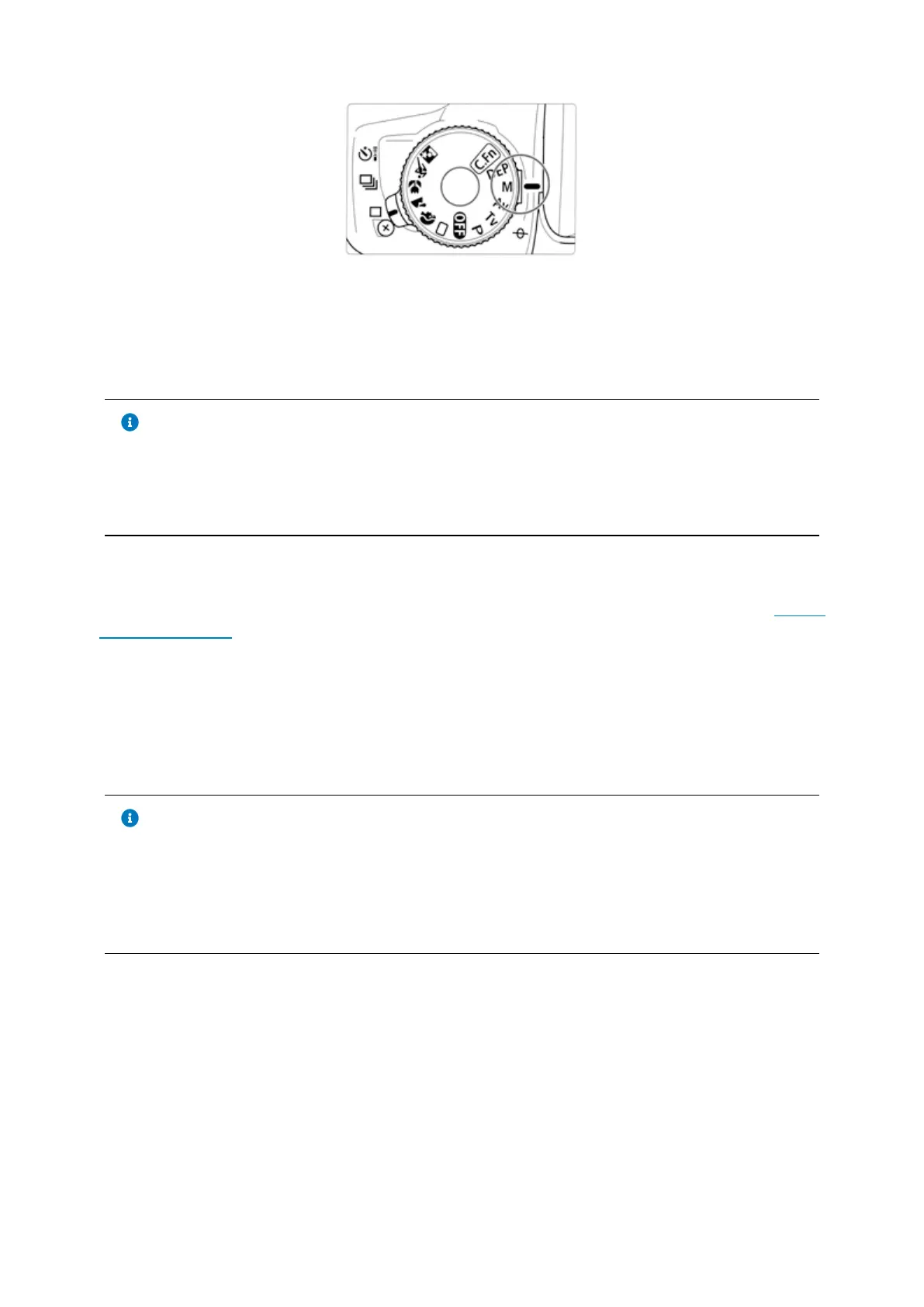
Tip: Some modern cameras do not have a Bulb (B) dial. You can set Bulb Mode by
selecting Manual (M) dial and then change the exposure duration until you see
BULB in the camera.
Tip
Some modern cameras do not have a Bulb (B) dial. You can set Bulb
Mode by selecting Manual (M) dial and then change the exposure
duration until you see BULB in the camera.
The shutter control can be either executed internally if supported by the camera,
or externally via an external release cable (e.g. DSUSB). The INDI GPhoto driver
documentation includes all the details on operating DSLR cameras.
The INDI driver requires the camera resolution and pixel size upon first
connection. When the camera is first detected, StellarMate would look up the
camera specifications and fill out the necessary information automatically. Please
make sure this information is correct in the INDI Control Panel → Image Info Tab.
Tip
Pentax cameras are supported in INDI GPhoto driver and also in INDI
Native Pentax driver. The native driver is experimental but offers more
support to Pentax cameras. Itʼs recommended to try both drivers to see
which is more fit for your specific camera model.
Captured images are downloaded to StellarMate, and depending on the sensor
size and the quality of the WiFi connection, it can take a few seconds for large
frames to transfer. Live view video streaming is available on most models to aid
in focusing the camera. Selected Canon cameras support focusing operations
and can autofocus using the Ekos Focus module. Manual focus is available via
Live View or Bahtinov Mask Assistant Tool.
8.1 Supported DSLRs



 To Next Page