The StellarMate Plus Manual
154 / 341
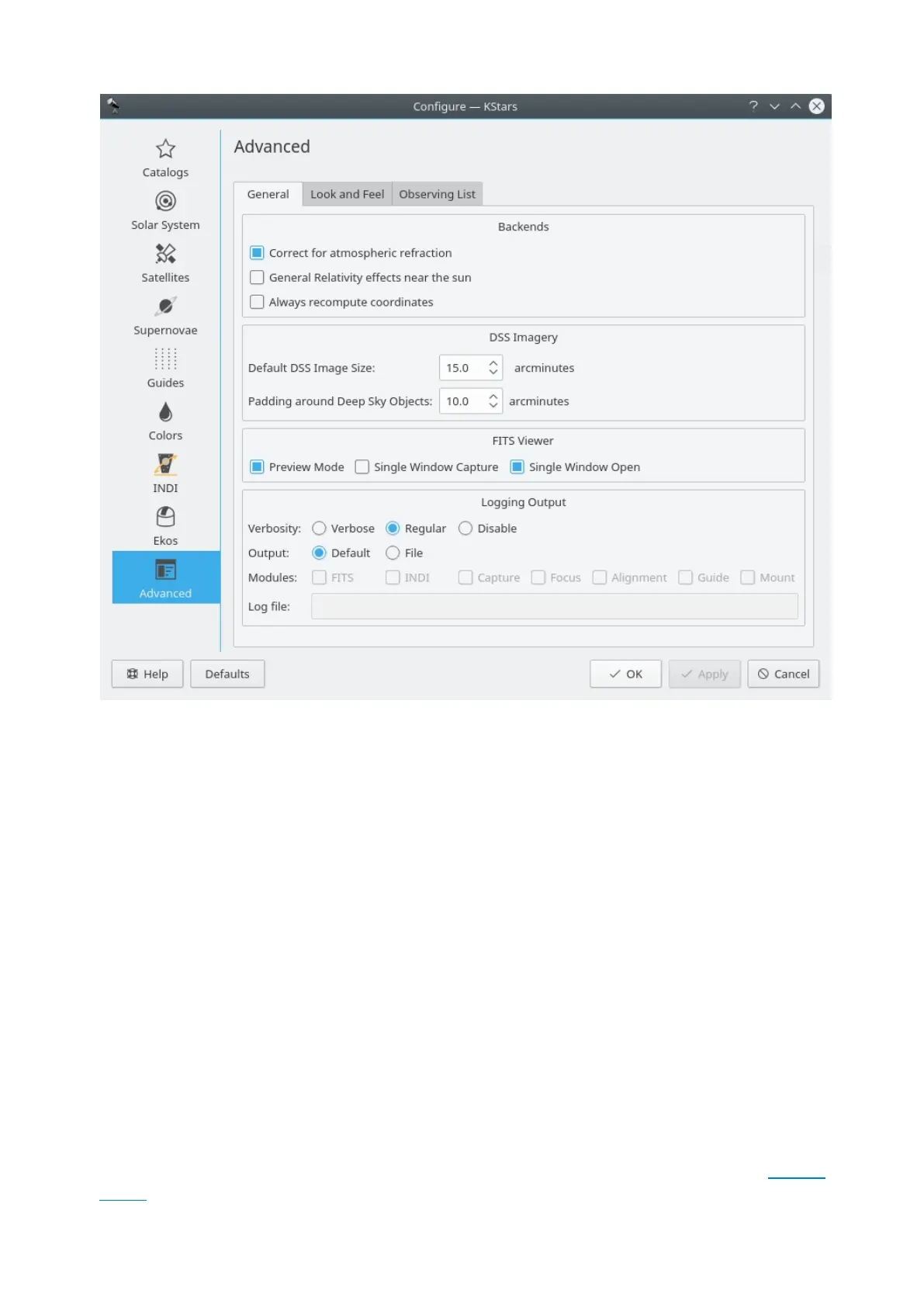
The Advanced page provides fine-grained control over the more subtle behaviors
of KStars.
The Correct for atmospheric refraction checkbox controls whether the positions
of objects are corrected for the effects of the atmosphere. Because the
atmosphere is a spherical shell, light from outer space is “bent” as it passes
through the atmosphere to our telescopes or eyes on the Earth's surface. The
effect is largest for objects near the horizon, and actually changes the predicted
rise or set times of objects by a few minutes. In fact, when you “see” a sunset, the
Sun's actual position is already well below the horizon; atmospheric refraction
makes it seem as if the Sun is still in the sky. Note that atmospheric refraction is
never applied if you are using Equatorial coordinates.
The Use animated slewing checkbox controls how the display changes when a
new focus position is selected in the map. By default, you will see the sky drift
or “slew” to the new position; if you uncheck this option, then the display will
instead “snap” immediately to the new focus position.
If the Attach label to centered object checkbox is selected, then a name label will
automatically be attached to an object when it is being tracked by the program.
The label will be removed when the object is no longer being tracked. Note that
you can also manually attach a persistent name label to any object with its popup
menu.



 To Next Page