The StellarMate Plus Manual
194 / 341
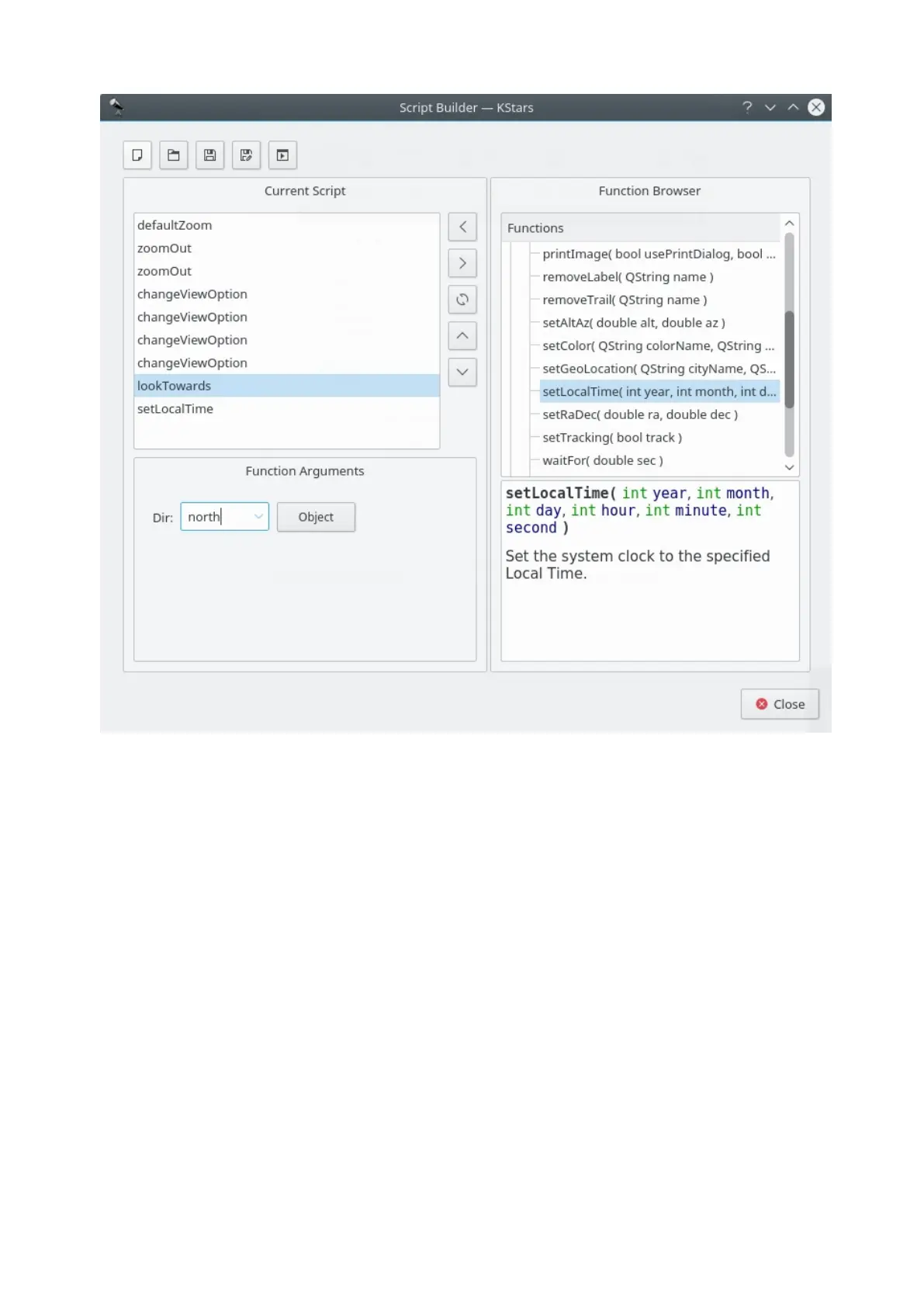
The Script Builder is shown in the above screenshot. The box on the left is
the Current Script box; it shows the list of commands that comprise the current
working script. The box on the right is the Function Browser; it displays the list of
all available script functions. Below the Function Browser, there is a small panel
which will display short documentation about the script function highlighted in
the Function Browser. The panel below the Current Script box is the Function
Arguments panel; when a function is highlighted in the Current Script box, this
panel will contain items for specifying values for any arguments that the
highlighted function requires.
Along the top of the window, there is a row of buttons which operate on the
script as a whole. From left to right, they are: New Script, Open Script, Save
Script, Save Script As..., and Test Script. The function of these buttons should be
obvious, except perhaps the last button. Pressing Test Script will attempt to run
the current script in the main KStars window. You should move the Script Builder
window out of the way before pressing this, so you can see the results.
In the center of the window, there is a column of buttons which operate on
individual script functions. From top to bottom, they are: Add Function, Remove
Function, Copy Function, Move Up, and Move Down. Add Function adds the
currently-highlighted function in the Function Browser to the Current Script box



 To Next Page