The StellarMate Plus Manual
208 / 341
Profiles
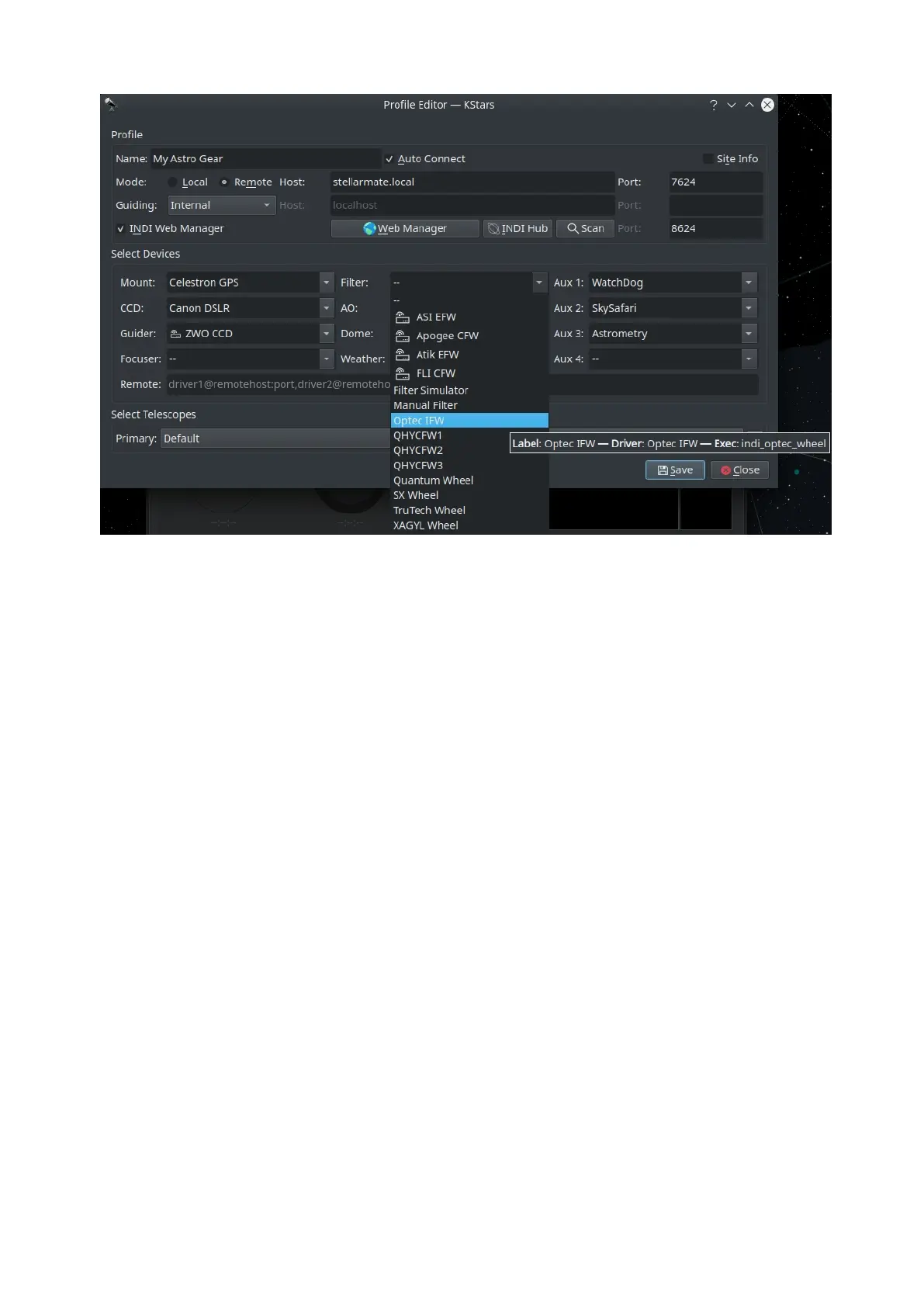
You can define profiles for your equipment and their connection mode using
the Profile Editor. Ekos comes pre-installed with the Simulators profile which can
be used to start simulator devices for demonstration purposes:
o Connection Mode: Ekos can be started either locally or remotely. Local
mode is when Ekos is running in the same machine as INDI server, i.e. all
the devices are connected directly to the machine. If you run INDI server
on a remote machine (for example, on a Raspberry PI), you need to set
the INDI server host and port.
o Auto Connect: Check this option to enable automatic connection to all
your devices after INDI server is started. If unchecked, INDI devices are
created but not automatically connected. This is useful when you want
to make changes to the driver (e.g. change baud rate or IP address or
any other settings) before you connect to it.
o Site Info: Optionally, you can check the Site Info checkbox and Ekos will
load the current city and timezone whenever is Ekos is started with this
profile. This can be useful when connecting to the remote geographic
site so that Ekos is in sync location and time wise.
o Guiding: Select which Guide application you want to use for guiding. By
default, the Ekos internal Guide Module is utilized. External guiders
include PHD2 and LinGuider.
o INDI Web Manager: StellarMate Web Manager is a web-based tool to
start and stop INDI drivers. You should always check this option when
connecting remotely to a StellarMate unit.



 To Next Page