The StellarMate Plus Manual
219 / 341
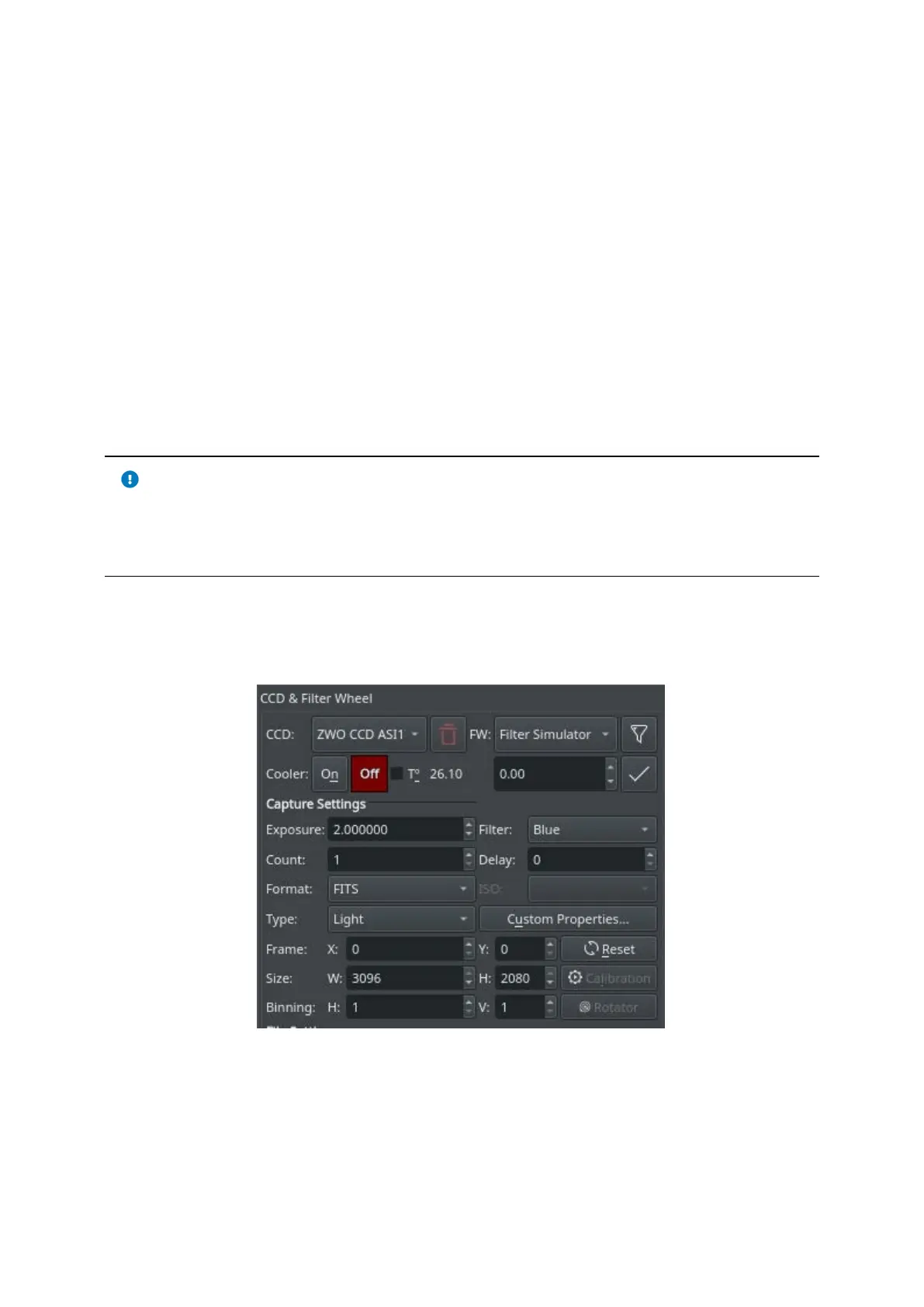
· Restart Camera Driver: Restarts the INDI driver for the active camera.
· Clear Camera Configuration: Resets the INDI driver camera configuration back
to default.
· FW: Select the active Filter Wheel device. If your camera has a built-in filter
wheel, the device would be the same as the camera.
o Filter Settings: Use the Filter Manager to specify various settings for
each filter including exposure, offset, autofocus, and locking policy.
· Cooler: Toggle Cooler On/Off. Set the desired temperature, if your camera is
equipped with a cooler. Check the option to force temperature setting before
any capture. Capture process is only started after the measured temperature
is within requested temperature tolerance. The default tolerance is 0.1 degrees
Celsius but can be adjusted in Capture options under Ekos configuration.
IMPORTANT
Only use driver restart if the camera driver becomes completely
unresponsive. This feature is still experimental and might lead to
instability so only use as a last resort.
Capture Settings
Set all capture parameters as detailed below. Once set, you can capture a
preview by click on Preview or add a job to the sequence queue.
· Exposure: Specify exposure duration in seconds.
· Filter: Specify the desired filter.
· Count: Number of images to capture



 To Next Page