The StellarMate Plus Manual
228 / 341
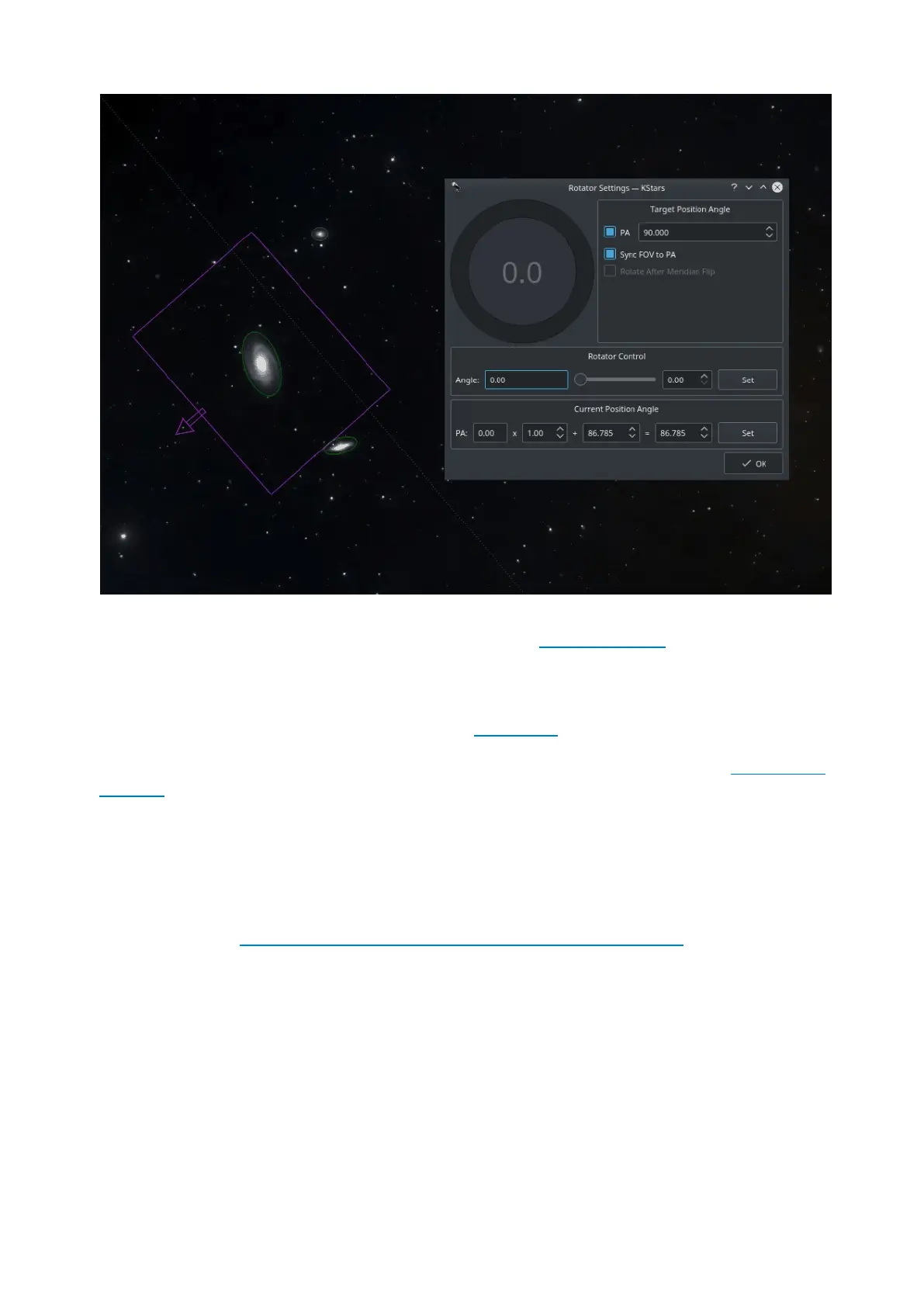
Field Rotators are supported in INDI & Ekos. The rotator angle is the raw angle
reported by the rotator and is not necessary the Position Angle. A Position Angle
of zero indicates that the frame top (indicated by small arrow) is
pointing directly at the pole. The position angle is expressed as E of N (East of
North), so 90 degrees PA indicates the frame top points 90 degrees away
(counter-clockwise) from the pole. Check examples for various PAs.
To calibrate the Position Angle (PA), capture and solve an image in the Ekos Align
module. An offset and a multiplier are applied to the raw angle to produce the
position angle. The Ekos Rotator dialog permits direct control of the raw angle
and also the PA. The offset and multiplier can be changed manually to
synchronize the rotator's raw angle with the actual PA. Check Sync FOV to PA to
rotate the current Field of View (FOV) indicator on the Sky Map with the PA value
as you change it in the dialog.
https://www.youtube.com/watch?v=V_hRPMlPjmA
Each capture job may be assigned different rotator angles, but be aware that this
would cause guiding to abort as it would lose track of the guide star when
rotating. Therefore, for most sequences, the rotator angle is kept the same for all
capture jobs.
Calibration Frames



 To Next Page