The StellarMate Plus Manual
252 / 341
selecting which axis shall receive corrective guiding pulses and within each axis,
you can indicate which direction (Positive) + or Negative (-) receives the guiding
pulses. For example, for the Declination axis, the + direction is North and - is
South.
Guiding Rate
Each mount has a particular guiding rate in (x15"/sec) and usually ranges from
0.1x, to 1.0x with 0.5x being a common value used by many mounts. The default
guiding rate is 0.5x sidereal, which is equivalent to a proportional gain of 133.33.
Therefore, set the guiding rate value to whatever value used by your mount, and
Ekos shall display the recommended proportional gain value that you may set in
the proportional gain field under the Control Parameters. Setting this value does
not change your mount guiding rate! You must change your mount guiding rate
either via the INDI driver, if supported, or via the hand controller.
Drift Graphics
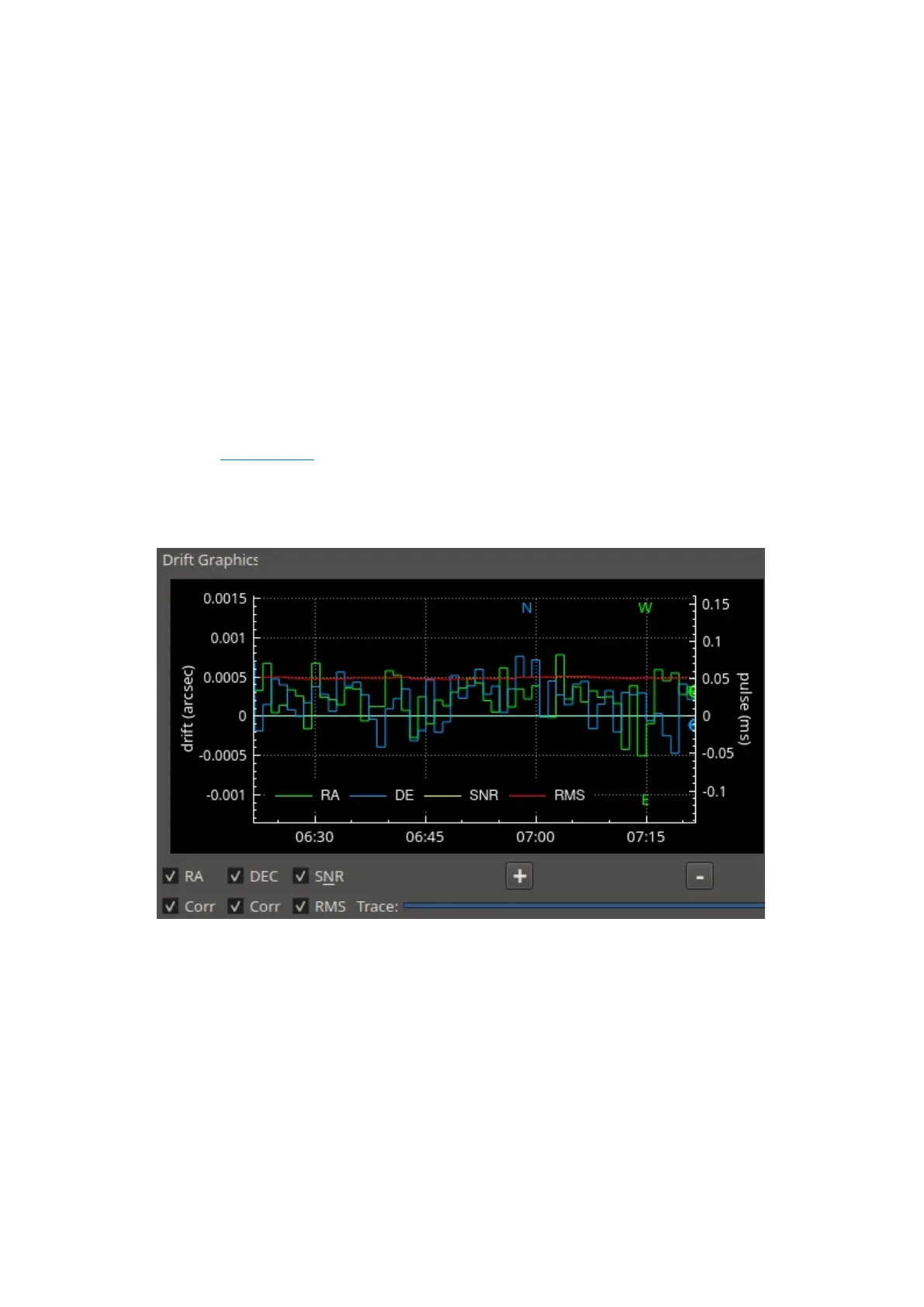
The drift graphics is a very useful tool to monitor the guiding performance. It is a
2D plot of guiding deviations and corrections. By default, only the guiding
deviations in RA and DE are displayed. The horizontal axis is the time in seconds
since the autoguiding process was started while the vertical axis plots the
guiding drift/deviation in arcsecs for each axis. Guiding corrections (pulses) can
also be plotted in the same graph and you can enable them by checking
the Corr checkbox below each Axis. The corrections are plotted as shaded areas
in the background with the same color as that of the axis.
You can pan and zoom the plot, and when hovering the mouse over the graph, a
tooltip is displayed containing information about this specific point in time. It
contains the guiding drift and any corrections made, in addition to the local time,



 To Next Page