The StellarMate Plus Manual
254 / 341
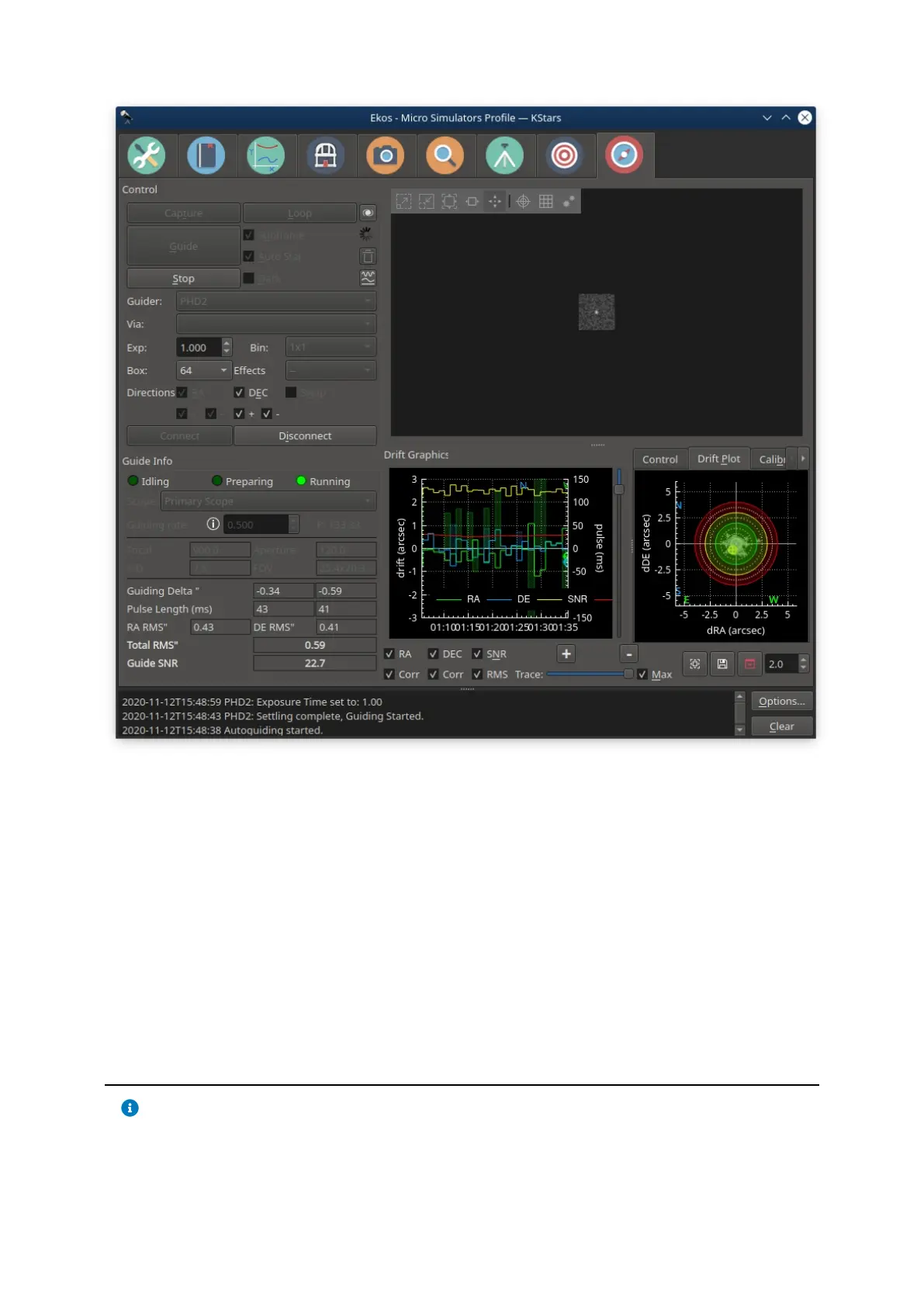
If PHD2 is selected, the Connect and Disconnect buttons are enabled to allow
you to establish a connection with the PHD2 server. You can control PHD2
exposure and DEC guide settings. When clicking Guide, PHD2 should perform all
the required actions to start the guiding process. PHD2 must be started and
configured before Ekos.
After launching PHD2, select your INDI equipment and set their options. From
Ekos, connect to PHD2 by clicking the Connect button. On startup, Ekos will
attempt to automatically connect to PHD2. Once the connection is established,
you may begin the guiding immediately by click on the Guide button. PHD2 shall
perform calibration if necessary. If dithering is selected, PHD2 shall be
commanded to dither given the offset pixels indicated and once guiding is settled
and stable, the capture process in Ekos shall resume.
Note
Ekos saves a CSV guide log data that can be useful for analysis of the
mount's performance under ~/



 To Next Page