The StellarMate Plus Manual
262 / 341
an a psudo online solver that happens to be running a server on their machine. It
is not recommended given that StellarSolver is built-in and faster. It is left in the
documentation for users who want to try it out.
ANSVR mimics the astrometry.net online server services on your local computer;
thus the internet not required for any astrometry queries. From the point of view
of Ekos, it is still communicating with an online astrometry.net server.
After installing the ANSVR server and downloading the appropriate index files for
your setup, make sure ANSVR server is up and running and then go to Ekos
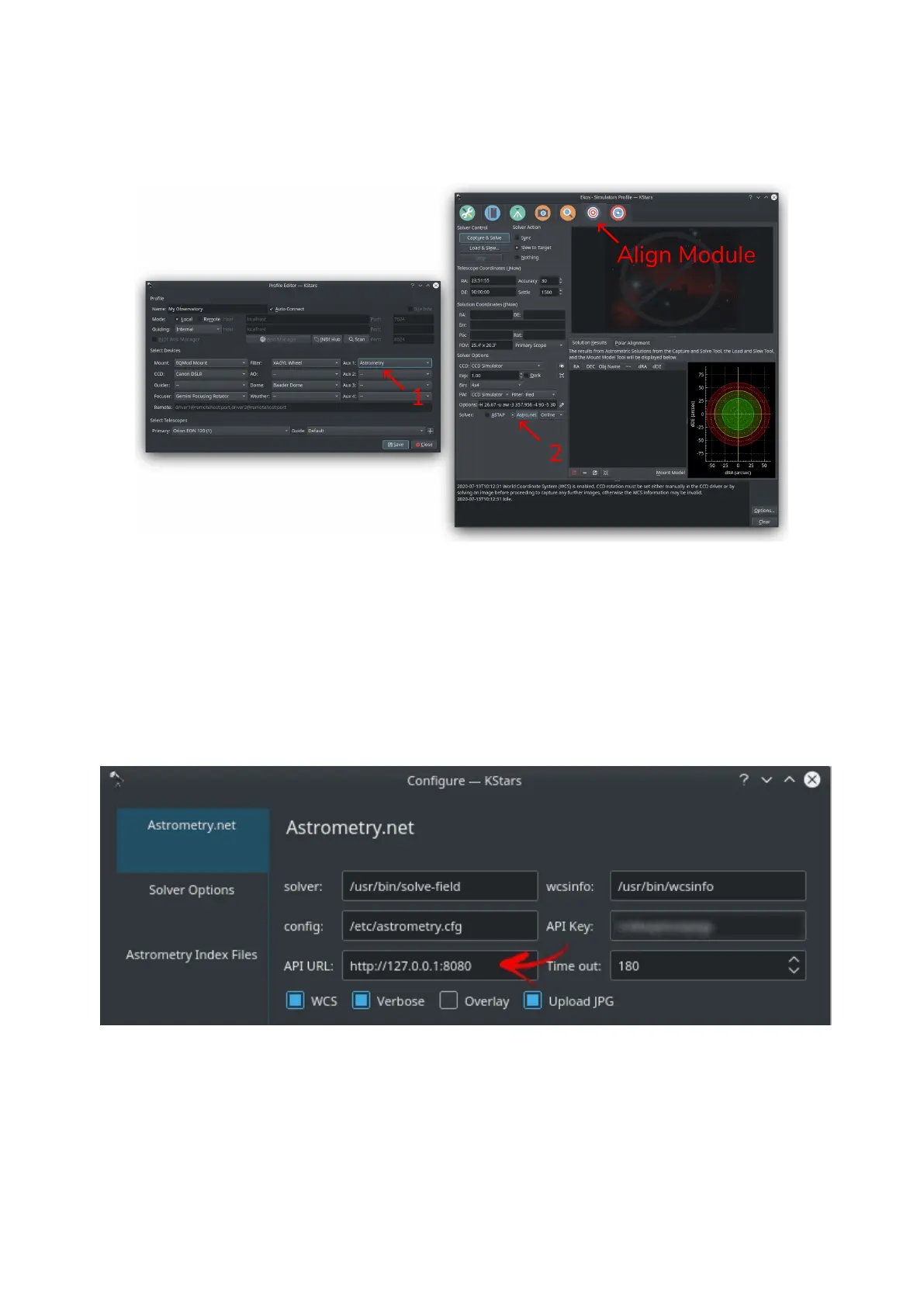
Alignment options where you can simply change the API URL to use the ANSVR
server as illustrated below:
Do not forget to include the full URL including the http part. In Ekos Align module,
you must set the solver type to Online so that it uses the local ANSVR server for
all astrometry queries. Then you can use the align module as you would normally
do.
Remember as indicated above that StellarMate already includes astrometry.net.
Therefore, if you would like to use StellarMate remotely to solve your images,



 To Next Page