The StellarMate Plus Manual
320 / 341
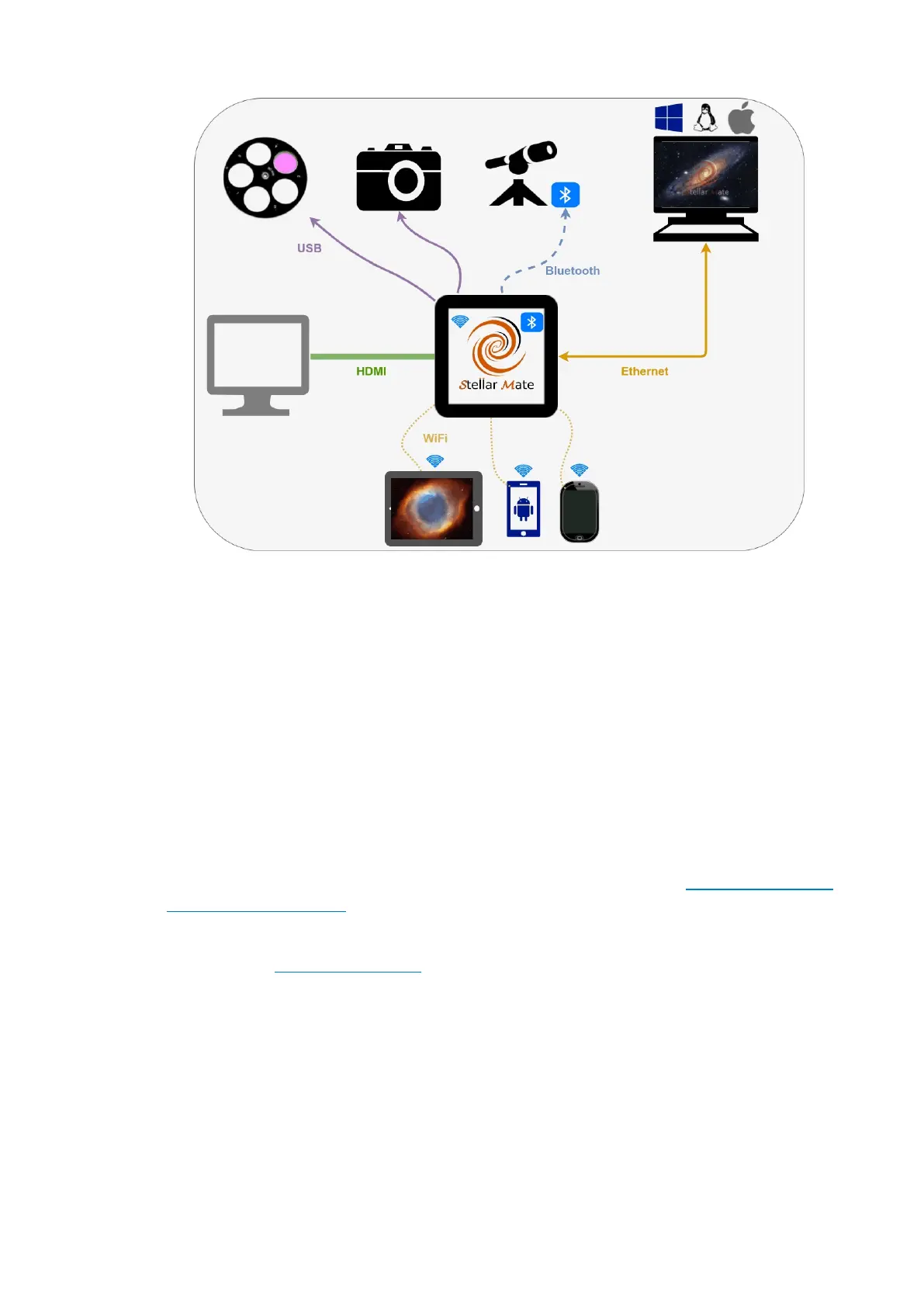
The gadget includes several methods that enable you to connect your
equipment. StellarMate communication channels include 4x USB 2.0 ports,
10/100 MBPS Ethernet, 802.11n Wireless LAN, and Bluetooth 4.0. You
connect your equipment to StellarMate using any of the supported
communication channels. Once connected, you can use a mobile (Phone &
Tablet) or desktop (Windows®, Mac® OS, Linux®) application to control
your equipment.
17.3. What do I need to run StellarMate?
You need equipment (Mounts, Cameras, Focuser, etc.) that can be
connected to a computer via either USB, Bluetooth, or Ethernet. All modern
gadget include connectors to computers. For mount with Serial
connectors, you will need to purchase a Serial-2-USB adapter. Since
StellarMate uses INDI for device control, you need to make sure your
device is supported. While not strictly required, it is highly recommended
to use an external powered USB hub to connect your devices to.
To use the StellarMate App, you need either an Android or iOS-based
smartphone.
17.4. How do I connect to StellarMate?
You can connect to StellarMate via the following methods:
· Direct Connection: Plug the supplied HDMI cable to a monitor to gain
direct access to StellarMate OS. You also need to plug your Mouse &
Keyboard.



 To Next Page