The StellarMate Plus Manual
76 / 341
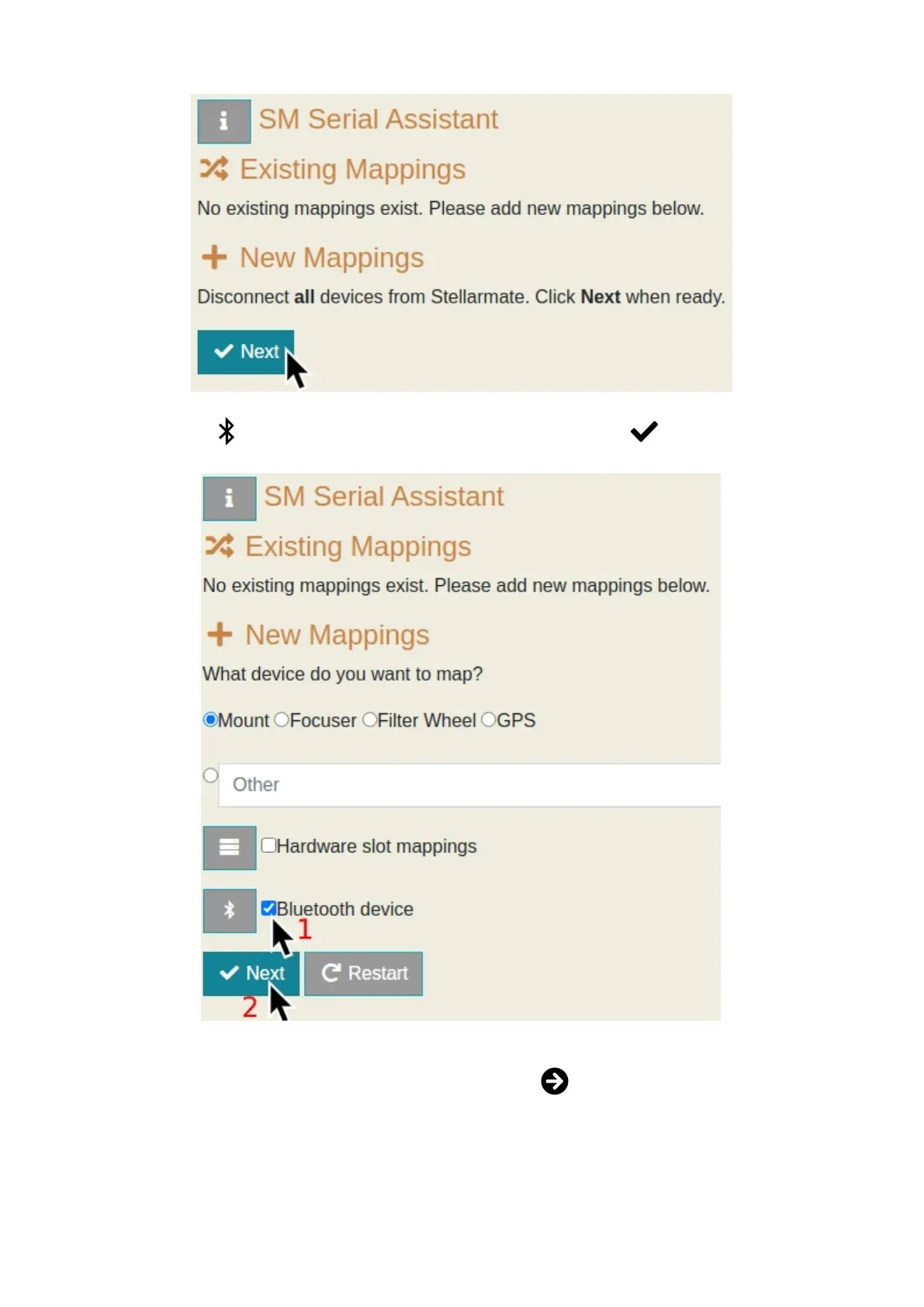
4. Check the Bluetooth device checkbox, and then click Next.
5. If you have already paired your device to StellarMate before, you can set it
to Auto-bind on startup by clicking on the Bind button next to the device's
details. You will be met with a dialog that confirms that your device has
been binded to StellarMate.



 To Next Page