The StellarMate Plus Manual
78 / 341
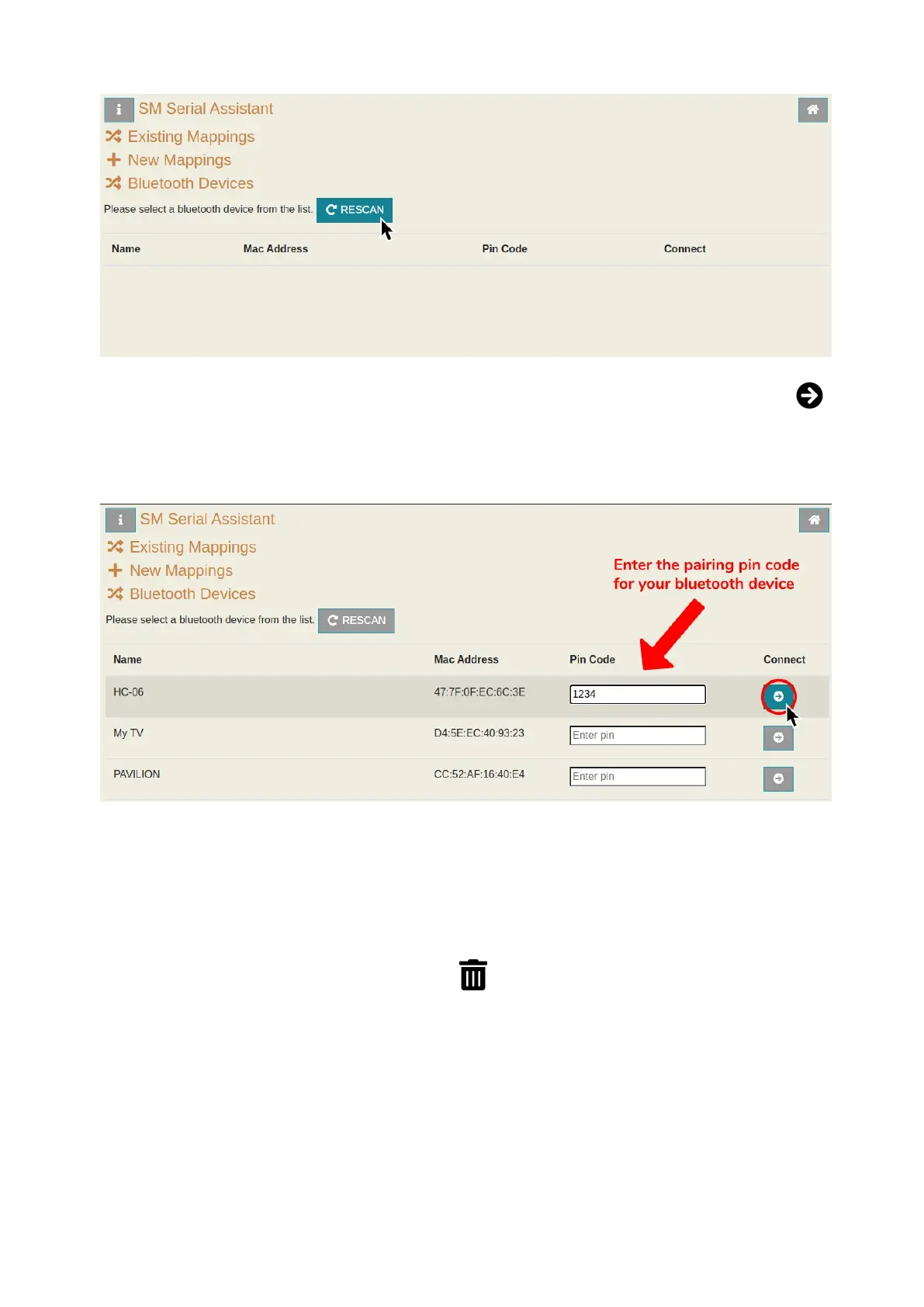
9. If you find your device, enter the pin code and then click on the Connect
button. (eg. Shoestring Astronomy HC-06's pin code is 1234, you can find the
pin code number by finding the bluetooth device's documentation made by the
manufacturer)
10. Wait a few seconds until a pop-up dialog shows up to confirm if the pairing
and binding process was successful or not.
Unbinding a Bluetooth Device
To stop a device from being auto-binded on startup, go to the Bluetooth Wizard
by following steps 1-4 and then click on Unbind Previous Device.



 To Next Page