P11
See page 12 for the list of commissioning steps
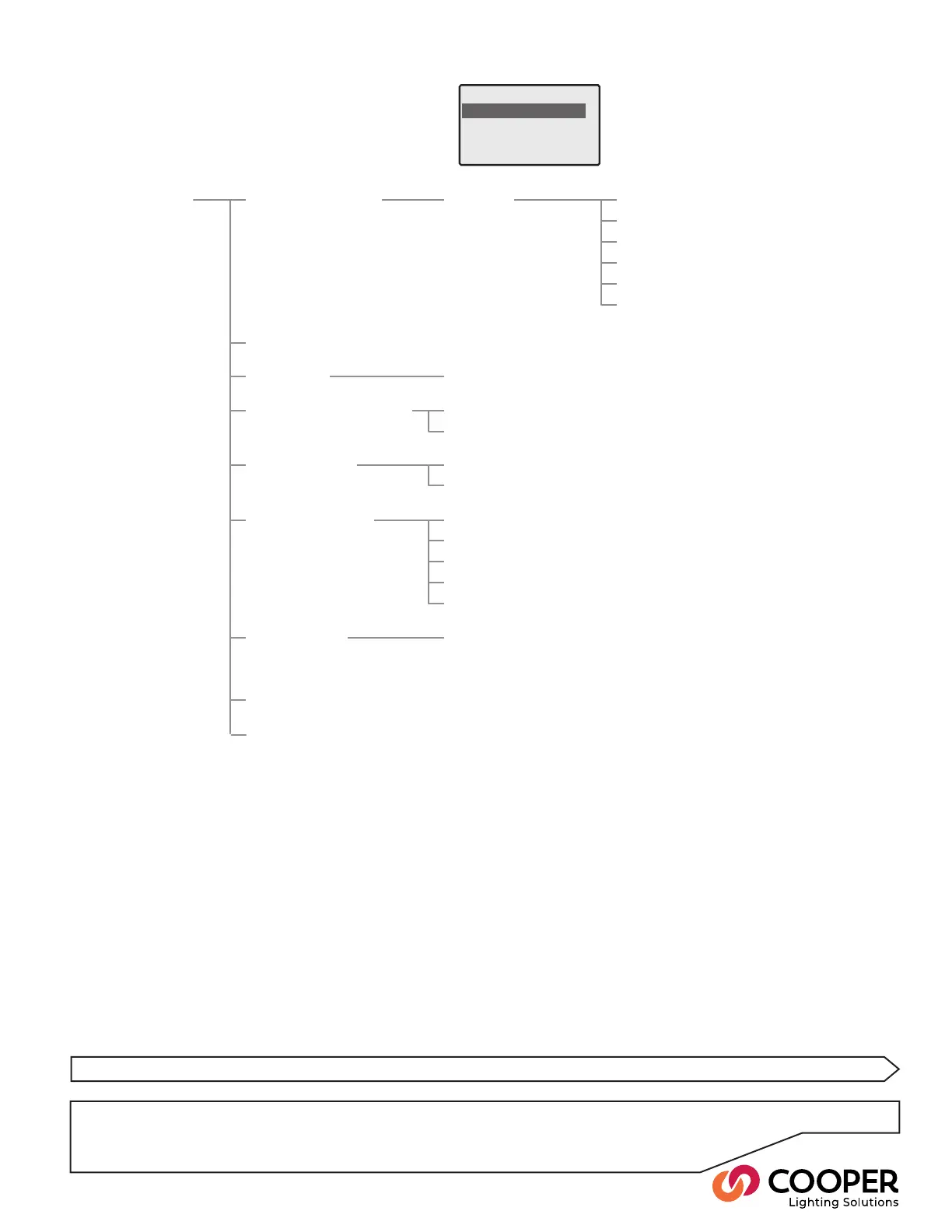
Configuration Menu
Configure Outputs
Wallstation Wizard
Scene Edit
Emergency Scene Edit
Conguration menu layout
Conguration Congure Outputs Output x Standard Type see page 20
Set Area/Zone see page 21
HF Curve see page 21
Min/Max see page 22
Operation at Min see page 22
Startup Action see page 22
Password Manager see page 36
Restore Defaults see page 39
Wallstation Wizard see page 27
Scene Edit Scene x see page 24
Emergency Scene Edit All Outputs see page 25
Output x xx%
Contact Inputs Input 1 see page 26
Input 2
Ethernet Settings IP Addr see page 34
IP Mask
Gateway
MAC
Restore Defaults
DMX Options Output Mapping see page 35


 To Next Page