27
path C:\\_IMS\Projects. You can select using the touch function of the monitor or a
separately connected keyboard and computer mouse. Finally, press the "Save" button
to confirm the entry.
2.5.3.6.2 Text overlay
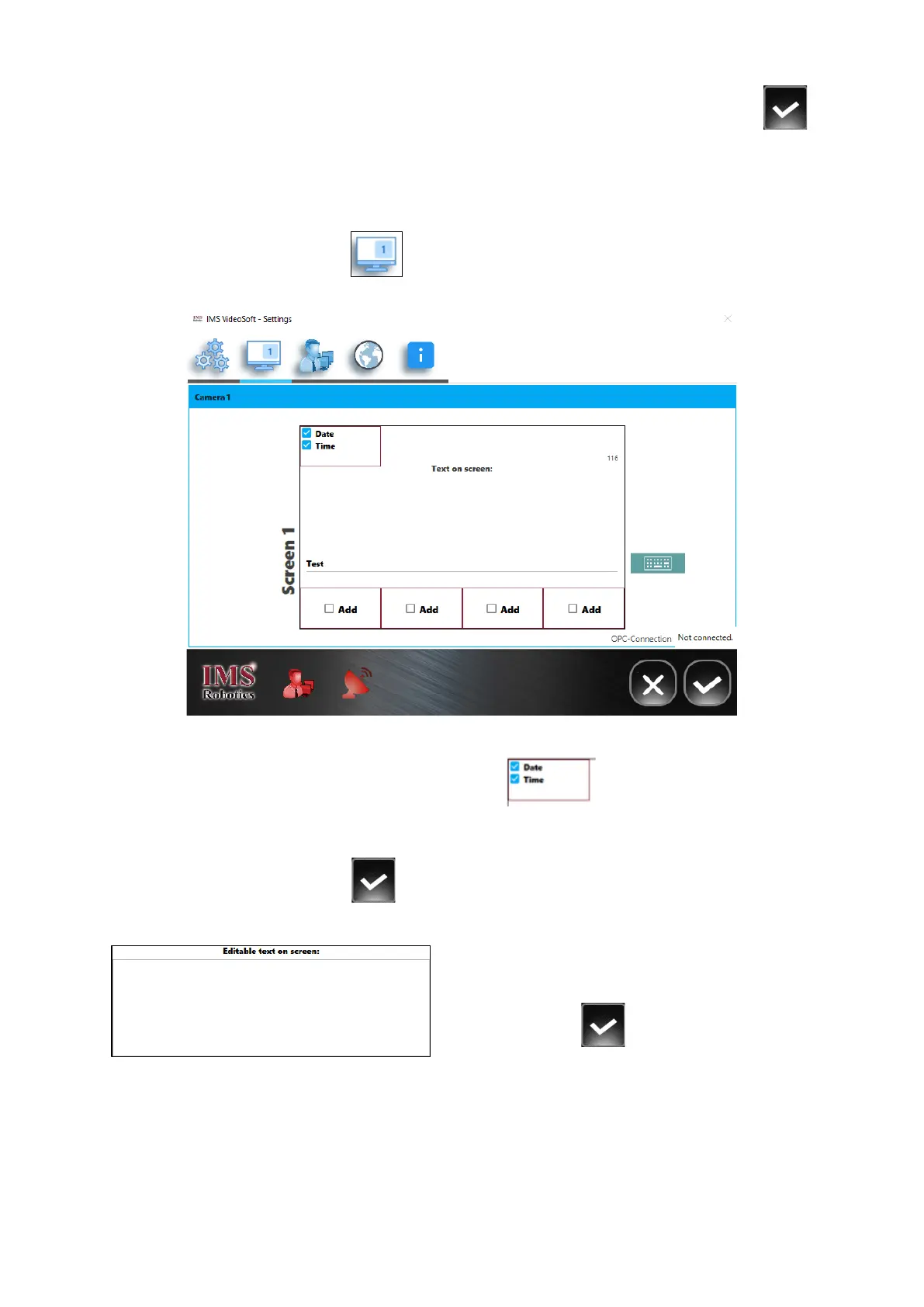
Press the "Text overlay" button to open a menu in which overlays can be defined and
in which text can be written.
If a check mark is set in the "Date" and "Time" fields , the current date and time
are displayed at the top left edge of the screen.
You can make entries using the touch function of the monitor or with an external keyboard.
Finally, press the "Save" button to confirm the entry.
To write text, click in the field provided using the touch function.
The virtual keyboard will now open. You can
write the text. You can also enter text via an
additionally connected keyboard. Finally, press
the "Save" button to confirm the entry.


 To Next Page