52
6.2 Change the camera
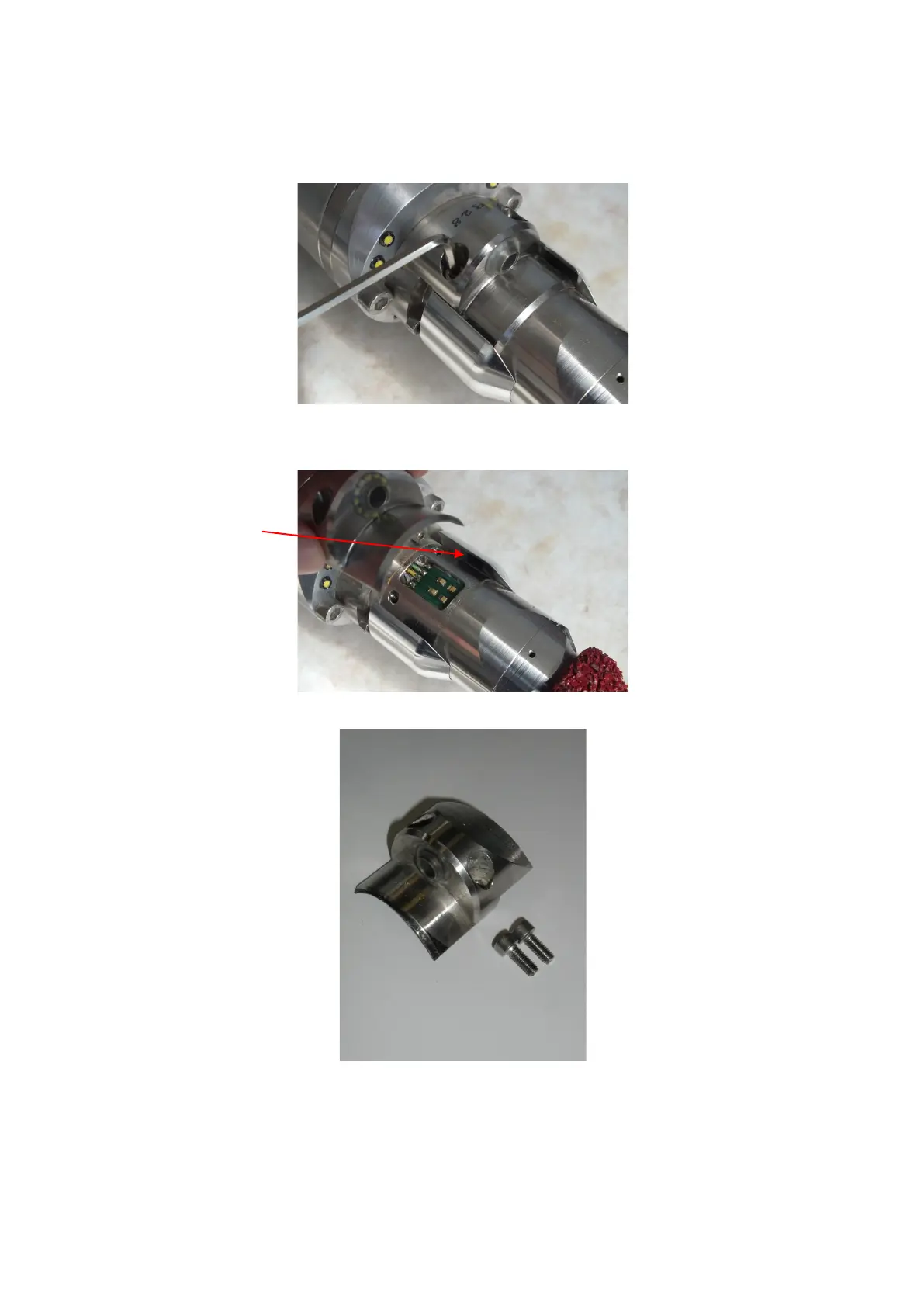
Unscrew the camera by means of two Allen screws M4x10.
Remove the camera carefully. The cleaning ring for the air/water supply remains on the unit.
Do not operate the cutter drive without the camera!
When reassembling, check the O-ring is seated properly! Place the camera carefully
onto the contact board; fix the camera with the Allen screws M4x10!
Fill the device with nitrogen!


 To Next Page