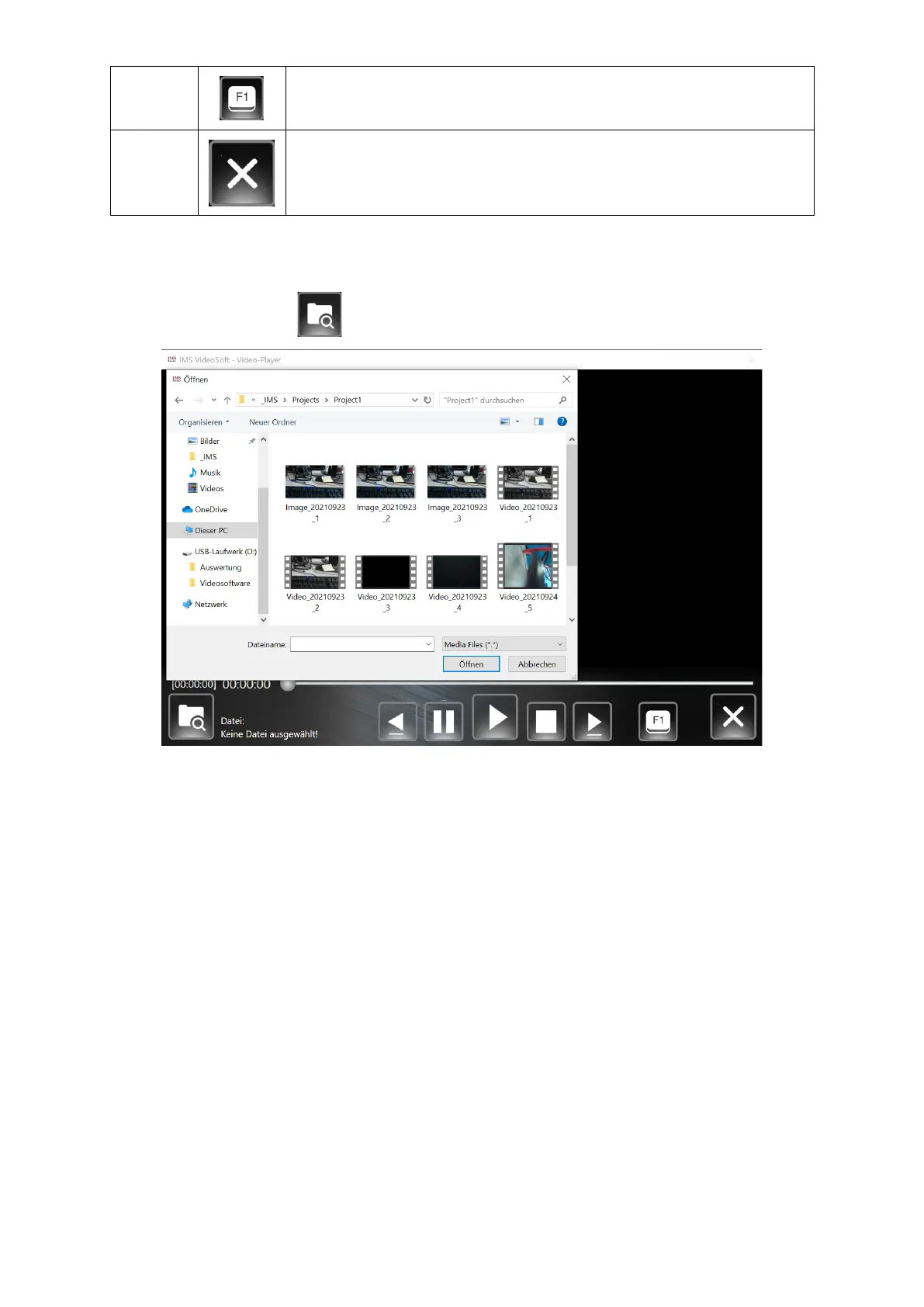
2.5.3.1.1 Loading and playing back a saved video or image file
Press the "Open" button to open the "Window Explorer" of the Mini PC.
The files are stored under "windows (C:) → Projects". The "Projects" folder contains all the
project folders you have created yourself (see point 2.5.3.6.1 Basic settings). Double-click to
select a project folder.
This folder now contains all video and image files that were created for this project.


 To Next Page